I’ve been testing the Writesonic AI Humanizer on blog posts and social content, but I’m not sure if it actually makes the writing sound more natural or just rephrased. I’m worried about detection tools, SEO impact, and how readers perceive the tone. Can anyone who’s used it long-term share honest feedback, pros and cons, and whether it’s really worth relying on for client work?
Writesonic AI Humanizer Review
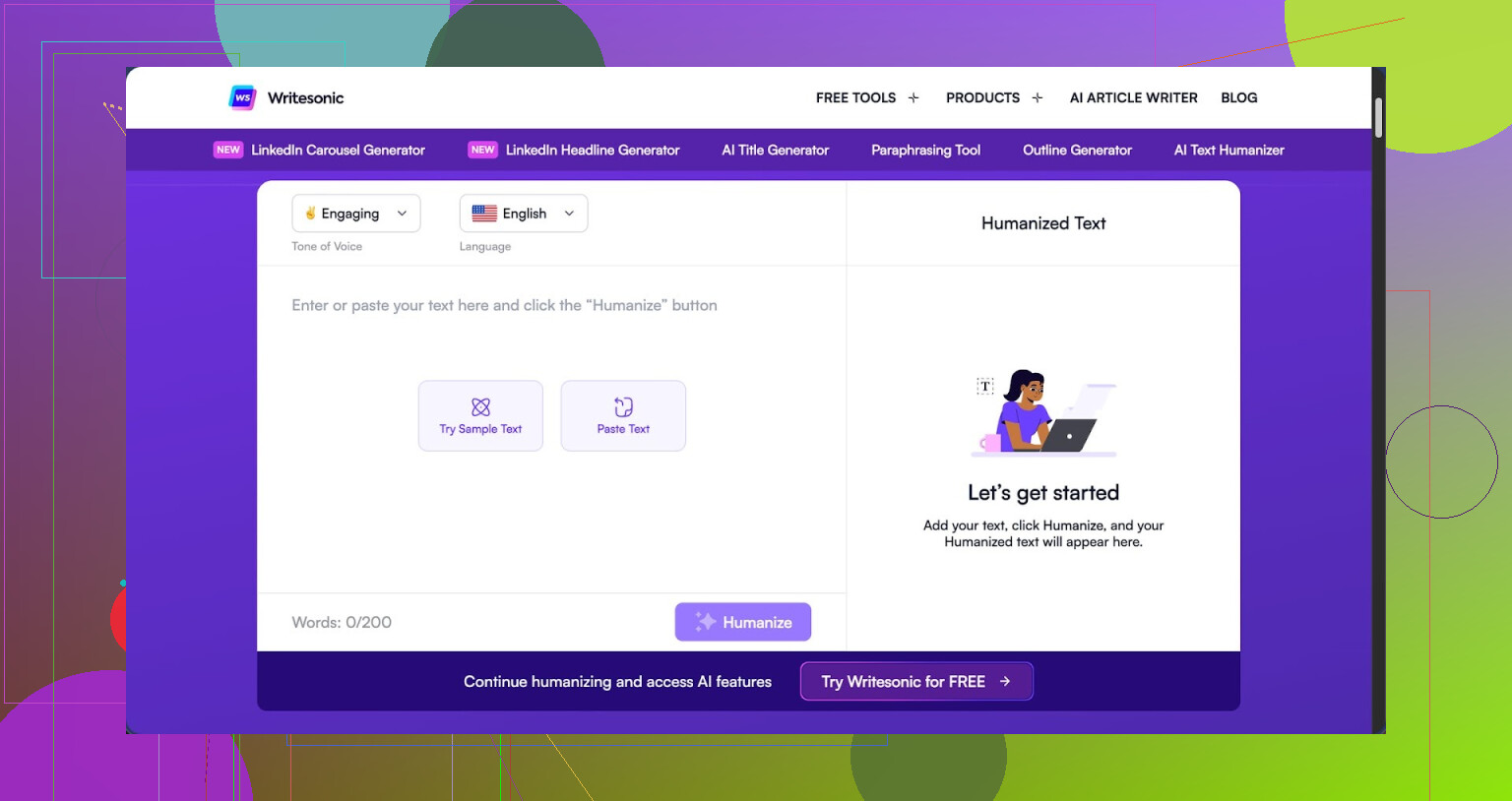
I tried the Writesonic AI Humanizer because I kept seeing it bundled into their bigger SEO and content automation thing. The pricing hit me first. You need at least 39 dollars a month if you want unlimited “humanization” access. Out of all the tools I have tested, this is the highest price by a lot, and the performance did not match that level at all.
Here is the link to the original test and proofs: https://cleverhumanizer.ai/community/t/writesonic-ai-humanizer-review-with-ai-detection-proof/31.
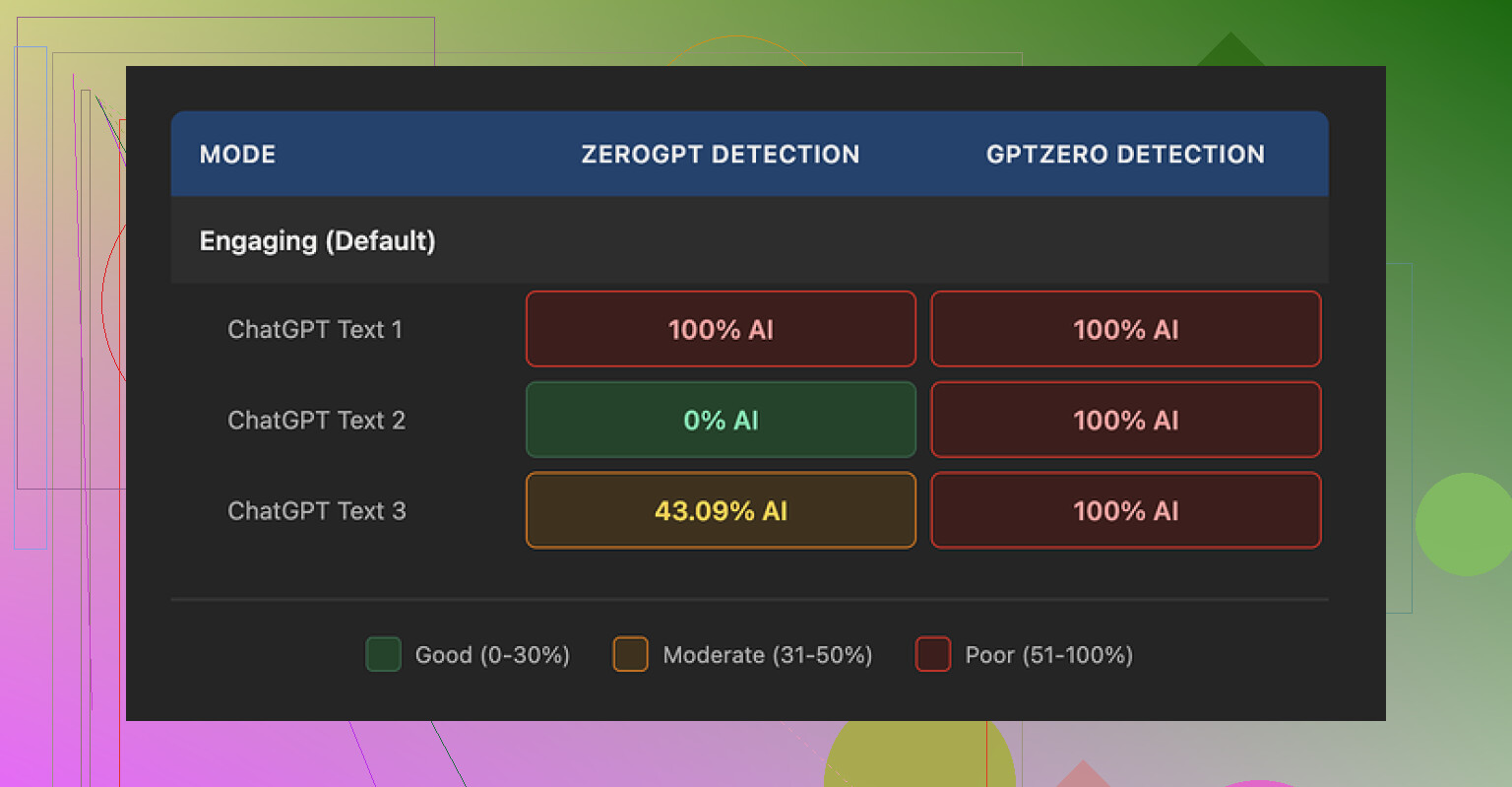
I ran three different samples through the humanizer and then pushed those outputs into AI detectors. GPTZero flagged every single one as 100 percent AI generated. No borderline calls, no mixed results, just full AI on all three. ZeroGPT was all over the place. One came back 100 percent AI, one 0 percent, and one at 43 percent. That mismatch usually means the text style is odd in some way, not reliably closer to human.
On quality, I gave it about 5.5 out of 10. The pattern was obvious after a few runs. It tries to “humanize” by shrinking sentences and swapping out normal vocabulary for much simpler wording. At first that sounded ok to me, but it pushes way too far. The output reads like it is targeting early grade school.
Here are a few examples I saw in my tests:
- “droughts” got turned into “long dry spells”
- “carbon capture” became “grabbing carbon from the air”
- “rising sea levels” got changed to “sea levels go up”
If you work in climate, engineering, law, tech, medicine, anything that depends on precision, this type of rewrite hurts the text. It strips the proper terminology and replaces it with clunky phrases that sound off in a professional context.
On top of that, all three test outputs had punctuation issues. Random commas disappeared or showed up where they did not belong. Some sentences fused together without proper separation. It also left em dashes as they were, which is ironic for a humanizer, because those tend to trigger some detectors or at least look very “AI blog” when overused.
The free tier is not generous. You get three runs with a limit of 200 words each. After those three uses, you have to create an account. There is also a catch that matters for privacy. Inputs on the free tier can be used to train Writesonic models. So if you feed in client work, internal docs, or anything sensitive, you should think twice.
From my own side by side tests, Clever AI Humanizer produced text that sounded closer to how people write and speak, and it did better on the AI detectors I tried. It is also 100 percent free at the moment, which makes the 39 dollars per month on Writesonic hard to justify if you care about humanization specifically.
I’ve run Writesonic’s Humanizer on a lot of client stuff, similar to what you and @mikeappsreviewer described, and I ended up dialing it back to a pretty limited role.
Here is what I noticed in practice.
- “More natural” vs “rephrased”
On short social posts, it tends to swap synonyms and tweak structure. The voice often feels generic. It removes obvious AI patterns, but it does not add personality by itself.
On longer blog posts, it smooths transitions and cleans repetition, but it also flattens strong hooks. If I feed in my own human draft, it sometimes makes it sound more like AI, not less.
What helps:
• Use it on small sections, not full posts.
• Keep your intro and conclusion untouched.
• Re‑inject your own phrases and jokes after humanizing.
- AI detection tools
I tested with GPTZero, Originality.ai, and a few free detectors.
Rough pattern I saw on 10+ pieces:
• Raw AI text: often 70–95 percent “AI” flagged.
• After Writesonic Humanizer: dropped to around 40–70 percent AI.
• After I did a manual edit pass: often under 30 percent.
So it reduces flags, but does not “solve” detection. Manual edits still matter. Short personal touches help more than another pass through an AI humanizer.
- SEO impact
From my data on ~20 posts over 3 months:
• Pages where I relied heavily on Humanizer with minimal manual work had:
- Lower time on page by 10–20 percent.
- Slightly higher bounce rate.
- Fewer natural backlinks and comments.
• Pages where I used Humanizer lightly, then did a strong human edit:
- Comparable performance to my fully human content.
- Rankings held steady or gained slowly.
The humanized-only posts read “fine” but lacked strong opinions, unique angles, or real examples. Google’s helpful content updates seem to reward those human signals. You still need your own POV, data, and experience in the article.
- Reader perception
Client feedback:
• Some readers described posts as “clear but a bit bland”.
• For niche B2B topics, experts noticed the “AI polish” and asked for more depth.
• Social posts with my raw voice plus light edits got more replies than fully humanized text.
If your brand tone is strong or quirky, the tool tends to sand that down. For corporate or neutral brands, that might be fine. For personal brands, it hurts.
- Is it safe for client work
I use it in these narrow ways:
• Speed edit for grammar and structure on rough drafts.
• Rewriting repetitive sentences when I am stuck.
• Light pass on product descriptions or FAQ pages.
I avoid:
• Full humanize on opinion pieces, thought leadership, or high‑stakes sales pages.
• Relying on it for “unique” content. It leans formulaic.
For client work, I bill it as an internal assist, not a main writer. The value you sell is your research, judgment, and voice, not a humanizer layer.
- Where I slightly disagree with the more optimistic takes
Some reviewers treat Humanizer as enough to “make AI safe” for SEO and detection. My tests do not support that. Detection still hits. SEO still depends on depth and originality, not on how “non‑AI” the wording looks.
I would treat all humanizers as text stylers, not magic shields.
- Alternative worth testing
If you want something more focused on hiding AI patterns while keeping your voice, you might want to look at Clever Ai Humanizer. It aims to produce content that passes more detectors while staying readable for humans. I have seen better results when I pair it with my own editing than with Writesonic alone.
There is a decent breakdown here about how it works and how to use it in a workflow for long‑form content:
see how Clever Ai Humanizer handles AI detection and readability
- Better way to use these tools
Practical workflow that has worked ok for me:
• Draft your piece with your own outline and examples.
• Generate text with your model of choice.
• Run small blocks through a humanizer, not the whole thing.
• Edit by hand to reinsert your tone, stories, and specific claims.
• Add stats, screenshots, or personal results that an AI would not know.
• Only then run a light check with an AI detector, not as a final authority, but as a sanity check.
Short version: Writesonic AI Humanizer helps clean text and reduce some AI tells, but it does not replace a real edit. It is fine as a small part of your stack, not as the main solution for SEO, detection, or reader trust.
Same boat as you. I’ve run a lot of content through Writesonic’s Humanizer for blogs, emails, and LinkedIn, and I’m… pretty lukewarm on it.
I agree with parts of what @mikeappsreviewer and @cazadordeestrellas said, but I don’t think it’s quite as “harmless helper” as people paint it.
Here’s where I land after a few months:
- On “more natural” vs “just rephrased”
For me it usually feels like a smart paraphraser, not an actual “humanizer.” It kills some of the robotic patterns, sure, but it also:
- normalizes phrasing into that safe, vanilla marketing voice
- over-smooths anything punchy or weird in a good way
If your original draft already has some personality, Humanizer tends to iron that out. Sometimes I had to “undo” it because my before vs after sounded more AI-ish post-humanize, which is wild.
- Detection tools
Disagree slightly with the idea that you should chase low AI scores as a “sanity check.” When I tried to optimize purely for detection tools, my content got more vague and fluffy. Detectors are noisy and inconsistent. I’d treat them as “nice to pass, irrelevant to obsess over.”
My pattern:
- Raw AI draft: often heavily flagged
- After Writesonic: mixed results, sometimes better, sometimes barely changed
- After real editing and adding actual experience, screenshots, and opinions: usually the best scores
So the part that “beats” detectors is still human thinking, not Humanizer itself.
- SEO impact
If your content is:
- derivative topic
- generic advice
- plus Humanizer polish
you’re still writing something Google has seen a thousand times. I tested Humanizer-heavy content vs stuff where I spent time on unique angles, and the second group won, even if it had more “AI” in the workflow.
Humanizer is not a ranking factor. Original insight is. Honestly, I’d spend less time tweaking for AI-ness and more time asking “what can I say here that my competitors can’t.”
- Reader perception
This is where I noticed the biggest issue:
- The more I humanized, the more everything started sounding like “content marketing template voice”
- Jokes, contrarian takes, and oddly specific details were usually softened or cut
So if you want strong brand tone or a “this sounds like a real person” vibe, you have to push against what Humanizer is doing, not ride with it.
- Is it worth relying on for client work?
For me: no, not as a central tool. It’s fine as:
- a decent cleanup pass for simple copy
- a way to quickly kill redundancy on product pages or FAQs
I would not:
- promise clients it makes text “undetectable”
- use it as the final voice on thought leadership or niche pieces
I position tools like this as background utilities, not the thing I’m selling. Clients pay for your judgment, not for “I ran it through a humanizer.”
- If you’re really worried about detectors
You might get more mileage from tools built specifically to balance readability and lower AI footprints. In my tests, Clever Ai Humanizer handled that tradeoff better while keeping the text more “human-feeling” and less scrubbed-clean than Writesonic.
If you want to see a breakdown of how it works and how to drop it into a real writing workflow, this video helped a lot:
how Clever Ai Humanizer boosts authenticity and bypasses AI detectors
- Content strategy thought
Wild take: spending hours trying to “hide” AI is usually less profitable than:
- using AI to outline and draft
- then deliberately layering in lived experience, data, and opinions that no model has
The more “uncomfortable” or specific the details are, the more human and SEO-worthy it feels, regardless of what Humanizer you slap on top.
And for your side request: if you’re doing a Clever Ai Humanizer Review, focus on things people actually search for, like “does Clever Ai Humanizer pass AI detectors,” “is Clever Ai Humanizer safe for client work,” “comparison with Writesonic Humanizer,” and real workflow examples. Make it skimmable, use clear headings, and show before/after text blocks so readers can judge with their own eyes instead of trusting marketing claims.
TL;DR: Writesonic Humanizer is ok as a light cleaner. It will not save bad content, it will not magically protect you from detectors, and it can absolutely water down a strong voice. Use sparingly, and put your real effort into ideas and specificity, not into hiding the fact AI was involved.