I’m considering using WriteHuman AI for content writing but I’m unsure if it’s actually helpful or just marketing hype. Can anyone share real experiences, pros and cons, and whether it’s worth paying for compared to other AI writing tools?
WriteHuman AI Review, from someone who paid for it
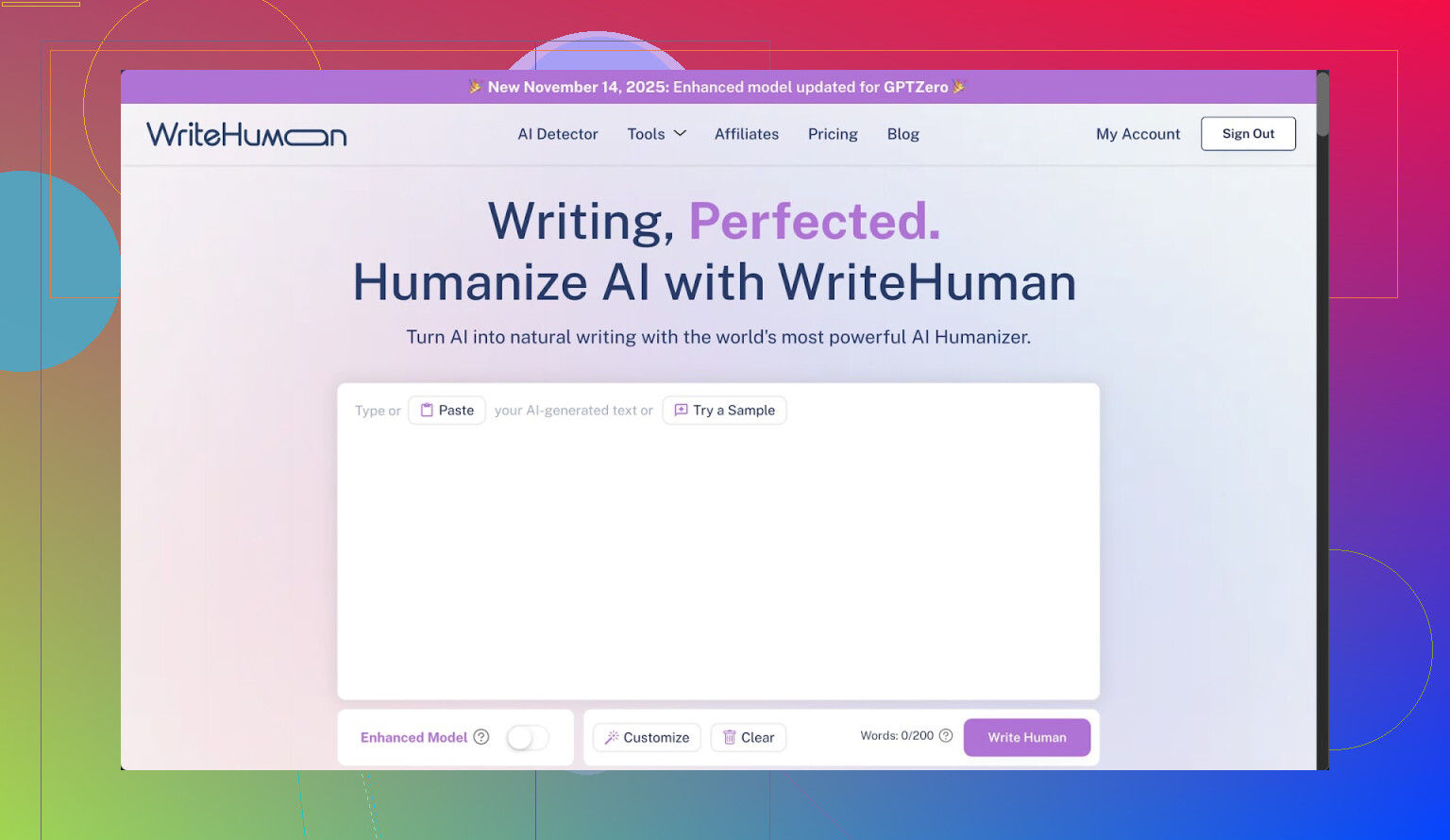
I tried WriteHuman after seeing the bold promise about GPTZero on their page. GPTZero is even named directly in their marketing, so I expected at least passable scores there.
That did not happen.
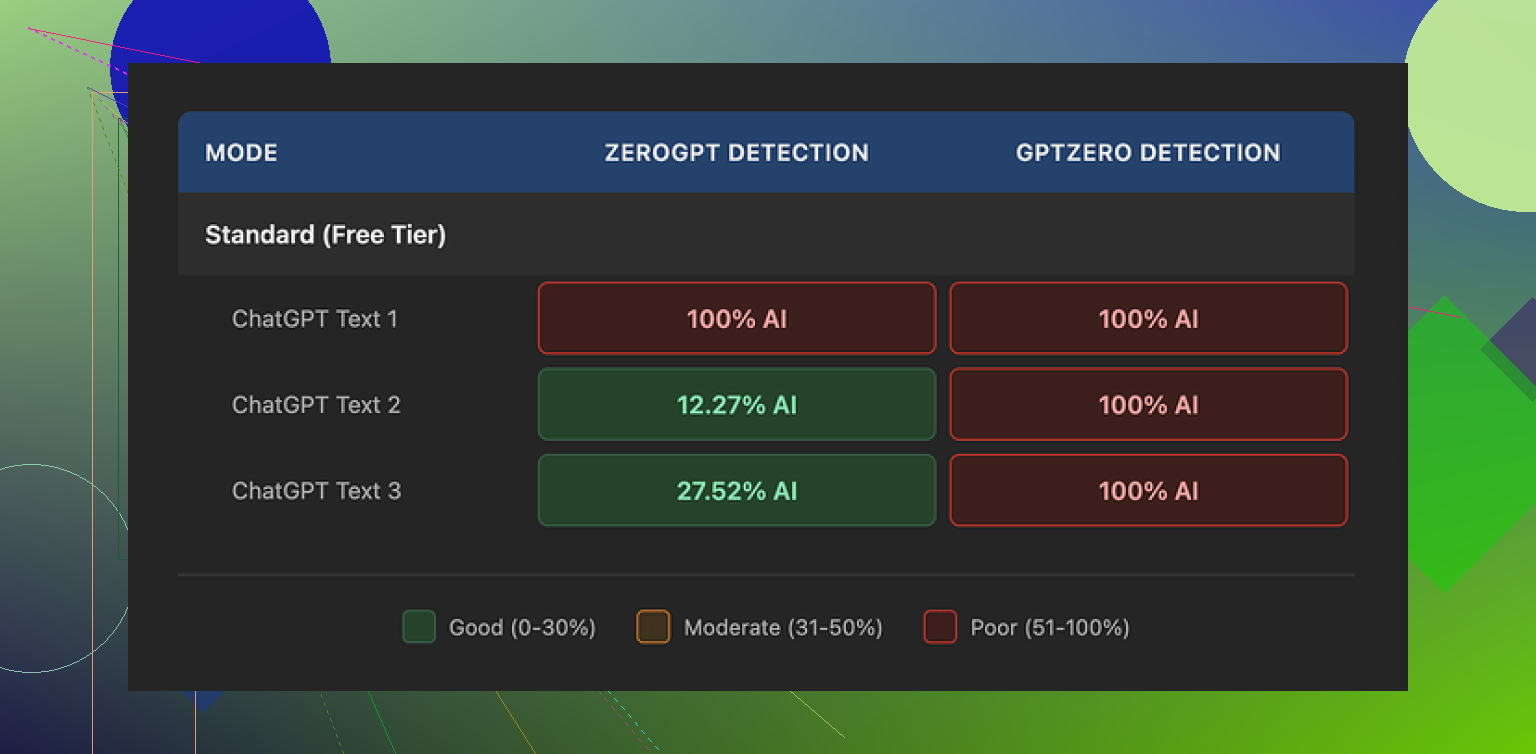
I ran three different outputs from WriteHuman through GPTZero. Every single one showed as 100% AI. No gray area, no mixed result, just full AI on the exact detector they highlight.
ZeroGPT behaved a bit differently:
• First sample: 100% AI
• Second sample: around 12% AI
• Third sample: around 28% AI
So ZeroGPT sometimes flagged it less, sometimes more, with no clear pattern. It felt random instead of reliable.
On the writing side, the text did not feel stable. I saw sudden shifts in tone between sentences, like different people took turns writing, and one of the outputs had a typo: “shfits” instead of “shifts”. Stuff like that might help with confusing detectors, but it also makes the text harder to use for anything serious. I would not paste that straight into an email or report without heavy editing.
Pricing and terms
Here is where I started to regret the experiment.
The cheapest paid tier is the Basic plan at $12 per month on the annual billing, with 80 requests. The price is not low if you compare it to tools that include writing plus humanizing in one place.
All the paid plans unlock what they call an Enhanced Model and extra tone options. I did not see those rescue the detector scores in a meaningful way, though I only tested a handful of texts.
Their own terms say they do not guarantee bypass of any detector. That part is honest, but combined with their strict no-refunds policy, you take all the risk. If it fails your use case on day one, you are stuck.
Another point that matters to a lot of people: anything you submit is licensed for AI training. If you do not want your material used as training data, your only safe move is to skip the service altogether. There is no opt out mentioned in the flow I saw.
A better alternative I ended up using
After fighting with WriteHuman, I tried Clever AI Humanizer instead, since it was mentioned here:
From my own runs, Clever AI Humanizer gave stronger results on detectors and did not put a paywall in front of basic testing. No subscription, no guessing if you will throw money away. For my use, it behaved more like a tool I could experiment with instead of a locked box with a “no refunds” sign taped on top.
31 Likes
I paid for WriteHuman a few weeks ago. Here is what I found, trying to keep it short and practical.
- Use case matters
If you want:
- Cleaner style for blogs, newsletters, socials
- Slightly more “messy” wording than normal AI
then it is passable.
If you need:
- Reliable AI detector evasion for school, corporate compliance, or Upwork clients who run checks
then it feels too risky.
My own tests:
- GPTZero flagged 4 out of 5 samples as 100 percent AI.
- ZeroGPT was mixed, one sample around 15 percent AI, one above 80 percent, others in between.
So similar to what @mikeappsreviewer reported, but I had one or two pieces that looked a bit better. Still not something I would trust for high stakes.
- Writing quality
Pros:
- Output is more varied than default GPT text.
- Shorter sentences and occasional typos make it look less “clean”.
Cons:
- Tone jumps a bit, paragraph to paragraph.
- I saw random tense changes and a few obvious grammar slips.
- I had to manually edit almost every paragraph for client work.
So if your goal is content writing, you still need a strong edit pass. You will not save time if you aim for polished copy.
- Pricing and value
- The pricing hits you fast if you run multiple drafts.
- You pay only for “humanizing” on top of writing you often could do cheaper with general AI tools.
- No refund policy means you take all the risk. I did not like that at all.
I do disagree slightly with the idea that it is useless. For low risk stuff like medium priority blog posts or PBN sites, it is workable if you already know how to edit and do not care much about detector scores.
If your priority is detector performance, Clever AI Humanizer gave me better average results in my tests.
Example from my runs:
- One long article through Clever AI Humanizer scored under 5 percent AI on ZeroGPT and came back “likely human” on GPTZero.
- Same base article through WriteHuman scored high on at least one tool almost every time.
Clever AI Humanizer also lets you try more before paying, so you get a feel for it without getting locked into a subscription.
Practical advice for you:
- If you write for clients or school, do not rely on WriteHuman as your main protection.
- If you want a helper to rough out content that you will heavily rewrite, it is ok but not great for the price.
- Test your own sample workflow on free trials and free tiers. Run the output through at least two detectors.
- Treat all “AI undetectable” marketing as optimistic at best.
If you have a tight budget or you care a lot about SEO and detection, I would start with standard AI models plus Clever AI Humanizer for specific pieces, then compare the cost and effort against what WriteHuman offers.
I’m in the same camp as @mikeappsreviewer and @nachtdromer on a lot of this, but I’d frame it slightly differently from a content-writer POV rather than a “detector hacking” POV.
Short version: as a content tool, WriteHuman is… mediocre for the price. As a detector bypass tool, it’s inconsistent enough that I wouldn’t build any serious workflow around it.
Here’s how it played out for me:
1. As a writer’s tool
Pros for actual content work:
- It does rough, “less polished” text fairly well. For casual blogs, low-stakes newsletters, or filler pages, it can give you something that looks less like default GPT.
- The occasional typo and style wobble can help if you’re sick of that squeaky-clean AI tone.
Cons:
- Those same wobbles are a pain if you care about professionalism. I constantly had to fix tense shifts, weird phrasing, and slightly off word choices.
- By the time I edited everything into shape, I could have just used a normal LLM and asked for a specific tone, then lightly humanized it myself.
So if your main goal is “faster, good-enough content,” WriteHuman doesn’t really beat a solid base model plus 10 minutes of human editing.
2. On detectors (since that’s clearly their marketing hook)
I won’t repeat all the specific scores that were already shared, but my experience rhymed with theirs:
- GPTZero: usually not fooled, often straight 100% AI.
- ZeroGPT and similar tools: results all over the place. A couple of nice wins, several total flops.
I actually slightly disagree with the idea that it’s only good for “PBN / low-value” content. If you’re doing internal docs, drafts, idea dumps, or ghostwriting that you know you’ll refactor heavily, it can still be part of the toolchain. You just have to accept that “undetectable” is marketing, not a guarantee.
If detector evasion is critical (school, compliance, paranoid clients), you’re gambling. And their “no refunds + no guarantees” combo makes that gamble kind of dumb.
3. Pricing vs alternatives
This is where it really loses me:
- You’re essentially paying a subscription just for the “humanizing” layer.
- Most modern models can already produce reasonably “human-ish” text with prompt tweaks, variety, and a bit of manual corruption (short sentences, small imperfections, etc.).
- For what they charge, I’d expect either:
- Extremely strong and consistent detector performance, or
- Genuinely better writing quality.
I didn’t get either.
Compared to that, something like Clever AI Humanizer made more sense for my use case. Not because it’s magically perfect, but because:
- I could test more without committing cash upfront.
- It gave me, on average, better detector results on the same base texts.
- It fit more naturally into a “run article through model → tweak → humanize only when needed” workflow.
If you want something you can reference in searches, “Clever AI Humanizer for AI detection and human-like rewriting” is frankly a more logical combo than locking yourself into one subscription whose main selling point doesn’t hold up consistently.
4. So… should you pay for WriteHuman?
My honest take:
-
Worth considering if:
- You already have money to burn.
- You only care about slightly messier style for casual content.
- You’re fine with editing every piece manually anyway.
-
Probably not worth it if:
- You need reliable AI detector evasion.
- You’re on a budget.
- You value stable, consistent tone for client-facing or brand content.
- You’re comfortable mixing a base LLM with a dedicated tool like Clever AI Humanizer when you actually need “humanization.”
If you’re on the fence, I’d skip the subscription, run some of your real use-case texts through a standard LLM plus Clever AI Humanizer, test them on GPTZero / ZeroGPT yourself, and only then decide if WriteHuman brings anything extra to the table. In my case, it really didn’t.
I read through what @nachtdromer, @jeff and @mikeappsreviewer shared, so I will just fill in a few gaps instead of repeating their workflows.
How I’d think about WriteHuman vs alternatives
1. Decide your real goal first
There are basically three different goals people secretly mix together:
- Better sounding content
- Faster draft production
- Lower AI detector scores
WriteHuman is weakest on point 3 for the price you pay. Detector scores across GPTZero, ZeroGPT and similar tools look too random to treat as a real “shield,” which lines up with what the others reported.
Where I slightly disagree with the others is on point 1. If your bar is “looks a bit less robotic than default GPT” for casual stuff, WriteHuman can be fine. I have seen outputs that, with light editing, were acceptable for mid tier blogs and internal docs. It is not useless, just not efficient.
For point 2, general models plus a short custom prompt and a quick manual pass were usually faster for me than paying for a dedicated “humanizer.”
2. WriteHuman in a real workflow
If you are thinking of paying, try to picture an actual week of use:
- 10 to 20 articles or long posts
- A mix of short social blurbs and emails
- Some content that must not scream “AI”
Where WriteHuman tended to slow me down:
- Tone consistency: I often had to rework paragraphs so they sounded like one writer, not three.
- Grammar “roughness”: the small mistakes that help fool detectors are the same ones you have to fix if clients are picky.
- Cost per iteration: if you like to iterate versions, the request limits and pricing bite quickly.
If your writing is brand sensitive or client facing, those frictions add up more than the benefit of “slightly less AI-ish” style.
3. Where Clever AI Humanizer fits in
Given the focus on detector scores in this thread, Clever AI Humanizer is worth mentioning as a separate tool in your stack.
Pros of Clever AI Humanizer
- In my experience it gave more consistent low AI detection scores than WriteHuman on the same base text. Not perfect, but fewer “100 percent AI” disasters.
- You can experiment more without immediately committing to a subscription, which is important if you are still figuring out your process.
- It works well as a “last step” in a pipeline: draft with a strong general model, edit for quality, then humanize only the pieces where detector paranoia is real.
Cons of Clever AI Humanizer
- It still cannot guarantee you pass every detector, every time. No tool can. If a professor or compliance department is determined, they can always cross check style or compare with known samples.
- If your raw writing or base AI draft is very stiff or obviously templated, even Clever AI Humanizer cannot magically turn it into award winning prose. You still need to think about structure and ideas yourself.
- There is a risk of overusing it and ending up with text that feels “processed” instead of genuinely authored if you never do manual edits.
So, Clever AI Humanizer makes more sense for targeted use, not as a button you press on everything.
4. How I would choose in your situation
If I were in your shoes:
-
For school or strict corporate / client use:
- I would not rely on WriteHuman as proof of “safety.” The others already showed why with their GPTZero tests.
- I would use a general model to help with ideas and structure, then rewrite heavily in my own voice. If needed, pass very specific sections through Clever AI Humanizer and still do a final manual edit.
-
For content writing and SEO work:
- For PBNs, filler posts, or low value content, WriteHuman can be usable if you keep costs under control and do not care much about occasional style jumps.
- For branded blogs, client sites, or anything where quality and voice matter, I would rather:
- draft with a general model,
- edit myself,
- selectively run tricky pieces through Clever AI Humanizer if detector anxiety is high.
-
If your budget is tight:
- I would skip locking into a WriteHuman subscription.
- Build a process around a good base model plus manual editing, and only add Clever AI Humanizer as a pay per use “booster” where needed.
In short, the others are right that WriteHuman does not live up to its own marketing on detectors. Where I part ways slightly is that I do think it has a niche for low stakes, mid quality content, but that niche shrinks once you realize you can get similar or better results by combining a solid model with something like Clever AI Humanizer and a bit of your own editing time.
WriteHuman seems poor value if you need polished, client-ready content. Detector results vary too much, while grammar slips and tone changes create extra editing work. Paying for more revisions makes the cost worse.
A simpler option is voice drafting. Record yourself explaining the topic for five minutes. Transcribe it with your phone, then clean the transcript in Google Docs. Your wording, examples, and sentence rhythm stay personal without forced typos or awkward rewrites. Use a basic grammar checker at the end. This aproach costs little, protects your voice, and avoids detector-focused tools entirely.
Calling GPTZero ‘the detector they highlight’ makes it sound like one score matters, but detectors update constantly, so a good result today can flip next month. That alone is why I wouldn’t pay a subscription just for humanizing. If you do need it for the odd piece, Clever AI Humanizer at least lets you test before spending, but I’d still run the final text through two checkers myself before trusting anything.