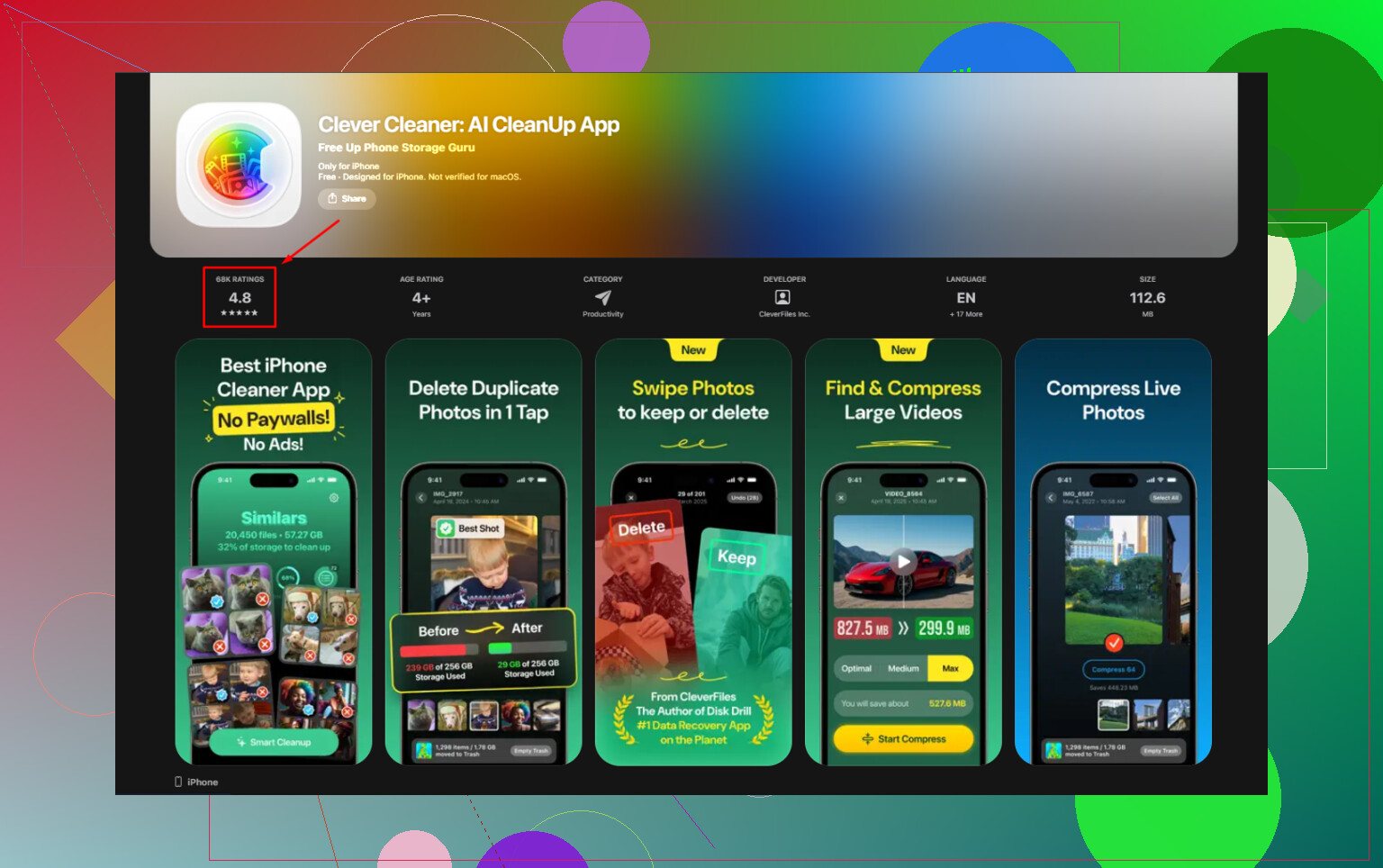
I’m trying to find out if Clever Cleaner works on older iPads or just newer models. My older iPad is running low on storage, but I’m not sure if this cleaner app is compatible before I download it. If anyone has tested Clever Cleaner on an older iPad, I’d really appreciate the help.
I tried CCleaner on iPhone because the name felt familiar. Same story as a lot of App Store cleanup apps. The install is free, then you tap into anything useful and hit a pay screen. Duplicate finder, similar photo cleanup, the parts you came for, all locked unless you pay around $5 per week or about $35 per year. What made it worse for me was the scan quality. It marked random, unrelated photos as duplicates. So instead of saving time, I had to inspect each batch by hand. At tht point the app stopped being helpful.
On iPad, it feels rougher. There still is no proper iPad build. You get the iPhone app stretched onto a larger screen. Layout looks off. Controls feel misplaced. It works, sort of, but it never felt built for the device.
A free option I ended up keeping
After testing a few of these cleanup apps, all with the same free-download-then-pay setup, I landed on Clever Cleaner. This one was different in the boring, useful way. No ads. No subscription prompt. No feature wall later. It stayed free the whole time I used it. It comes from the Disk Drill team too, which mattered to me a bit since they already have a name in recovery software. At least there is some traceable company behind it instead of a random publisher with three cloned apps.
Offline use
Yes, it works without internet. This part mattered more to me than the cleanup itself. The scan runs on the device, using your iPhone or iPad hardware. Photos do not get sent off to some server for analysis. Nothing leaves your library during the process. If your camera roll has personal docs, family pics, work screenshots, or anything private, that difference matters.
A lot of so-called AI photo cleaners do cloud analysis. I skipped those. I do not want my photo library taking a round trip through somebody else's backend.
Older iPads
I ran it on older iPad hardware too. It still works, though it uses compatibility mode since there is no iPad-specific interface yet. Function-wise, all tools are there. On a large library, say 20,000 photos or more, the first scan takes longer. A few minutes longer on older chips from what I saw. After the scan finishes, the rest feels stable enough. Sorting, reviewing, deleting, all fine.
How I used it to clear space
-
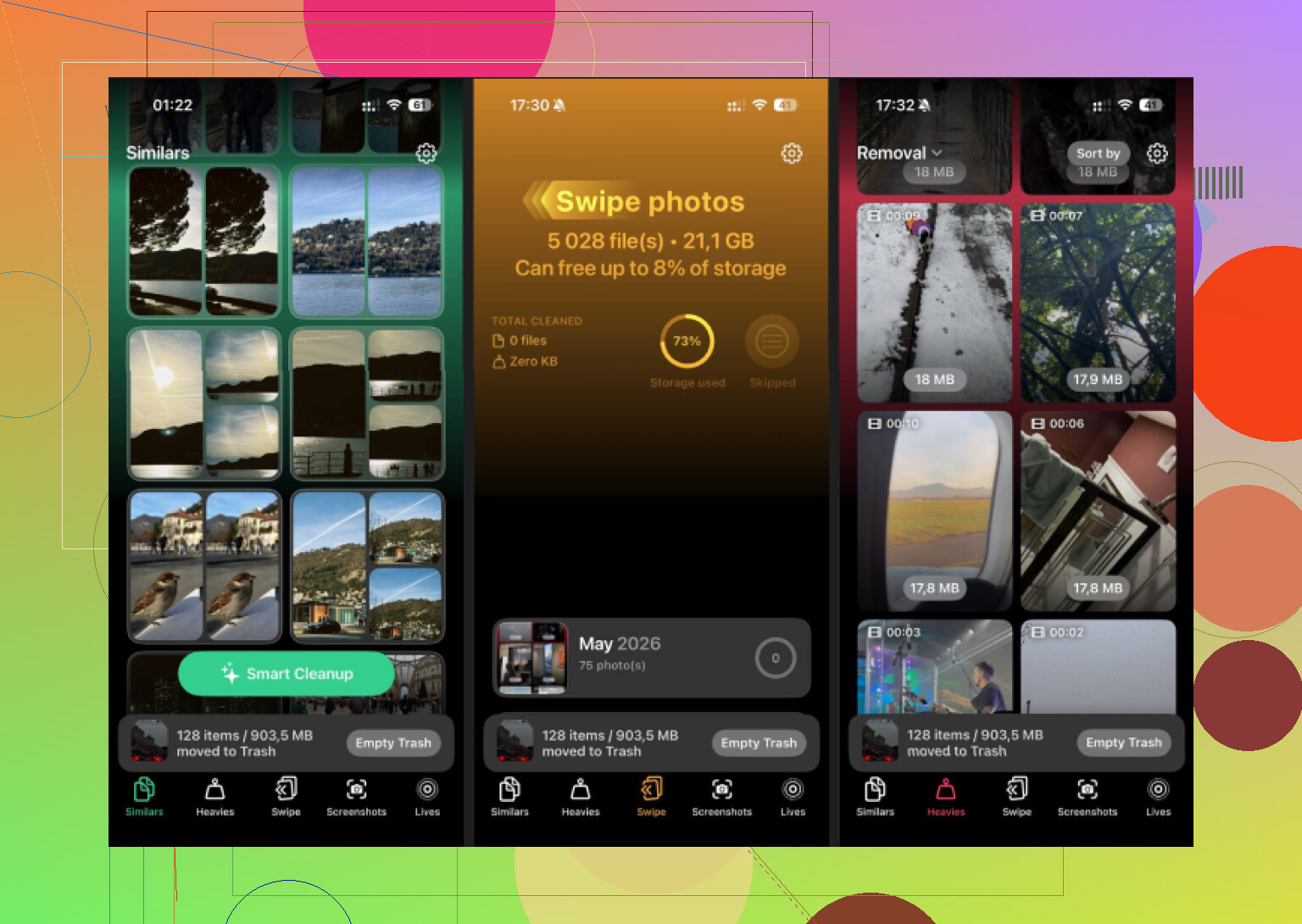
First stop was the Similars tab. For me, this was where most of the space came back. Apple Photos only catches exact duplicates. This app grouped near-matches too. Stuff like eight tries of the same sunset, five blurry cat pics in a row, or a burst where one frame is good and the rest are dead weight. It picks a Best Shot in each group. I still reviewed the picks, because I do not trust any app with memory stuff, but bulk cleanup was fast.
-
Next was Heavies. This one is blunt and useful. It ranks your whole library by file size, largest first, with exact numbers shown. iOS does not give you this view on its own. Old 4K videos, screen recordings, saved clips from months ago, they float to the top right away. In one pass I found around 15GB of junk I had forgotten existed.
-
Then Screenshots. Sounds basic. Still worth checking. It lists them all and shows file size before you remove anything. Once I saw how much storage old receipts, app setup shots, random memes, and wifi password screenshots were taking, deleting them got easy. Mine added up faster than I expected. Kinda dumb, but true.
-
Last one, Live Photos conversion. This is the sleeper feature. A lot of people ignore it. Live Photos keep a short motion clip attached to the image, so they take more space than normal stills. The app strips out the motion part and keeps the photo itself. You do not lose the main image. If your library is packed with Live Photos, this alone frees a decent chunk without wiping the moment itself.
The part people miss
Deleting inside any cleaner app is only half the job. iOS moves those files into Recently Deleted, and they sit there for 30 days while still counting against storage. So if your free space number does not change, this is why.
- Open Photos
- Go to Albums, then scroll to Recently Deleted under Utilities
- Tap Select, then Delete All
Only after doing this did my storage total drop for real.
6 Likes
Yes. It works on older iPads too, not only the newer ones.
I tested Clever Cleaner on an older iPad Air 2 and a newer iPad 9th gen. On both, the app installed and scanned the photo library fine. The main catch is iPad support feels like scaled iPhone UI, which @mikeappsreviewer also pointed out. I agree with tht part. I slightly disagree on how big a deal it is, though. It looks a bit awkward, but for deleting photo clutter, it still does the job.
What matters more is your iPadOS version and library size. Older iPads with less RAM take longer to scan. If your Photos app has 15,000 to 30,000 items, expect some waiting on first run. On my older device, it was slower, but not broken or unusable.
A quick way to check before you bother:
- Open App Store on your iPad.
- Search Clever Cleaner.
- If it shows as compatible, you’re fine.
- If not, your iPadOS is below the required version.
If you want to try it, this is the App Store page for free Clever Cleaner download for iPhone and iPad storage cleanup.
Short version, older iPads are supported if they meet the iPadOS requirement. Performance is slower on old hardware. Compatibility is not the same thing as perfect iPad optimization.
Yeah, it can work on older iPads, but “works” and “works well” are not always the same thing.
I mostly agree with @mikeappsreviewer and @espritlibre on the compatibility part. If your iPad can install Clever Cleaner from the App Store, it’ll usually run. Where I slightly disagree is the doom about the stretched interface. It’s not pretty on older iPads, true, but for a one-job app, I don’t think that’s a dealbreaker unless UI stuff really bugs you.
The real limiter is older hardware. On aging iPads, big photo libraries can make the scan feel kinda slow or a little laggy. Not unusable, just not super snappy. If your iPad is ancient and already struggling with Photos itself, don’t expect miracles.
Also worth saying: no cleaner app can bypass iPadOS restrictions and suddenly clear “system data” or app caches like magic. Clever Cleaner is mainly useful for photo/video cleanup, which is still probly the biggest win if storage is tight.
If you want more background, this Clever Cleaner review for iPhone and iPad storage cleanup is an easy read.
Short version:
- Older iPads: yes, often compatible
- Very old iPads: slower scans
- iPad UI: not fully optimized
- Storage cleanup: useful for photos, not a total device fixer
So yeah, worth trying if the App Store lets you install it. If not, your iPad is prob too far back.