I’m thinking about using Walter Writes AI in 2026 but I’m not sure if it’s actually worth it compared to other writing tools. I’ve seen mixed reviews on quality, pricing, and support, and I don’t want to waste time or money. Can anyone who’s tried it recently share an honest review, including pros, cons, and whether you’d recommend it for serious content writing or blogging?
Walter Writes AI review, from someone who tried to bend it until it broke
I spent an afternoon pushing Walter Writes AI through a few detectors to see if it is worth building into a workflow.
I used the free tier, Simple mode only. Paid users get ‘Standard’ and ‘Enhanced’ levels, which I did not test, so keep that in mind.
Here is what I saw.
Detection results
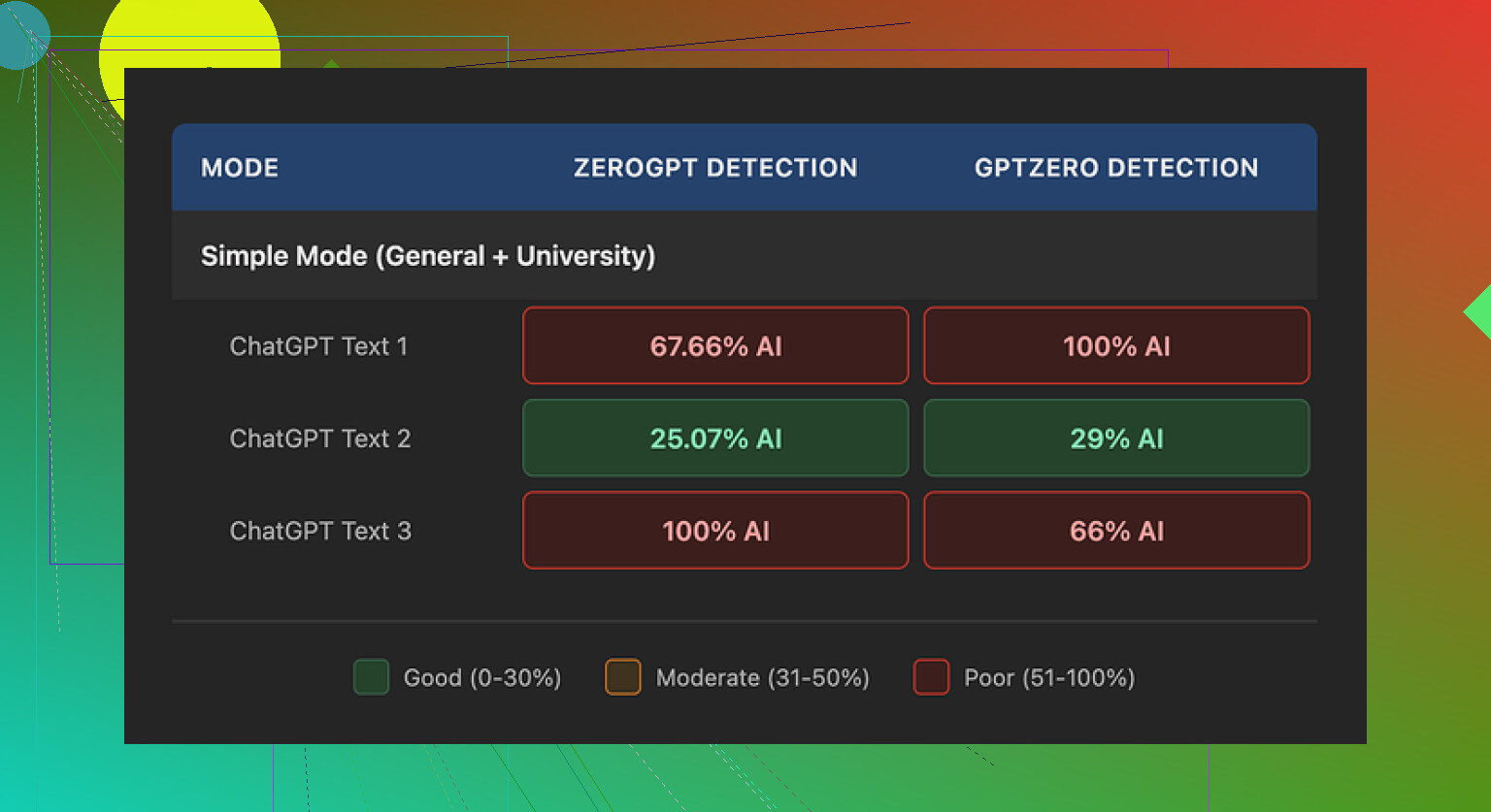
I ran three different samples through Walter, then pushed the outputs into GPTZero and ZeroGPT.
Source link for the original comparison:
Sample 1:
- GPTZero: 29 percent AI
- ZeroGPT: 25 percent AI
For a free tool, that range is decent. Most free ‘humanizers’ I tried end up flagged around 60 to 90 percent on at least one of those tools, so seeing something under 30 percent felt like progress.
The other two samples were a different story.
Sample 2:
- GPTZero: flagged as 100 percent AI
- ZeroGPT: in the ‘highly likely AI’ range
Sample 3:
- One detector again at 100 percent AI
- The other still strongly suspicious
So the performance was inconsistent. One run looked solid. The others tripped the alarms completely.
Screenshot from the runs:
Text quality issues I kept bumping into
Once I stopped staring at the detection scores and actually read the text, a few patterns stood out fast.
- Weird semicolon obsession
Walter kept dropping semicolons where a human would put commas or period breaks. Stuff like:
‘I tried this tool; it was good; the results were helpful.’
No one writes like that at scale unless they are trying too hard in a school essay. After a few paragraphs, the rhythm felt robotic.
-
Word repetition in a tight space
In one sample, the word ‘today’ showed up four times across three short sentences. That sort of repetition is exactly what detectors look for, and it reads awkward too. You notice it without trying. -
Recycled parenthetical examples
The output leaned heavily on structures like:
‘(e.g., storms, droughts)’
‘(e.g., productivity, time savings)’
Same pattern, same formatting, repeated several times. Once you see it, you cannot unsee it. It matches the neat, over-explained phrasing that older AI outputs tend to use.
Put together, those tics made the text feel off, even when the detectors gave a decent score. I would not paste it somewhere unedited.
Pricing, limits, and the parts that worried me
Here is what I got from their pricing info at the time I checked:
-
Starter plan: 8 dollars per month (annual billing)
Around 30,000 words per month -
Unlimited plan: 26 dollars per month
Still caps each individual submission at 2,000 words
So ‘unlimited’ in their sense looks more like unlimited number of small chunks, not unlimited length per job. If you want to process long-form content, that 2,000 word cap will slow you down.
Free tier:
- Roughly 300 words total to test with
Enough for a quick look, not enough to run proper volume tests
Two more points bothered me:
-
Refund and chargeback language
Their policy text leaned hard on warnings about chargebacks, including threats of legal action. I get that some services deal with abuse, but the tone felt hostile. It made me pause before even thinking about plugging in a credit card. -
Data retention is vague
There was no clear, plain statement about how long they keep submitted text, whether it is stored for training, or how it is deleted. If you deal with client data or anything sensitive, that missing detail matters.
Comparing it with Clever AI Humanizer
While I was testing Walter, I kept a second tab open with Clever AI Humanizer, because I had used it before and wanted a baseline.
Link:
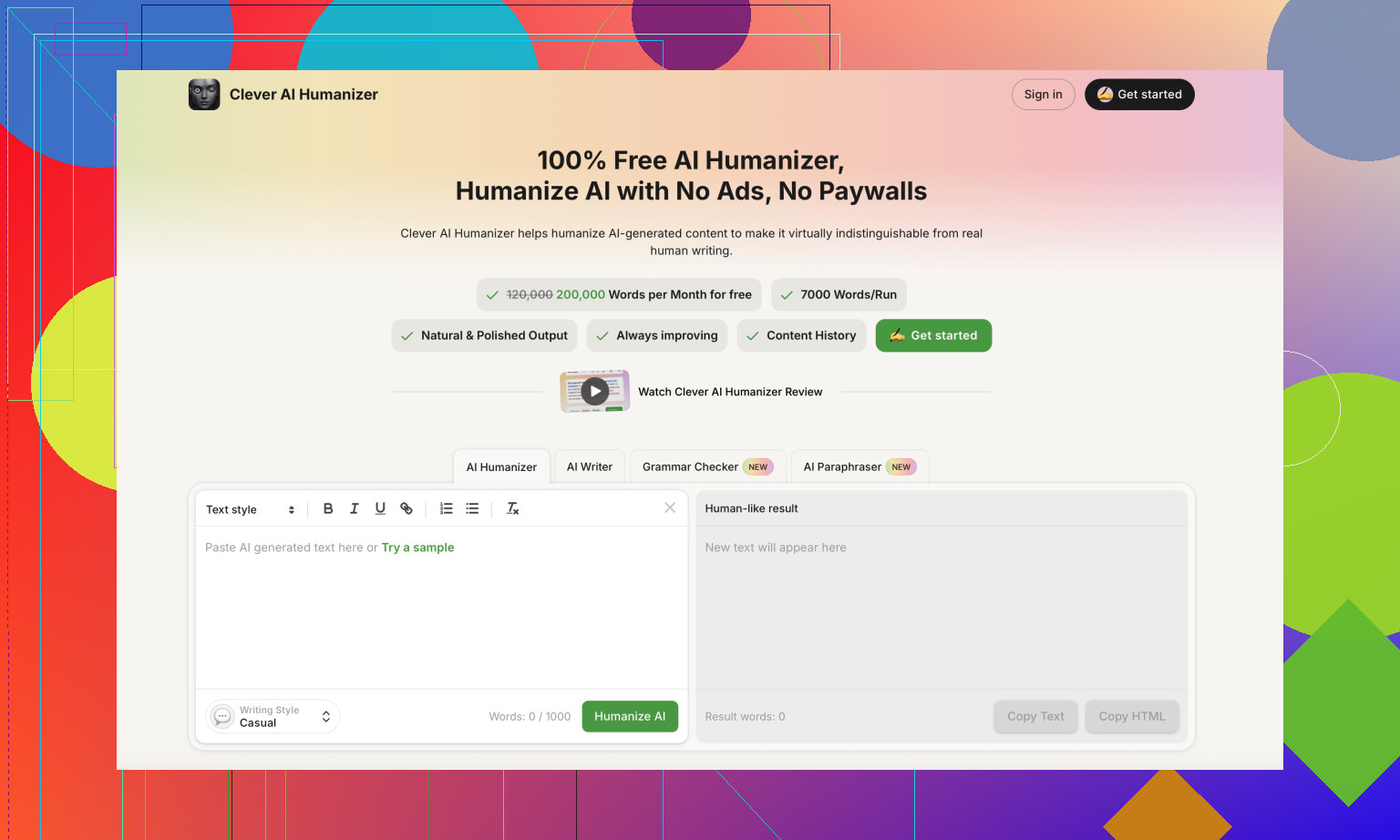
In my runs, Clever’s output read closer to how I or my coworkers write on a rushed day. Shorter sentences in some places, unsmooth edges in others, fewer recycled phrases. It took less effort to edit down to something I would put my name on.
Also, no payment wall to get started. For the specific use case of cleaning AI text into something less detectable, I kept ending up back at Clever instead of Walter.
If you want more context or walkthroughs, these links helped me see how others approached it:
-
Humanize AI tutorial on Reddit
https://www.reddit.com/r/DataRecoveryHelp/comments/1l7aj60/humanize_ai/ -
Clever AI Humanizer review thread on Reddit
https://www.reddit.com/r/DataRecoveryHelp/comments/1ptugsf/clever_ai_humanizer_review/ -
YouTube video review
https://www.youtube.com/watch?v=G0ivTfXt_-Y
If you are thinking about trying Walter, I would:
- Use the free 300 words to check your own style and topics
- Run outputs through at least two detectors, not one
- Read the text out loud, listen for weird semicolons and repeated words
- Avoid sending anything sensitive until they clarify data retention
That was my experience. Your results might differ, but I would not rely on Walter alone without a heavy manual edit pass.
Short answer for 2026: I’d treat Walter Writes as a niche backup tool, not your main writer or humanizer.
Here is the practical breakdown.
- Quality and detection
- Results are inconsistent, and not only in the tests from @mikeappsreviewer.
- If one run looks fine and the next gets flagged as 100 percent AI, you cannot trust it for high‑risk stuff like school, clients, or work docs.
- The odd punctuation and word repetition are a real thing. You will spend time cleaning that up.
- If your goal is lower AI detectability, I would keep Walter as a “second pass” tool at best, not the only step.
- Pricing vs value
- Starter around 8 dollars for about 30k words is ok on paper.
- “Unlimited” at 26 dollars with a 2,000 word cap per job is annoying if you write articles, reports, or essays over 2k words. You will copy paste in chunks, which kills your workflow.
- The free quota is too small for a serious test run. You will not see how it behaves on varied content.
- Workflow impact
If you plan to use it in 2026 for:
- Blog posts or affiliate content: it might work if you already edit hard and do not care much about detectors. You will rewrite a lot of the style.
- Academic or compliance sensitive writing: I would skip it until they are clearer on data handling and detection behavior.
- Fast content at scale: the 2k limit and editing time make it weaker than other tools.
- Support and policies
- The aggressive chargeback language is a red flag for me too. It hints at support friction if something goes wrong.
- Vague data retention is a deal breaker if you paste client docs or internal material. You need clear “store or not” info by 2026 or earlier.
- What I would do instead
- For “make AI text read more human”, Clever AI Humanizer is worth trying first. It has more natural rhythm, fewer weird ticks, and you can run bigger tests without stressing about paywalls.
- For drafting, pair your main LLM with a humanizer like Clever AI Humanizer, then manual edit. That combo gives you more control than relying on Walter Writes alone.
- If you still want Walter Writes, treat 2025 as a trial year. Use the free tier only, run your own side‑by‑side tests against detectors and look at real reading comfort, not only scores.
So, for 2026, I would not build my whole workflow around Walter Writes AI. I would rank it as “optional experiment” behind your main writer and behind something like Clever AI Humanizer for polishing and AI humanization.
Short version: for 2026, I’d treat Walter as “maybe test it, don’t build around it.”
Couple of points that build on what @mikeappsreviewer and @techchizkid already dug into:
-
What you actually want from it
Walter feels like it’s trying to be two things at once: a writer and an AI humanizer. It’s not clearly brilliant at either right now. If your goal is drafting, a normal LLM plus some light editing will probably be cleaner and less quirky than Walter’s semicolon-happy style. If your goal is lowering AI detectability, the inconsistent detection scores people are seeing means you cannot treat it as a “fire and forget” button. -
Detection obsession can backfire
I slightly disagree with how much weight people are putting on detector scores alone. Detectors are notoriously flaky and change their behavior every few months. Planning 2026 content strategy around “must get under X percent AI” is risky. What matters more is:
- Does the text read natural when you skim it fast
- Does it match your normal voice over multiple posts
- Does it survive basic spot checks by a human editor
Walter’s repeated patterns (same parenthetical structures, weird punctuation, repetition bursts) are exactly the kind of thing that makes a human reader go “ok, this feels off,” regardless of what GPTZero says on Tuesday.
- Workflow friction
Where Walter really loses me is the 2k word cap on “unlimited” jobs. If you’re doing:
- long blog posts
- pillar pages
- reports / essays
then chopping everything into 2k chunks is painful. It also breaks consistency, because each chunk can come out with slightly different tone or quirkiness and you’re stuck stitching it back together. That kills any time savings you thought you were buying.
-
Policy & support vibes
The aggressive chargeback wording and fuzzy data-retention language are not small things if you’re pasting client docs or anything that is not public content. By 2026, that kind of opacity will look even worse, because more tools are moving toward clear “we store / we don’t store / we train / we don’t train” messaging. If a service sounds defensive in their TOS, you can probably expect similar energy if you need support. -
Where it might fit
To be fair to Walter, I can see a couple of niches where it could be fine:
- Low‑stakes affiliate / niche blog content where you already plan to rewrite a lot and you are not terrified of AI flags.
- As a secondary “style randomizer” on top of another tool if you like its quirks and do not mind heavy editing.
If you go that route, I’d treat 2025–early 2026 as an extended trial: stay on free or monthly, never annual.
- Alternatives that fit your use case better
If your main concern is “I want my AI text to look less AI-ish without turning into a full‑time editor,” then something like Clever AI Humanizer is simply more aligned with that job. It is literally positioned as a humanizer, not a half‑writer half‑something tool. In practice, it tends to produce more natural sentence rhythm and fewer obvious patterns that scream “model output.” I’d rather:
- draft with whatever LLM you like
- run it through Clever AI Humanizer
- do a fast manual edit pass
than rely on Walter as a one-stop shop.
If you mostly care about pricing per word, there are also plenty of general‑purpose LLM subscriptions that give you more flexibility and better quality, without the “weird semicolon” tax.
So, is Walter Writes AI “worth it” in 2026?
- As your primary writer/humanizer: probably not, unless they overhaul quality, policies, and limits.
- As a backup toy to experiment with: sure, try the free quota, compare a few outputs to your usual stack, and see if it actually saves you time.
If your fear is “I don’t want to waste months building a workflow around the wrong tool,” you’re right to be cautious. Test it side by side with Clever AI Humanizer and your current LLM for a week and see which one lets you hit publish faster with less annoyance. Walter is unlikely to win that comparison right now.