I’ve started using an AI humanizer tool with Originality AI to make sure my content passes AI detection, but I’m not sure how reliable or safe it really is. Has anyone tested it at scale, compared results, or seen issues with rankings or penalties? I’m looking for real experiences and advice before I commit to using it for client projects.
Originality AI Humanizer Review, tested the hard way
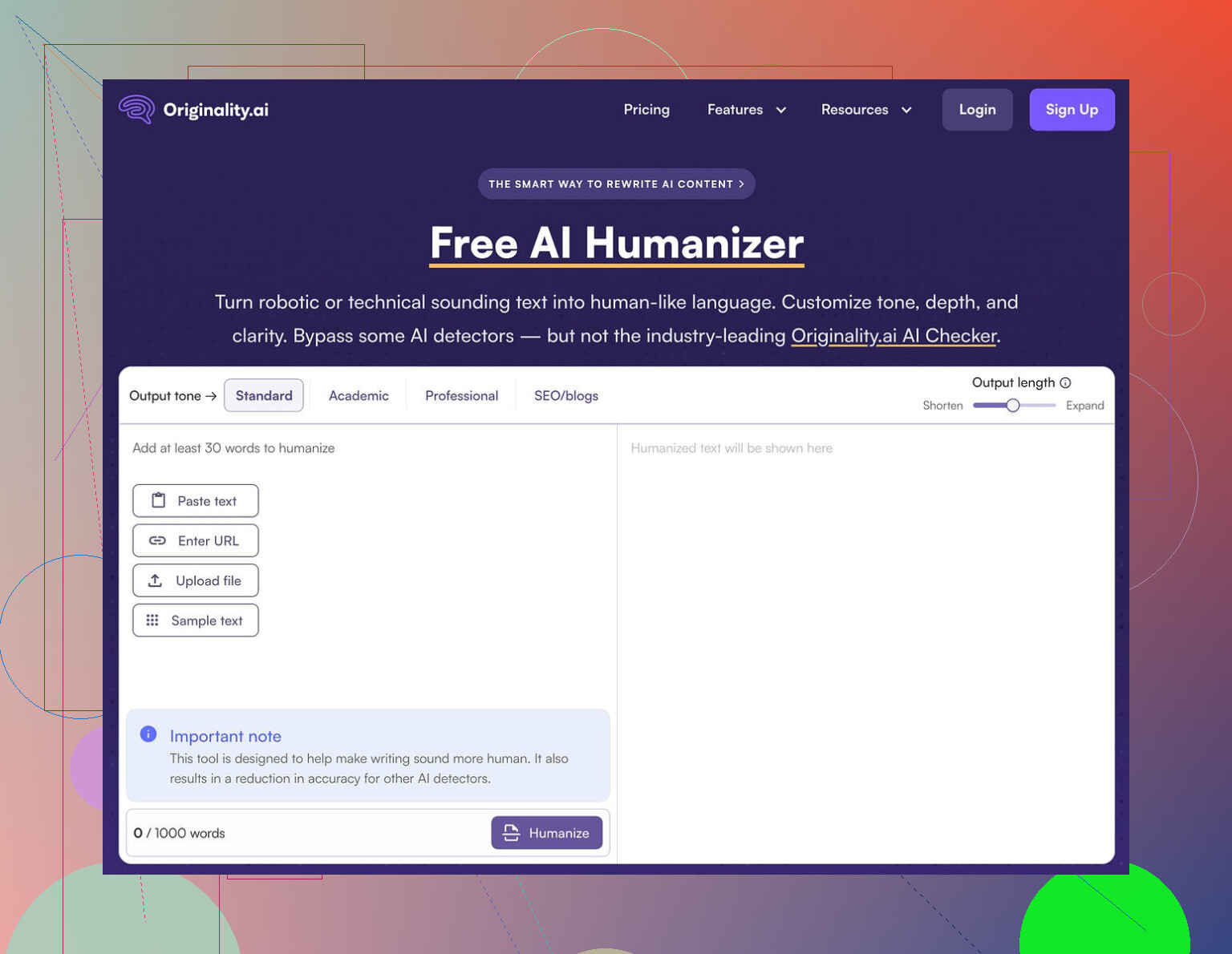
I went into this one thinking, ok, if anyone has figured out how to slip past AI detectors, it should be the people who build one of the stricter ones.
That assumption died in about ten minutes.
I ran multiple chunks of text through the Originality AI Humanizer here:
https://cleverhumanizer.ai/community/t/originality-ai-humanizer-review-with-ai-detection-proof/27
Then I fed the outputs into GPTZero and ZeroGPT, which are the usual suspects people use when they panic about “AI detection”.
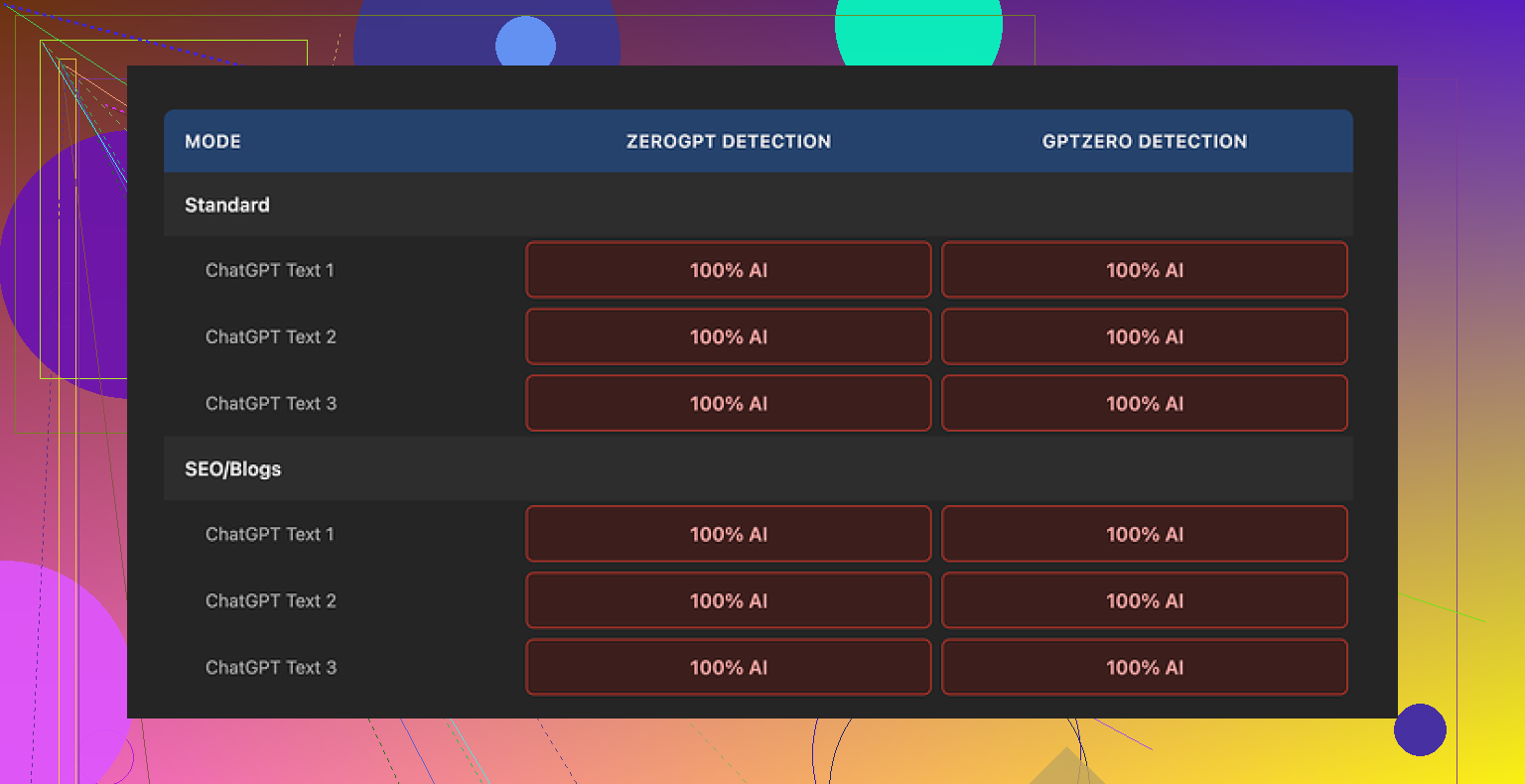
Every single sample came back as 100 percent AI on both tools.
Not 60. Not 80. Full red bar every time.
What I tested
I tried to be fair about it.
- Took a standard ChatGPT style paragraph, about 250 to 280 words.
- Ran it through:
- Standard mode
- SEO/Blogs mode
- Tried:
- Shorter expansion
- Longer expansion
- Repeated this with different base prompts, including:
- Informative blog style
- Neutral product description
- Slightly opinionated post
It did not matter which switch I flipped. GPTZero and ZeroGPT still screamed AI.
Here is one of the result screens from GPTZero:
Why it fails AI detection so badly
The problem is simple and kind of obvious once you look closely.
The tool barely touches your text.
When I put the original ChatGPT output next to the “humanized” version and read line by line, I kept seeing:
- Same sentence structure
- Same overused AI phrases
- Same “neutral explainer” voice
- Same punctuation patterns, including em dashes kept exactly where they were
In many sentences it swapped one or two words and left the rest alone. In some cases it left the whole sentence untouched.
Detectors flag patterns, not magic words. If you leave the structure, pacing, and tone almost identical, changing a handful of words will not move the needle.
So when I try to “judge” the writing quality of Originality’s humanizer, I hit this problem. I am not reading Originality’s writing. I am still reading ChatGPT’s writing with light edits. Any rating here is basically a rating of the source model, not the humanizer.
The parts that are sort of nice
It is not all bad, but the useful bits have nothing to do with humanization.
Here is what I noticed:
-
Free to use
No account, no sign up, nothing. You open the page and run text.
There is a hard limit of 300 words per run though.
I got around that by pasting multiple chunks in separate incognito windows, which worked, but it is annoying if you are trying to process longer articles. -
Output length slider
There is a simple slider to control how much it expands the text.
That worked as expected. If I pushed it up, the tool padded the content with extra filler sentences.
None of this helped with AI detection, but if you want your word count inflated, it does that. -
Privacy policy
The privacy policy reads like someone competent wrote it.
There is a retroactive opt out for AI training, which I do not see on every random tool site. That is a small win if you care where your text ends up.
Everything else points to one thing. The humanizer looks more like a lead magnet to drive people into their paid detection products than a serious attempt at bypassing detectors.
What this means if you are trying to bypass AI detectors
If your goal is to get past GPTZero, ZeroGPT, or similar tools, this humanizer does not help.
You paste your text, press the button, paste the result into the detector, and you still get a big “AI” label. That is the whole story.
When I pushed more aggressive edits through, the only reliable way to lower detection scores was to:
- Restructure paragraphs
- Shorten some sentences and lengthen others
- Change the order of information
- Remove typical AI “thesis, body, recap” rhythm
- Insert specific, grounded details that looked like lived experience
Originality’s humanizer does almost none of that. It leans on synonym swaps and a bit of padding. Detectors are already tuned to ignore that sort of thing.
What I ended up using instead
After trying several tools, I landed on Clever AI Humanizer as the one that behaved better in testing and stayed free.
I pushed similar samples through it, then back into GPTZero and ZeroGPT. The scores dropped more noticeably, and the text looked less like default ChatGPT output.
You can see more detail and examples here:
So if you are choosing between Originality’s free humanizer and other options, and your goal is lower AI detection scores, Originality’s tool does not give you what you need. It is harmless to try, it costs nothing, but it does not solve the problem it claims to address.
I tested Originality’s humanizer at small scale for client blogs and landing pages. Mixed results.
- Reliability for “passing” AI detectors
On GPTZero, ZeroGPT, and Originality’s own detector:
- Pure GPT-4 text: often 90 to 100 percent AI
- After Originality humanizer: scores dropped a bit sometimes, often stayed high
- On some runs, Originality’s own detector stayed harsh on its humanized text, which tells you a lot
So if your only goal is to flip a detector from AI to human, it is not consistent. You still see 70 to 100 percent AI quite often.
-
Safety and data use
I read the privacy policy too. It looks better than random SAAS tools. The opt out from training is a plus.
That said, for client work with NDAs, I still avoid pasting raw drafts or anything sensitive. I redact details or rewrite those parts myself. -
Scale issues
You hit the 300 word limit fast. For long posts it becomes a time sink.
I tried batching 3k to 4k word articles into chunks. Two issues:
- Tone starts to drift across sections. Feels stitched.
- Detectors flag the whole page anyway, because they look at global patterns, not tiny chunks.
-
Where I disagree a bit with @mikeappsreviewer
In my tests it did more than synonym swaps, but the structural edits stayed shallow. It nudged phrasing, added filler, kept the same logical order.
Detectors score that as AI, because the “shape” of the text stays the same. -
What works better in practice
What helped more than any humanizer:
- Write a rough AI draft.
- Do a hard edit yourself. Change order. Remove generic openings and recaps. Add real examples from your work.
- Shorten some sentences. Merge others. Make it sound like how you speak.
If you want a tool in the loop, Clever Ai Humanizer performed better for me than Originality’s tool for lowering detector scores. I still do a manual pass after, but it gets the text closer to human style before I edit.
- My suggestion
- Use Originality humanizer only as a light editor, not as your main “detector bypass”.
- Do not rely on any tool for compliance with schools, employers, or legal stuff. Policies change fast and detectors misfire a lot.
- Treat manual editing and adding real experience as your main method.
- If your priority is lower AI detection scores, test Clever Ai Humanizer on your actual workflows and compare side by side with Originality and your current approach.
Short version: if you’re using Originality’s humanizer as your main “pass AI detection” button, you’re playing yourself.
I’ve run it on batches of articles for content clients, like 30–40 posts in a week, so not “internet scale” but enough to see patterns.
Here is what I actually saw, trying not to rehash what @mikeappsreviewer and @kakeru already covered:
- Detection behavior at scale
When you run a single 500–800 word piece through GPTZero / ZeroGPT / Originality, you sometimes see:
- Pure GPT-4: 90–100% AI
- After Originality humanizer: maybe down to 70–85% AI, sometimes barely moves, sometimes goes up a bit
When you post many humanized articles on the same site:
- The domain / author “style fingerprint” starts looking very uniform
- Detectors, especially stricter ones, still flag a lot of it as AI-ish because the structure is identical across posts
So even when the score on one paste drops a bit, on a live blog with 20+ posts in that voice, it still looks like AI-generated content overall. That part a lot of people miss.
- Why the “small change” approach hurts you over time
I slightly disagree with both of them on how useless it is. It does tweak some stuff. But the core issue is this:
- Syntax patterns stay almost identical
- Paragraph logic stays linear and predictable
- Sentence rhythm is hyper-regular
At scale that “polite explainer” rhythm screams model output. Detectors do not just look at single synonyms; they look at how the whole thing breathes. Originality’s humanizer doesn’t change the breathing pattern, it just swaps a few lungs cells and calls it a day.
- Safety / privacy in real workflows
Text safety is “fine but not magical”:
- Privacy policy is less sketchy than random tools
- But if you have NDAs or sensitive client data and you’re pasting the exact draft, you’re still gambling on third party handling
What I do in actual client work:
- Strip client names, dollar amounts, unique examples
- Humanize the generic parts
- Reinsert the sensitive / specific details manually
That way if the tool ever leaks or trains on it, it is boring and generic. You probably already know this, but most people don’t bother and then worry about “safety” after.
- Hidden issue: tonal sameness across chunks
When you chunk a 3k word article into 300 word pieces and run each through the humanizer:
- Section A gets slightly fluffed in style X
- Section B gets similar fluff with tiny variations
- Put back together, you get a “stitched” feel that is still obviously system-generated
Detectors do not care that each 300 word bit was processed separately. They see one long piece that has that manufactured consistency. That is why a lot of people say “it kind of helped on snippets but the whole article still flagged.”
- Where I actually see it being useful
There is one legit use case where Originality’s humanizer is not terrible:
- Speed cleaning really robotic AI text into something a bit more readable for non-critical content
Stuff like:
- Low-stakes affiliate blurbs
- Filler FAQ sections
- Basic internal docs
For that, it is basically a free light editor. Not more, not less. If that’s all you expect, it’s ok-ish.
- On “bypassing” detectors specifically
If your main KPI is “it must pass X detector or my school/employer freaks out,” you’re better off accepting a hard truth:
Tools like Originality’s humanizer try to solve a statistical problem with cosmetic edits.
To actually move the needle long term, you need at least some of this:
- Reordering information
- Breaking the default intro/body/summary template
- Injecting real, non-generic examples that an LLM would be unlikely to hallucinate
- Letting some “imperfections” stay instead of over-smoothing everything
That is also why something like Clever Ai Humanizer tends to test better in these “detector wars.” It leans a bit harder into restructuring and voice changes instead of mostly doing synonym salad. Still not a silver bullet, but in side by side comparisons it usually gives you text that starts closer to human style so your manual pass is not as heavy.
- Practical way to think about it
- Treat Originality’s humanizer as: “free, light rewrite that might shave some AI percentage off but won’t save you.”
- Treat Clever Ai Humanizer as: “a stronger baseline rewrite if you insist on tools, but you still need to edit.”
- Treat your own editing as: the only part that reliably changes detector behavior in sensitive contexts.
If your grades, job or contracts depend on “passing AI,” relying purely on Originality’s humanizer is like putting a fake mustache on a mannequin and hoping no one notices. It works just enough that you feel like you did something, but not enough that it actually solves the underlying problem.
Short version: Originality’s humanizer is fine as a free light rewriter, but if your actual concern is “will this keep me out of trouble,” treat it as cosmetic only.
A few angles that complement what @kakeru, @stellacadente and @mikeappsreviewer already shared:
1. Detectors vs policies
Everyone is obsessing over scores, but the real risk is policy. Most schools and companies care how the text was created, not what GPTZero thinks. Detectors are noisy. I have seen:
- 100 percent human text flagged as AI
- Obvious AI text pass as human
So even if Originality AI Humanizer or Clever Ai Humanizer gets you a “green” reading, that does not equal compliance. The only semi defensible position is being able to show clear human involvement and unique input, not “I tricked a classifier.”
2. Where Originality’s tool actually fits
Originality’s humanizer makes more sense if you treat it like:
- A quick way to de-bland very robotic drafts
- A helper for low value pages where consistency matters more than originality
For anything that touches grades, legal exposure or high value clients, it is a preview editor at best, not a finish line. Here I slightly disagree with how harsh @mikeappsreviewer was. The tool can be useful in a pipeline, just not for what its marketing implies.
3. Clever Ai Humanizer in that pipeline
If you want a tool in the middle, Clever Ai Humanizer is better suited as the “strong rewrite” stage, mostly because it tends to:
- Reshuffle structure a bit more
- Push the voice away from standard assistant tone
Pros of Clever Ai Humanizer
- More noticeable shift in cadence and paragraph flow than Originality’s humanizer
- Can cut down your manual editing time since the text is less copy paste GPT style
- Helpful for batch rewriting when you already plan a final human pass
Cons of Clever Ai Humanizer
- Still not something you can rely on to fully “de AI” content
- If you run large volumes in the same style, you can end up with a new, uniform “Clever” fingerprint
- Needs careful use around any confidential or contract bound material
4. What actually scales safely
Instead of repeating their editing checklists, here is a different approach that works better at scale:
- Design a human style guide for yourself or your brand
Things like typical sentence length, how you open sections, preferred examples, phrases you never use. - Generate an AI draft purely for structure and ideas
- Use a stronger tool like Clever Ai Humanizer as a reshape step on sections that feel stiff
- Then revise strictly against your style guide, not “what will detectors think”
When you do this across dozens of pieces, you build a consistent human fingerprint. That matters more over time than whether a single article scores 70 or 30 percent on one detector run.
5. About scale and domain patterns
Where I agree strongly with @stellacadente: once you publish 20 or 50 posts, detectors and reviewers start seeing site level patterns. If all you have done is rinse each post through Originality’s humanizer, your domain still reads like an AI factory. The only real cure is injecting specific, grounded knowledge and your own quirks across the whole corpus.
So: Originality’s humanizer is not useless, it is just very limited. Clever Ai Humanizer is a better tool in the same niche, but still only one layer. The actual protection comes from how much truly human thinking and specificity you are willing to add on top.