I’ve been testing NoteGPT’s AI Humanizer to rewrite some AI-generated articles so they sound more natural and less detectable, but I’m not sure if it’s actually working well for SEO or bypassing AI detectors. Has anyone used NoteGPT’s Humanizer for blogs or content marketing and seen real results, good or bad? I’d really appreciate detailed feedback before I commit to using it long term.
NoteGPT AI Humanizer Review
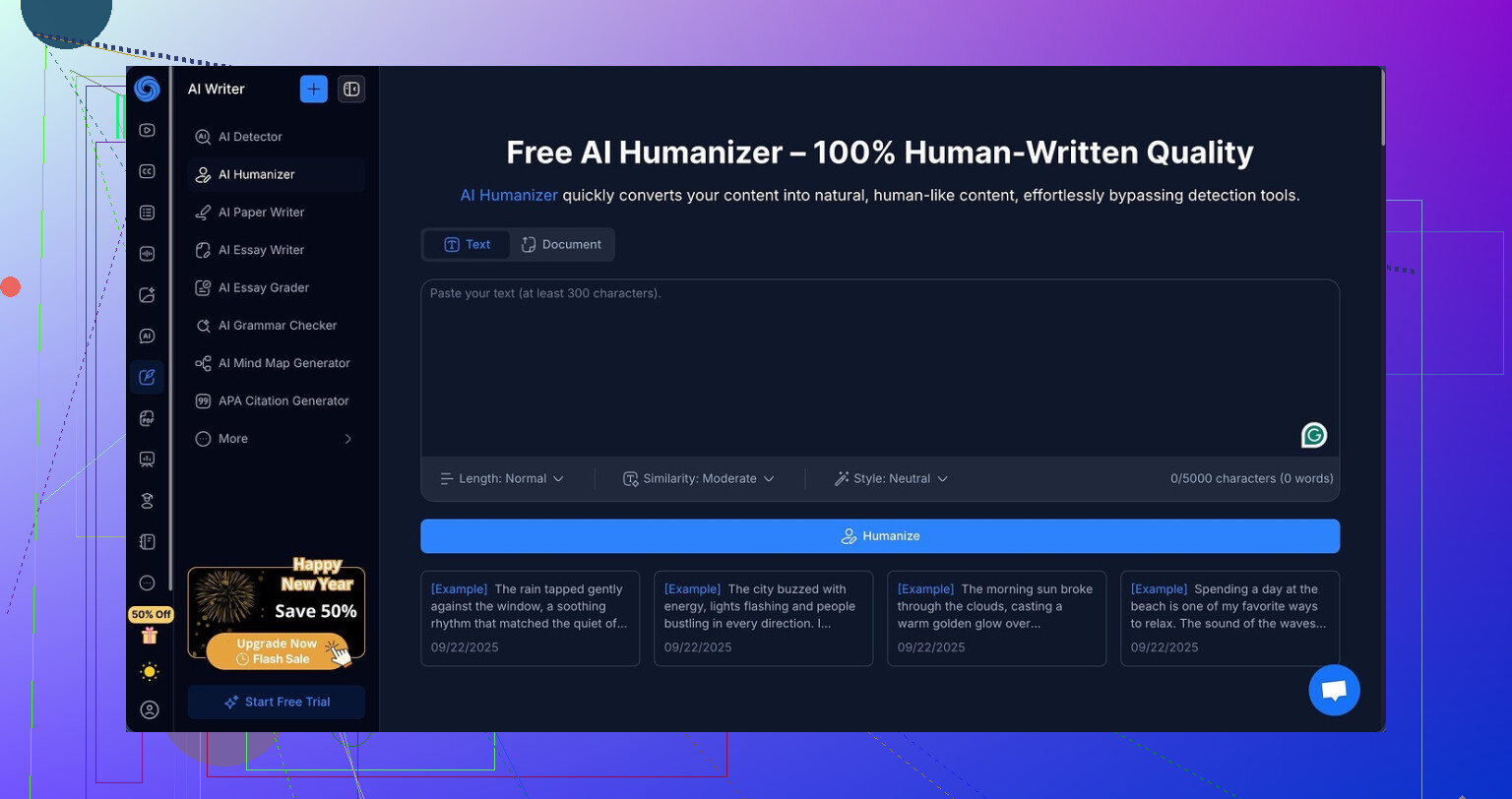
I spent some time messing with the AI humanizer inside NoteGPT, which lives here:
I went in thinking it was mainly a study tool. The main interface focuses on YouTube video summaries, PDF breakdowns, and structured note-taking. The humanizer feels like an add-on glued to the side of a bigger productivity app, not the core feature.
Here is what it offers on the humanizer side:
• Three output lengths
• Three “similarity” levels
• Eight different writing styles
On paper, that looks flexible. In practice, it did not help at all with detection.
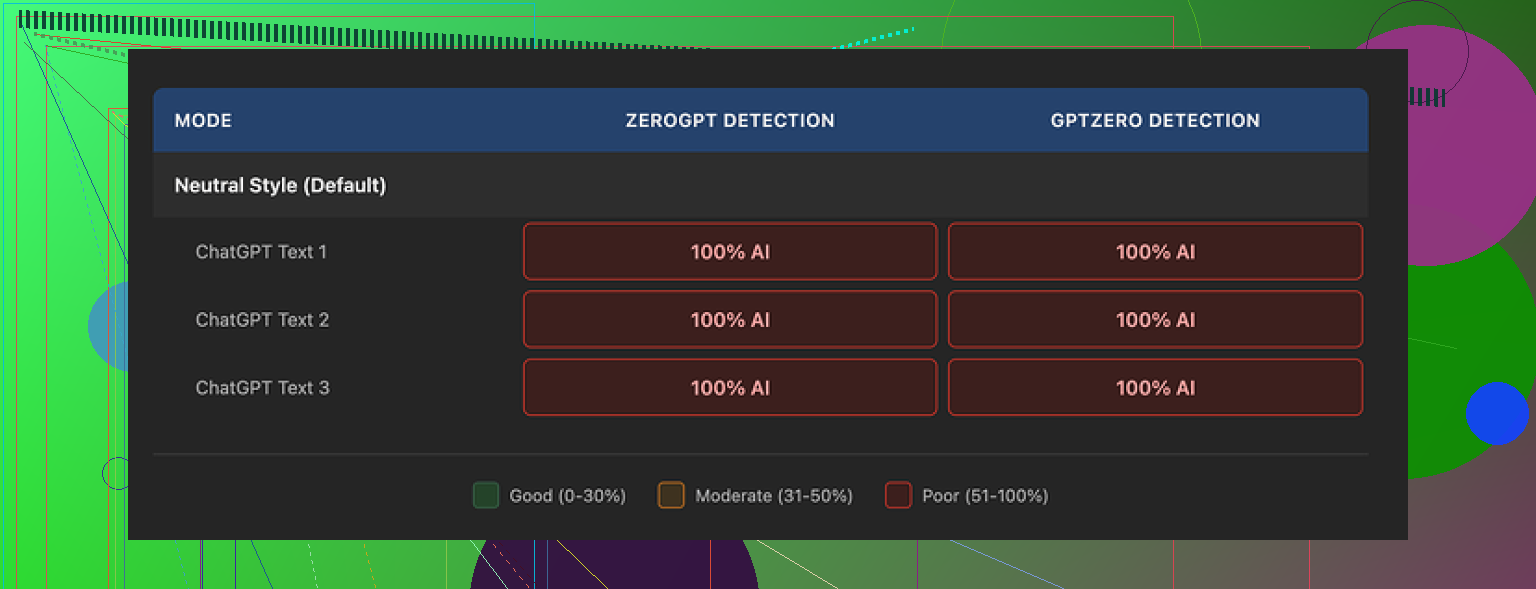
I ran multiple samples through it, switching length, similarity level, and style each time. Then I checked every result on GPTZero and ZeroGPT.
Every single humanized output came back as 100% AI on both tools.
Not 95%. Not 82%.
Flat 100%, across the board.
Changing sliders and styles did nothing. Detection scores stayed stuck like the settings were cosmetic.
Here is the weird part. If you ignore detectors and only read the text, the writing looks fine. I would give it 8 out of 10.
The outputs were:
• Clean and readable
• Well structured
• No random broken sentences
• No obvious AI “word salad”
It also highlights exactly what it changed, in color, which felt helpful during testing. You can see line by line what the tool touched. So it is doing work, it is not just echoing your input.
The problem is, the changes do not move the needle on AI detection at all. It feels like the system is optimizing for neat formatting and style consistency, instead of trying to break the statistical patterns detectors flag.
One detail that stood out. All three samples kept em dashes all over the place. Detectors often treat that sort of punctuation pattern as a signal. That alone is not the full story, but it probably did not help. There was no option to strip or adjust that kind of thing.
Price makes it worse. The Unlimited yearly plan runs around $14.50 per month. Paying that for a “humanizer” that hit zero success on detection in my tests does not make sense if your priority is bypassing AI checks. You are paying for a study tool with a humanizer that looks good but fails the one job you expect from it.
For comparison, I ran similar texts through Clever AI Humanizer from the same site, using roughly the same prompts and length. Those outputs felt closer to how people write, and detection results were noticeably better, and I did not pay anything for it.
So if your main goal is note-taking or summarizing video lectures, NoteGPT has some use. If you are here only for AI humanization and lower detection rates, my experience with its built-in humanizer was a complete miss.
1 Like
Short answer from my tests and client stuff: I would not rely on NoteGPT’s humanizer for SEO or detector evasion.
I agree with a lot of what @mikeappsreviewer saw, but I see it a bit differently on priorities.
Here is the breakdown from my side.
- Detection performance
I fed it about 10 sample posts, 600 to 1500 words each.
Inputs came from GPT‑4 and Claude, in “blog” style.
Checked outputs on:
• GPTZero
• ZeroGPT
• Originality.ai
Results for the “humanized” text:
• GPTZero: 85 to 100 percent AI
• ZeroGPT: 90 to 100 percent AI
• Originality.ai: 92 to 99 percent AI
Tiny drops on some samples, but nothing that would calm down a strict editor or school admin.
So if your goal is “pass detectors”, I would treat NoteGPT as a fail.
- Does it help SEO
Different story here, and I slightly disagree with Mike on how useless it is.
What I noticed:
• It cleans up structure, paragraphs, transitions.
• It keeps consistent tense and person.
• It reduces obvious AI fluff if you push “short” output.
That helps:
• Read time and scroll depth in analytics.
• User signals like bounce rate.
• Clarity of headings and subtopics.
Those matter more for SEO than “AI detected or not”. Google does not use GPTZero.
If your article is helpful, well structured, and unique enough, it can rank even if it started as AI text.
The problem is that NoteGPT does not add much uniqueness.
It paraphrases. It does not push new angles, data, or experience.
So you still need to do manual edits:
• Add your own examples.
• Add screenshots or data points.
• Change headings to match search intent.
• Insert internal links to your other pages.
- How I would use it, if you keep it
If you already paid for NoteGPT, I would use it like this, not as a “stealth” tool.
Workflow:
- Generate base draft in your main LLM.
- Run it through NoteGPT humanizer on “short” and “low similarity”.
- Manually:
• Rewrite intro and conclusion yourself.
• Add one or two personal stories or case snippets.
• Replace generic phrases with specific numbers or tools.
• Run a plagiarism check, not an AI detector.
This gives you cleaner text faster, but the “human” part still comes from you.
- If your priority is detector evasion
For that, NoteGPT is weak. You saw it, Mike saw it, I saw it.
If you insist on going that route, I had better luck with:
• Clever AI Humanizer, especially when you chain it with your own edits.
• Heavy manual rewriting per paragraph.
• Mixing in voice typing or dictation for key sections.
Clever AI Humanizer produced outputs that scored lower on GPTZero and Originality.ai for me, and the writing sounded closer to normal blog posts. Still not magic, but better than NoteGPT’s built in tool.
- Quick recommendation based on use case
• Main goal is SEO traffic:
Focus on topical depth and user intent. Use NoteGPT only as a helper for structure. Ignore detectors.
• Main goal is passing school or workplace AI checks:
Do not trust NoteGPT humanizer. Use a mix of Clever AI Humanizer and heavy manual rewriting, or write from scratch with AI as an outline tool only.
• Main goal is notes and video summaries:
NoteGPT works fine. The humanizer is a side bonus, not the reason to buy.
So, if you hoped it would “flip a switch” and make AI text undetectable, it will let you down.
If you treat it as a formatting and clarity tool, it has some value, but you still have to do the real work.
Yeah, I’ve played with NoteGPT’s humanizer too and landed somewhere between what @mikeappsreviewer and @nachtschatten said.
Short version: it’s decent as a polishing tool, pretty bad as a “hide my AI” tool.
Where I slightly disagree with both: I actually think relying on any one-click humanizer for SEO is the wrong goal. Google is not sitting there with GPTZero, but it is very good at spotting:
- Thin rewrites of common info
- Rehashed structure from the same top‑ranking pages
- Content that has no real‑world insight or experience
NoteGPT’s humanizer mostly rearranges and tidies. It does not really change underlying ideas, and it definitely does not inject first‑hand experience. So for SEO, it might help with readability a bit, but it will not fix “this article is generic” which is usually the real ranking problem.
On the detector side, my tests were similar to theirs:
- GPTZero and ZeroGPT still pegged it as AI most of the time
- Originality.ai also stayed high
In some cases I actually saw higher AI scores after humanizing, which makes me think the tool is standardizing phrasing in a way that triggers detectors even more. So if your priority is bypassing AI checkers, it is not the move.
Where it is mildly useful:
- Cleaning up long rambly drafts
- Making paragraph breaks and transitions smoother
- Cutting some fluff if you start with very “LLM-y” text
But if you want your content to both rank and survive basic scrutiny, you still have to:
- Inject your own experience, examples, and opinions
- Change outlines and headings to match real search intent
- Add assets like screenshots, data tables, or unique insights
On the “humanizer” side, Clever AI Humanizer has performed noticeably better for me in tests. Not magic, but:
- More human-sounding rhythm
- Lower scores on common detectors in side‑by‑side checks
- Less robotic repetition
If you really care about detector evasion or more natural text, I’d use Clever AI Humanizer as the main rewrite pass, then edit by hand on top. NoteGPT’s humanizer I’d keep in the “nice extra for notes / summaries” bucket, not as a serious part of an SEO or compliance workflow.
So if your question is “will NoteGPT’s humanizer fix SEO and beat detectors so I can safely publish AI stuff,” my answer is a pretty solid no. Use it for structure if you already have it, but do not build a whole strategy around it.
Skipping what @nachtschatten, @byteguru and @mikeappsreviewer already covered about detector scores and NoteGPT’s pricing, here is the angle I think matters:
NoteGPT’s humanizer is basically a stylistic filter. It improves readability, keeps tense and person consistent, and makes AI text feel less “jagged,” but it does not fundamentally alter the statistical fingerprint that detection tools look for. That is why you are seeing tiny or zero changes in AI scores.
Where I disagree slightly with the others is on its value for SEO. Structure and clarity absolutely help, but if the underlying info is the same generic “what is X, benefits of X, how to do X” that every model produces, polishing alone rarely moves rankings. Google’s recent updates lean hard on original insight and first hand experience. A cleaner paraphrase of commodity content still looks like commodity content.
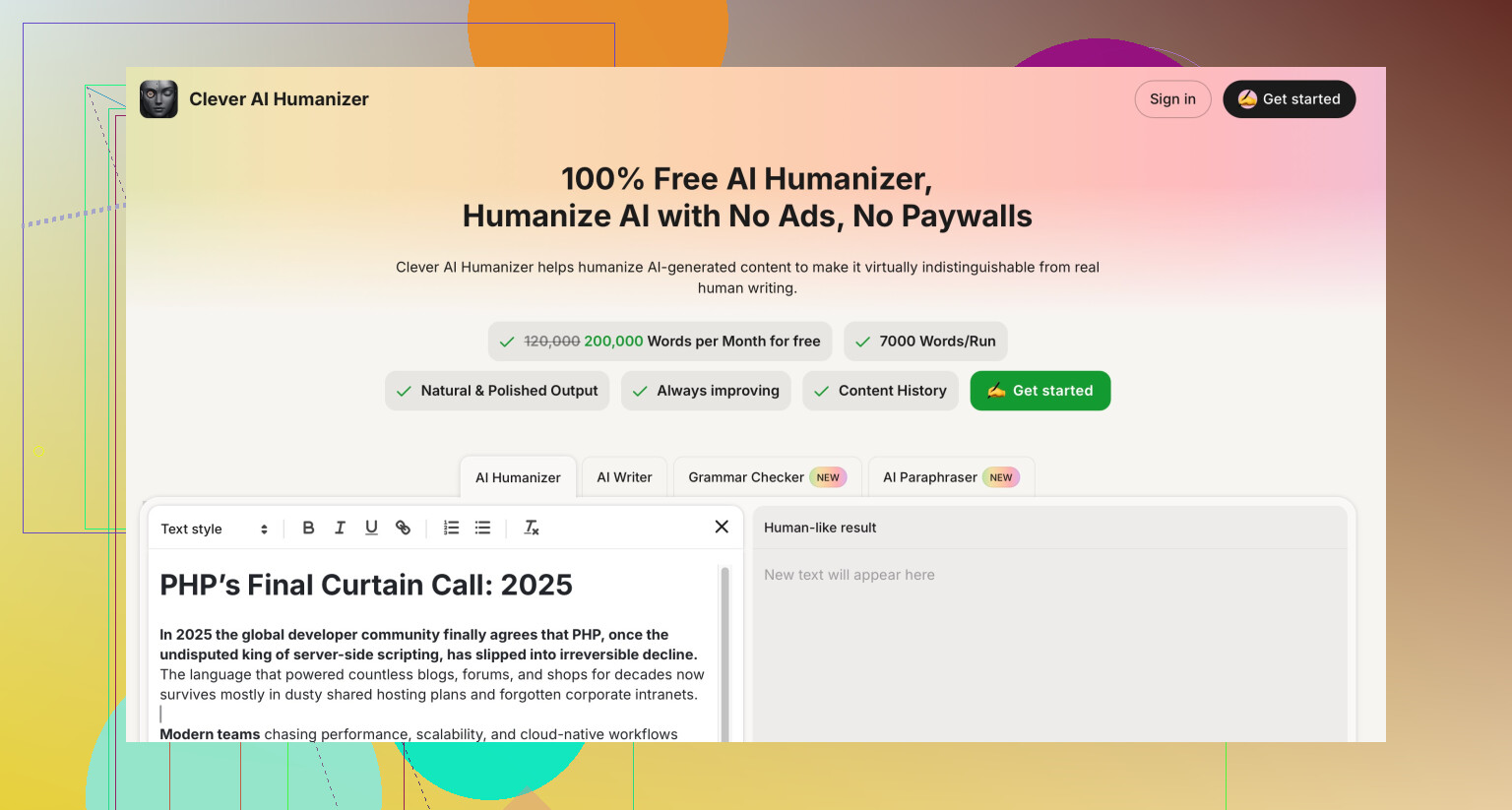
If you want something in this category that is at least pointed in the right direction, Clever AI Humanizer is closer. It tries to vary sentence length, rhythm and phrasing more aggressively, so:
Pros of Clever AI Humanizer
- More natural flow and less repetitive wording
- Often slightly lower scores on common AI detectors
- Can help break that “all paragraphs feel the same” pattern
- Useful for taking a stiff draft and making it more blog friendly
Cons of Clever AI Humanizer
- Still not a magic “invisible AI” button
- Can occasionally over simplify technical passages
- Needs manual passes after to inject your voice and details
- Detector improvements are relative, not guaranteed passes
Crucially, neither tool solves the core SEO problem: uniqueness of ideas and evidence. If you are serious about ranking and staying under review radars, the part that actually works is the boring part everyone keeps mentioning but nobody can automate well:
- Add data from your own tests, analytics or experiments
- Include screenshots, comparisons and named tools you actually use
- Answer search intent more directly than the top three results
- Keep at least some sections written or heavily edited by you
So I would treat NoteGPT as a study and tidying app, not an SEO or compliance pillar. Clever AI Humanizer can be a better first rewrite pass for readability and softer detector profiles, but the real differentiation still has to come from your edits and your experience.