My USB flash drive suddenly stopped opening after I moved important work files and family photos onto it, and now my computer says it needs to be formatted. I really need help finding the easiest and safest flash drive recovery tool to recover data from a corrupted USB drive without making things worse.
I’ve seen this mess more times than I wanted to. My own USB sticks, office hand-me-downs, a coworker’s flash drive with tax docs on it, a friend’s drive full of family photos. Same pattern most times. Windows says the drive needs to be formatted, or it opens and shows an empty folder like the files packed up and left overnight.
After enough recoveries, I stopped treating every bad USB drive like a corpse. A lot of them are not dead. They’re damaged, unreadable, unstable, or the file system is scrambled. Big difference. The other thing I learned the hard way, your recovery app matters more than people think. I tried the free stuff, the open-source stuff, the pricey technician tools, all of it. Some tools handle flash storage well. Some waste your time.
Do these two things first
- Stop writing anything to the USB drive. If files were deleted or the file table got messed up, your data might still be sitting there untouched. New writes reduce your odds.
- Save recovered files somewhere else. Use your PC drive, an external SSD, anything except the same USB stick.
That part sounds obvious. People still ignore it. Then they make the hole deeper.
The one I usually start with
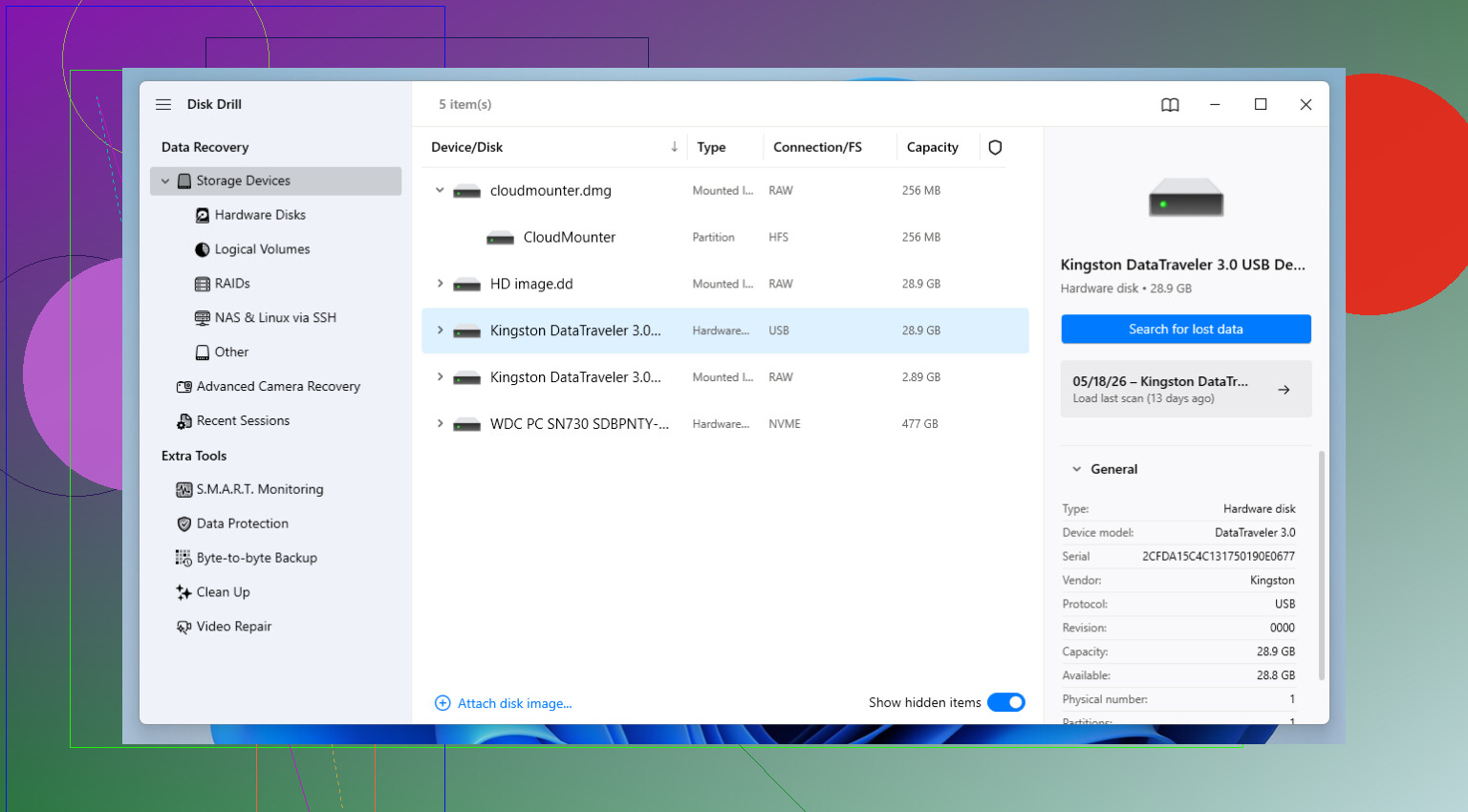
I keep coming back to Disk Drill. For me, it hits the least annoying middle ground between solid recovery results and an interface normal people can get through without reading three forum threads first.
I used it on deleted Word files, USB drives people formatted by accident, flash drives with corrupted partitions, and SD cards which started throwing read errors for no clear reason. In a bunch of those cases, it found more than I expected.
The preview feature helps a lot. I don’t like recovering 40 GB of junk only to learn half the files are broken. Seeing whether a photo opens or a document looks intact before recovery saves time. The byte-to-byte backup tool is the other part I trust. When a USB drive starts disconnecting every few minutes, I try to image it first and work from the copy. Way safer. I learned this after one flaky drive got worse during repeated scans. Not fun.
If you know your way around storage tools
R-Studio is where I go when I need more control and I’m willing to deal with a steeper setup. It’s strong. No sugar coating though, the interface feels built for techs, not for somebody in a panic at 11:30 p.m. trying to save wedding pics off a failing thumb drive.
If you understand partitions, file systems, scan ranges, filesystem metadata, and all the weird edge cases around damaged media, you’ll get why people rate it so highly. It gives you more knobs to turn. Sometimes those knobs matter. Sometimes they only confuse people. Depends on who’s sitting at the keyboard.
If you need a free option
PhotoRec still earns its spot. I’ve had cases where the file system was trashed badly enough that normal recovery tools pulled back almost nothing useful, and PhotoRec still managed to claw files out by signature scan.
There’s a catch. A few, tbh.
You often lose the original filenames. Folder structure too. So if your USB drive had ten years of mixed docs, images, PDFs, and random exports, expect sorting pain after recovery. The interface is also blunt and old-school. If you’ve never touched a text-driven utility before, the first run feels a bit hostile. Still, free is free, and in bad cases it punches above its weight.
The short version
If you want the easy answer, start with Disk Drill. If you hit a wall and you know what you’re doing, move to R-Studio. If your budget is zero or the drive is so damaged the usual scan isn’t finding much, keep PhotoRec in reserve.
After you get your files back
Set up backups. I ignored this longer than I should of, and every time a USB drive failed I paid for it in stress.
The 3-2-1 rule is still the cleanest approach I know. Keep 3 copies of your data. Use 2 kinds of storage. Keep 1 copy somewhere else. Local PC plus external drive plus cloud works fine for most people. You don’t need a fancy setup. You need something you’ll keep doing.
3 Likes
If you want the easiest path, start with Disk Drill. It’s one of the few tools normal people don’t hate after 5 minutes. Clean layout. Fast scan. File preview. That matters when you need photos and work docs, not a pile of broken files.
I differ a bit from @mikeappsreviewer on one thing. I would try Windows Error Checking first only if the drive still shows the right size and does not click, freeze, or disconnect. Sometimes the file system is messed up and a repair puts it back. If the drive is unstable, skip repair and scan it with recovery software first.
My shortlist:
- Disk Drill for ease of use.
- Recuva if the issue was simple deletion, not corruption.
- UFS Explorer if Disk Drill misses stuff and you’re ok with a denser UI.
For your case, “needs to be formatted” usually means file system damage, not empty storage. So Disk Drill is a solid first shot. Install it on your PC, not the USB. Recover files to a diff drive.
If you want a simple roundup of USB data recovery software options, this helps:
best USB data recovery software video guide
Do not format the flash drive yet. That’s the main thing ppl regret.
Don’t format it. That popup is Windows basically saying “I can’t read the file system,” not “your files are gone.” Small but important diff.
I mostly agree with @mikeappsreviewer and @suenodelbosque, but I’m a little less enthusiastic about trying repair tools first. On flash drives, “fixing” the file system can sometimes make recovery messier if the drive is already flaky. If the data matters, I’d scan before you let Windows “help.”
If you want the easiest flash drive recovery tool, Disk Drill is probly the safest starting point for a normal person. The reason isn’t magic recovery powers, it’s that the UI is simple, previews are easy, and it doesn’t make you feel like you need an IT cert just to begin. Big deal when you’re stressed and just want your work files and family photos back.
My take:
- Plug in the USB and stop clicking format.
- Install Disk Drill on your computer, not on the flash drive.
- Scan the USB.
- Preview the important files first if possible.
- Recover everything to your PC or another drive, never back onto the same USB.
One thing I’d add that they didn’t lean on enough: check whether the flash drive gets unusually hot, disconnects randomly, or shows the wrong size. If yes, that points more toward hardware failure than just file system corruption. In that case, do fewer scan attempts, not more.
If you want a solid comparison of USB recovery software and other options people actually debate, this thread is useful:
best USB recovery program discussion and tool comparisons
Short version: Disk Drill first for ease, then move to a more advanced tool only if it misses stuff. Recuva is fine for simple deletes, but for a flash drive asking to be formatted, I wouldn’t make that my first shot tbh.