I accidentally deleted some important videos from my PC and emptied the Recycle Bin before realizing they were gone. I’m thinking about using Recuva, but I’m worried it could damage the files or make recovery harder. Has anyone used Recuva for deleted video recovery, and is it safe and reliable for getting video files back?
People ask this all the time. Short version, yes, Recuva is safe in the normal sense. It is not malware, it is not some fake recovery app, and it is not built to wreck your PC. But if you mean safe for privacy, or safe for the deleted files you want back, the answer gets messy fast.
I used it on a few test drives and on one old laptop where I wiped the wrong folder like an idiot. Recuva itself did not cause trouble. The bigger risk came from how it was used, where it was installed, and what kind of drive I was trying to recover from.
About the old malware scare
A lot of the fear comes from the 2017 CCleaner breach. Same company line, same name people remember. Piriform got hit in a supply chain attack, and a poisoned CCleaner update went out through official channels. Bad situation. A lot of users got spooked and never forgot it.
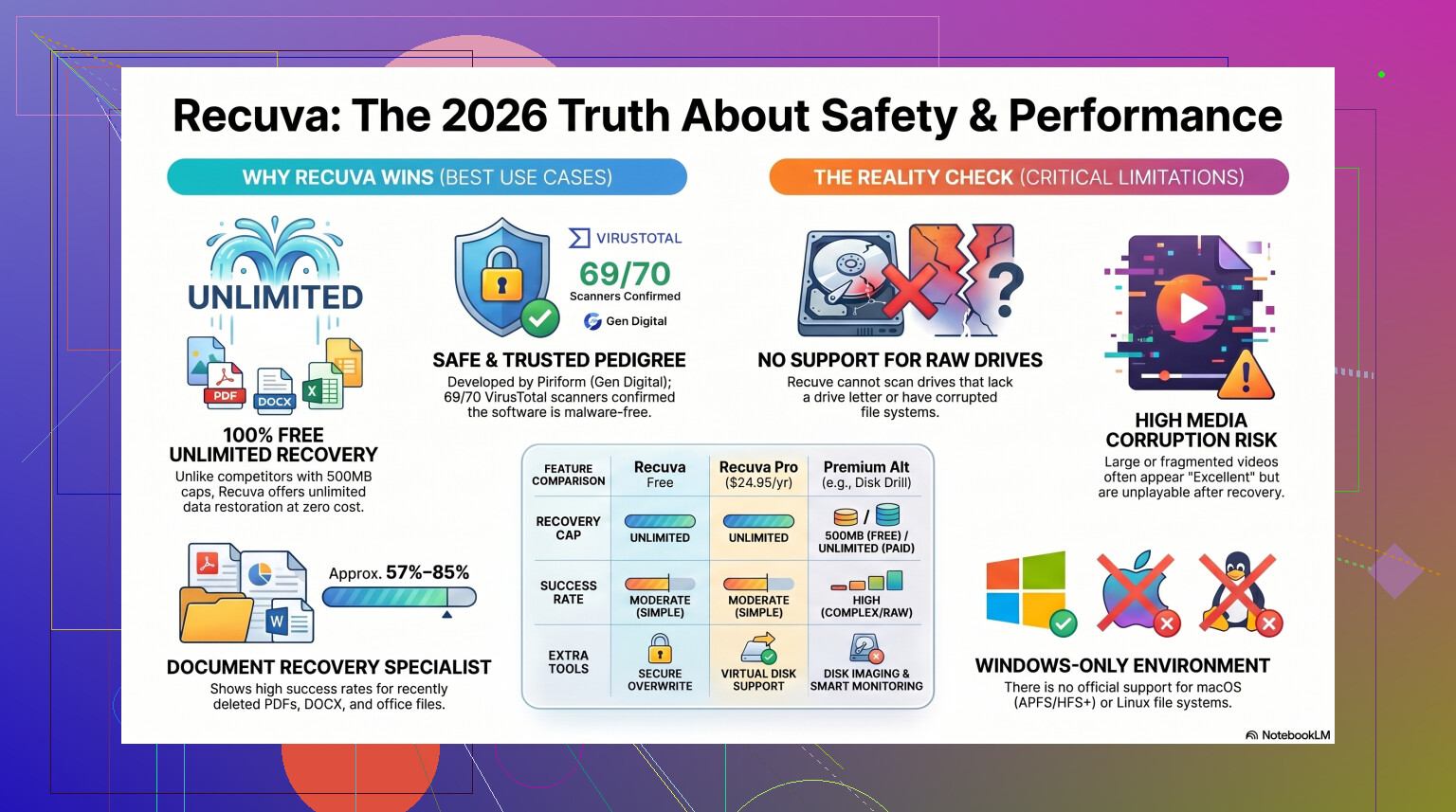
Still, Recuva in 2026 is not sitting there packed with a virus. The company changed hands after that. Piriform ended up under Avast, then Gen Digital. If you grab the current installer from the official site, it scans clean in most cases. Sometimes one tiny antivirus engine on VirusTotal throws a flag. I saw that too. It looked more like heuristic noise than proof of infection. Recovery tools poke around low-level file structures, so some scanners get twitchy.
If you download from the official CCleaner or Piriform source, the virus risk is low.
Privacy stuff nobody reads
Here is the part people skip. Safe from malware does not mean private.
Under Gen Digital, the app and the company policy still involve some data collection. Things like your IP address, device identifiers, OS details, and location data get gathered for licensing and fraud control. If that bugs you, fair enough. It bugged me a little.
After install, go straight into Options, then Privacy, then turn off the usage sharing box. I did that before my first scan. Took ten seconds. Worth doing.
One detail stuck with me. IP addresses can stay on record for 36 months before they get anonymized. For a free tool, that is a decent chunk of retention. Not rare, but not nothing either.
The part where people ruin their own recovery
This is the main thing. Recuva is usually safer than the person clicking through the wizard.
Do not install it onto the same drive where your deleted files used to live.
When Windows deletes a file, it usually removes the reference and marks the space as free. The data often sits there until something else writes over it. If you save the installer onto that same drive, you might overwrite the exact file you wanted back. I have seen people do this, then wonder why recovery found garbage.
The better move is the portable version. Put it on a USB stick. Run it from there. No install onto the target drive. Same rule after the scan, too. Do not recover files back onto the same disk you are scanning. Save them to an external drive or at least a different partition.
Where Recuva still works, and where it falls apart
If your mistake was simple, Recuva still does fine.
Deleted something from the Recycle Bin five minutes ago on a healthy Windows drive. Good use case.
Need a fast free scan with no file cap. Also a good use case.
Want a modern recovery suite for a damaged drive, a RAW partition, or a badly formatted USB stick. This is where things start going sideways.
The program feels old because it is old. The core design has not moved much since around 2016. There were compatibility fixes later so it would keep running on newer Windows versions, but it still behaves more like an undelete utility than a full recovery platform.
On rough jobs, results are uneven. I have seen it find files and label them healthy, then the images would not open. I have also seen folder structure come back mangled, with thousands of renamed files dumped into one place. If you are sorting family photos from a pile of 000123.jpg through 009876.jpg, you will feel pain prety quick.
RAW drives are another weak point. If Windows says the disk needs formatting, Recuva often does not even get a proper foothold. On formatted USB tests, success rates tend to land somewhere around 63 to 67 percent. That is not fake-bad. It is usable for free software. Still not where I would stop if the files mattered.
When I would stop using it
If the files are replaceable, I would try Recuva first.
If the files are your only copy of wedding photos, tax docs, project footage, client work, or anything you cannot rebuild, I would not spend long hoping a free undelete tool saves the day.
Each scan puts more time on the drive. If the hardware is failing, every extra pass feels like a dumb gamble. I learned this one late. By the time some people switch tools, the drive is in worse shape than when they started.
For harder cases, I had better results with Disk Drill. It handles damaged partitions and RAW drives far better than Recuva did in my tests. It also supports byte-to-byte disk imaging, which matters more than people think. You clone the failing disk first, then scan the clone instead of hammering the original hardware. That approach makes sense when the disk is unstable.
I also would not pick Recuva for camera RAW files or chopped-up video clips. It struggles there. Nikon, Canon, fragmented footage, weird file signatures, stuff like that, it gets ugly. Someone ran through it on YouTube if you want to see those limitations up close.
So, should you use it
Yeah, in the right situation.
If you need a free first try on a normal Windows machine, and the deletion happened recently, Recuva is still a fair option. Easy interface. Fast scan. Low system load. I would keep my expectations under control, though.
- Get it from the official site.
- Use the portable build if you can.
- Turn off usage sharing in the privacy settings.
- Recover files to a different drive.
If it finds nothing, or the recovered files open corrupted, stop writing data to the drive. Do not keep installing tools and running random scans. That tends to make things worse. Move to a stronger recovery app, or if the data matters enough, hand it off to a pro.
So yeah. Recuva is safe. It is also limited. For simple mistakes, I think it still earns a spot. For bigger messes, I would move on fast.
Yes. Recuva is safe in the sense that it does not damage files by itself. It reads the drive and tries to rebuild deleted entries. The danger comes from what you do around it.
Big thing, stop using the PC right now if the videos matter. Every download, browser cache write, Windows update, or app launch puts new data on the disk. That is what kills deleted video recovery, esp on the same drive.
I agree with @mikeappsreviewer on the main point, but I’m a bit less positive on Recuva for videos. Small photos and docs, fine. Large video files, not always. Videos get fragmented a lot, and Recuva is old. It does best on simple, recent deletions. If your clips were big MP4 or MOV files, the file names might return while the footage is broken or wont play.
If your PC uses an SSD, odds drop fast because of TRIM. If it is a hard drive, your chances are better.
My take:
- Do not install recovery software on the same drive.
- Do not recover back to the same drive.
- If Recuva finds bad or partial files, switch tools fast.
For deleted videos, I’d try Disk Drill before wasting too much time. It tends to do better with larger media files and tougher recoveries. If you want a solid list of top data recovery software for deleted videos and files, start there.
So yes, safe. Best choice for important videos, meh, not my first pick tbh.
Recuva is generally safe to use, but I’d separate two things: safe for your PC, and safe for your recovery chances.
For the first one, yeah, it’s a legit Windows file recovery tool, not some sketchy fake app. If you want background on it, this is a decent quick read on how Recuva file recovery software works. So I disagree a tiny bit with the fear angle some people have. The app itself usually is not the problem.
What does make recovery harder is using the computer normally after deletion. That matters more than which app you pick. Even a “safe” tool can’t recover video data that already got overwritten. And for videos specifically, Recuva can be hit-or-miss. Large MP4, MOV, or edited footage often comes back partial or unplayable, esp if the files were fragmented.
One thing I’d add beyond what @mikeappsreviewer and @caminantenocturno said: check whether those videos were ever in cloud sync, Windows File History, or app-specific caches. People jump straight to recovery software and forget there may be an intact copy sitting somewhere boring.
If the drive is an SSD, chances are worse. If it’s a hard drive, better shot. If Recuva doesn’t find clean playable files on the first pass, I would not keep poking around forever. At that point, Disk Drill is usually the better option for deleted video recovery because it handles media recovery more reliably in my expereince.
So, short answer: safe, yes. Best tool for important deleted videos, not really.
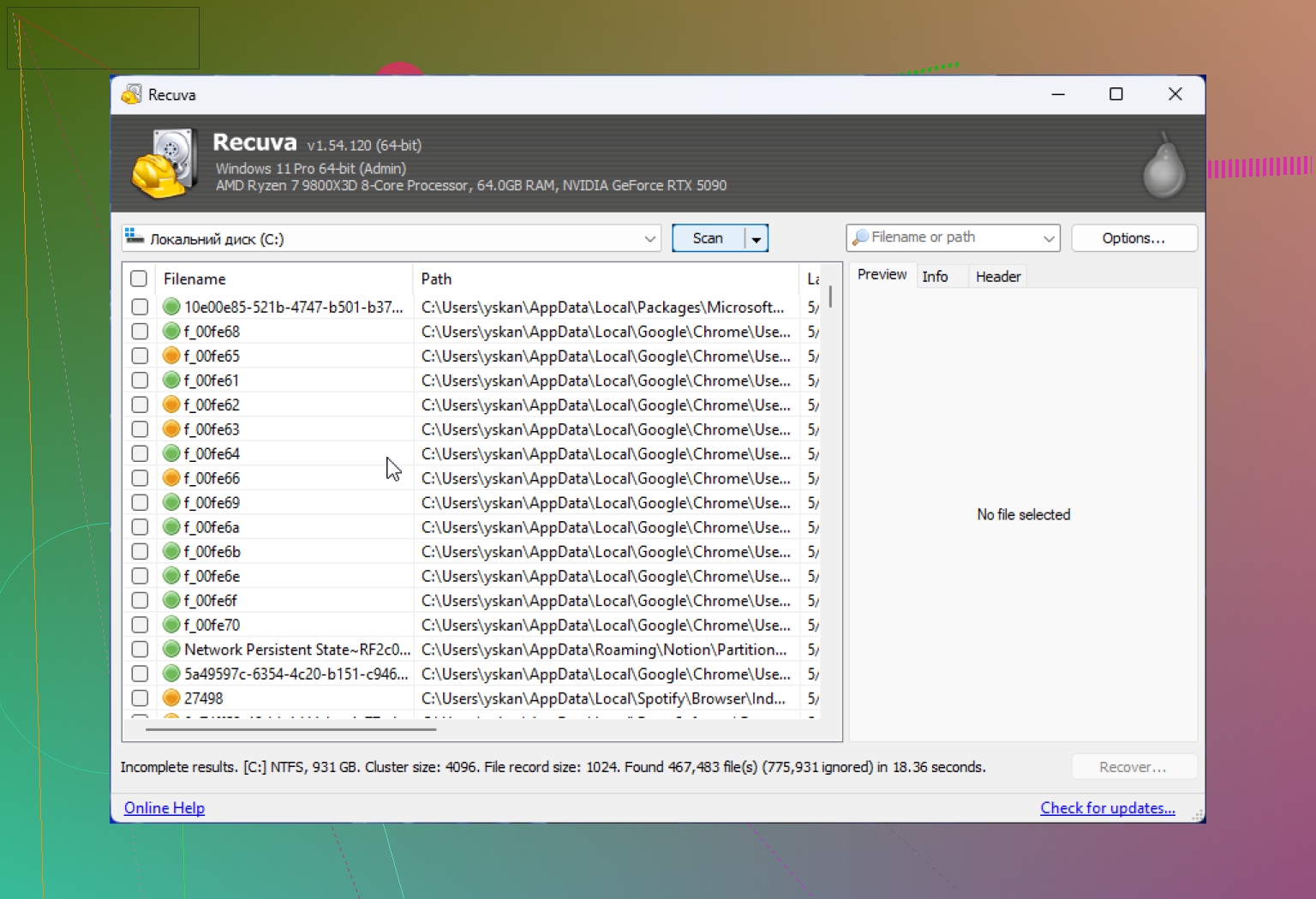
Recuva is safe enough, but I’m going to disagree a bit with the “just try it first” vibe from @caminantenocturno, @sterrenkijker, and @mikeappsreviewer. For deleted videos, the real issue is not safety, it’s accuracy.
Videos are unforgiving. A photo can lose a chunk and still open. A video often becomes a black screen, missing duration, or refuses to play at all. Recuva is okay at finding deleted entries, but not always great at rebuilding large media cleanly.
What I’d look at first:
- Was the drive an SSD or HDD?
- Were the videos copied once and left alone, or edited/moved a lot?
- Did deletion happen recently, or after more PC use?
If it’s an SSD, I would keep expectations low. If it’s an HDD, you still have a realistic shot.
My take on Disk Drill here:
Pros
- Better with larger media files
- Preview support helps spot junk recovery fast
- More useful when file system info is messy
Cons
- Free recovery is limited
- Scans can feel slow
- Interface is heavier than Recuva
So yes, Recuva is safe. But for important deleted videos, “safe” is not the same as “best chance.” If the files matter, I’d lean toward Disk Drill sooner rather than later.