My hard drive started making strange noises and now some files are missing or won’t open. I have important photos and work documents on it, and I’m scared that trying the wrong data recovery steps could make things worse. I need advice on the safest way to recover data from a failing hard drive without causing more file loss.
I had a scare like this with an old external hard drive, and the first thing I wish I had done was stop using it right away. I kept copying stuff on and off the drive for a bit, which was dumb in hindsight. When files vanish, they often are not erased at first. The space is only marked as free. Once you keep writing new data to the same drive, your odds get worse fast.
Before you run recovery tools, check the boring stuff first. I missed one of these once and wasted an hour scanning for no reason.
- Recycle Bin
- OneDrive or Google Drive sync folders
- File History backups
- Any other external backup drive
- A different user account on the same PC
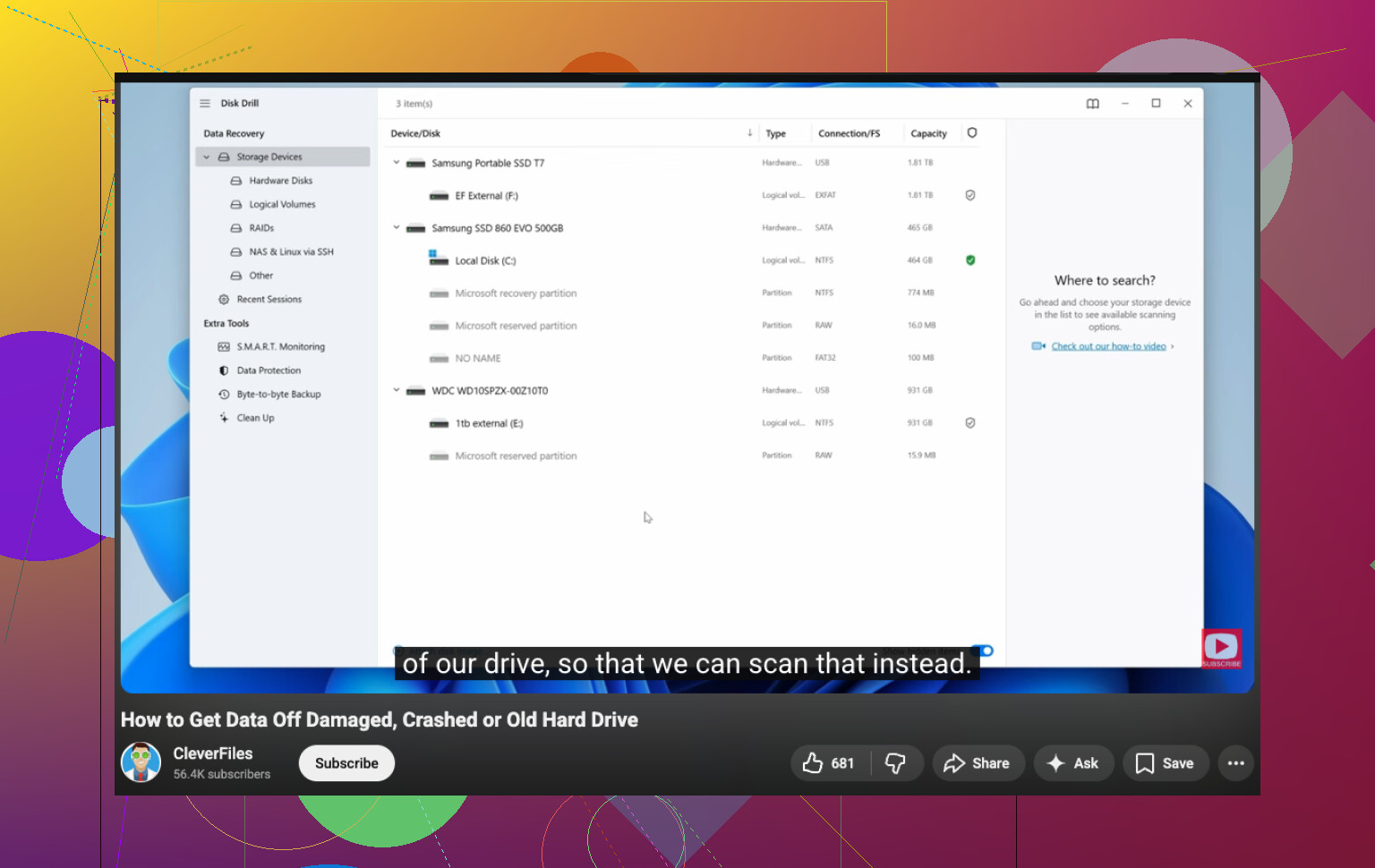
If none of those turn up anything, then recovery software is the next move for common cases like deleted files or a formatted partition. I’d start with Disk Drill. I used it because the layout was easy to follow and it still handled deeper scans well enough. It’s decent for deleted partitions, formatted drives, and damaged file systems without forcing you to learn a pile of recovery jargon first.
This is the process I stick to now:
- Plug in the drive and confirm your system still detects it properly
- Install the recovery app on a different disk, not the problem drive
- Run a full scan, skip the quick scan if the data matters
- Preview files before restoring them
- Pull back the important files first
- Save recovered files to another drive entirely
That last step matters more than people think. If you restore data back onto the same HDD, you risk overwriting other files you have not recovered yet.
One thing I liked with Disk Drill was the preview feature. If a photo opens cleanly in preview, or a video starts playing, I take that as a good sign. I usually test a handful of important files first instead of restoring 300 GB and hoping for the best.
If it comes up short, I’d try a second tool after. Different recovery tools do pull different results sometimes. PhotoRec is free and pulls off some wild recoveries, but it feels rough and often strips away original filenames. R-Studio and UFS Explorer are solid too, though I found them less friendly if you are doing this for the first time.
One more thing, and this part matters. If the drive is clicking, grinding, dropping connection at random, or vanishing from BIOS, I would stop running scans on it at home. Software helps with logical problems. It does not fix failing hardware. I learned this one the hard way, heh.
If the files matter a lot, family photos, tax records, work stuff, anything you cannot replace, a professional recovery shop is the safer move at that stage. It costs a lot. Still, with a dying HDD, home recovery attempts sometimes make the final result worse.
3 Likes
Stop powering it up.
Strange noises change the whole plan. If the drive clicks, grinds, spins down, or disappears, treat it like failing hardware, not a simple deleted-file mess. I agree with @mikeappsreviewer on stopping normal use, but I would go one step further. I would skip long scans on the original disk if the sounds are new. Every extra minute of read time can push a weak drive closer to dead.
Best move first, clone the drive sector by sector to a healthy drive of equal or larger size. Use a tool made for unstable disks, like ddrescue on Linux. It reads the easy areas first and logs bad spots. That matters. If the clone works, do all recovery work from the clone, not the noisy source. That is the safest DIY route.
A few things not to do:
Do not run CHKDSK.
Do not run repair tools.
Do not defrag.
Do not copy random files off it over and over.
Do not open the drive at home. Clean room stuff is not DIY, period.
If the drive is still detected and the noise is mild, recover the most important files first from the clone. Photos, docs, spreadsheets. Skip giant video folders for now. For software, Disk Drill is fine for scanning the clone and pulling files off to another disk. I would use it after imaging, not before. Small difference, big risk reduction.
Also, missing files that won’t open often means corruption, not simple deletion. Preview tests help, but check file sizes too. A 0 KB photo is gone. A RAW image with the right size but no preview might still be repairable later.
If you want a solid walkthrough on how to recover data from an old hard drive, this helps, watch this hard drive data recovery guide.
If the data is business records or irreplaceable family photos, I would stop the DIY route now and send it to a lab. Expensive, yep. But noisy HDDs are where people make it worse fast. Been there, made taht mistake once.
If the drive is making new noises, I’d actually be a bit stricter than @mikeappsreviewer on the “try software first” part. Not saying he’s wrong, just that noisy HDDs are where people accidentally turn a recoverable mess into a dead drive.
My take:
- unplug it and let it sit
- check the drive brand and warranty status first
- if it’s a WD/Seagate/Toshiba external, test a different cable and power source before doing anything else
- if the drive enclosure is the problem, sometimes the disk inside is fine, but don’t start shucking it open unless you know what you’re doing
Also, listen to the type of noise. Soft repetitive ticking is bad. Grinding is worse. A single beep/spin-up fail can mean power or motor issues. That info matters if you end up calling a lab.
I do agree with @boswandelaar on one big thing: if you can get a stable image, work from that, not the original. But if the drive disconnects every few minutes, even cloning attempts can be too much stress. At that point, stop DIY. Seriously.
One practical thing nobody mentioned much: make a priority list before recovery. Folder names, file types, dates. When people panic they recover junk first and waste the drive’s last readable hours.
If the disk is stable enough, scan the clone with Disk Drill and restore only to another healthy drive. Start with documents and photos, not giant media folders.
Also worth checking this thread if you want a more search-friendly discussion of recovery tools: best Reddit discussion on hard drive data recovery software.
Main thing: weird noises = hardware danger, not just “missing files.” Don’t poke it to death.