I recently received a HIX bypass review notice and I’m confused about what it means, how it affects my coverage, and what steps I should take next. Has anyone dealt with a HIX bypass review before, and can you explain the process, possible outcomes, and what documents or actions are usually required so I don’t risk losing my health insurance?
HIX Bypass AI Humanizer review, from someone who burned a weekend on it
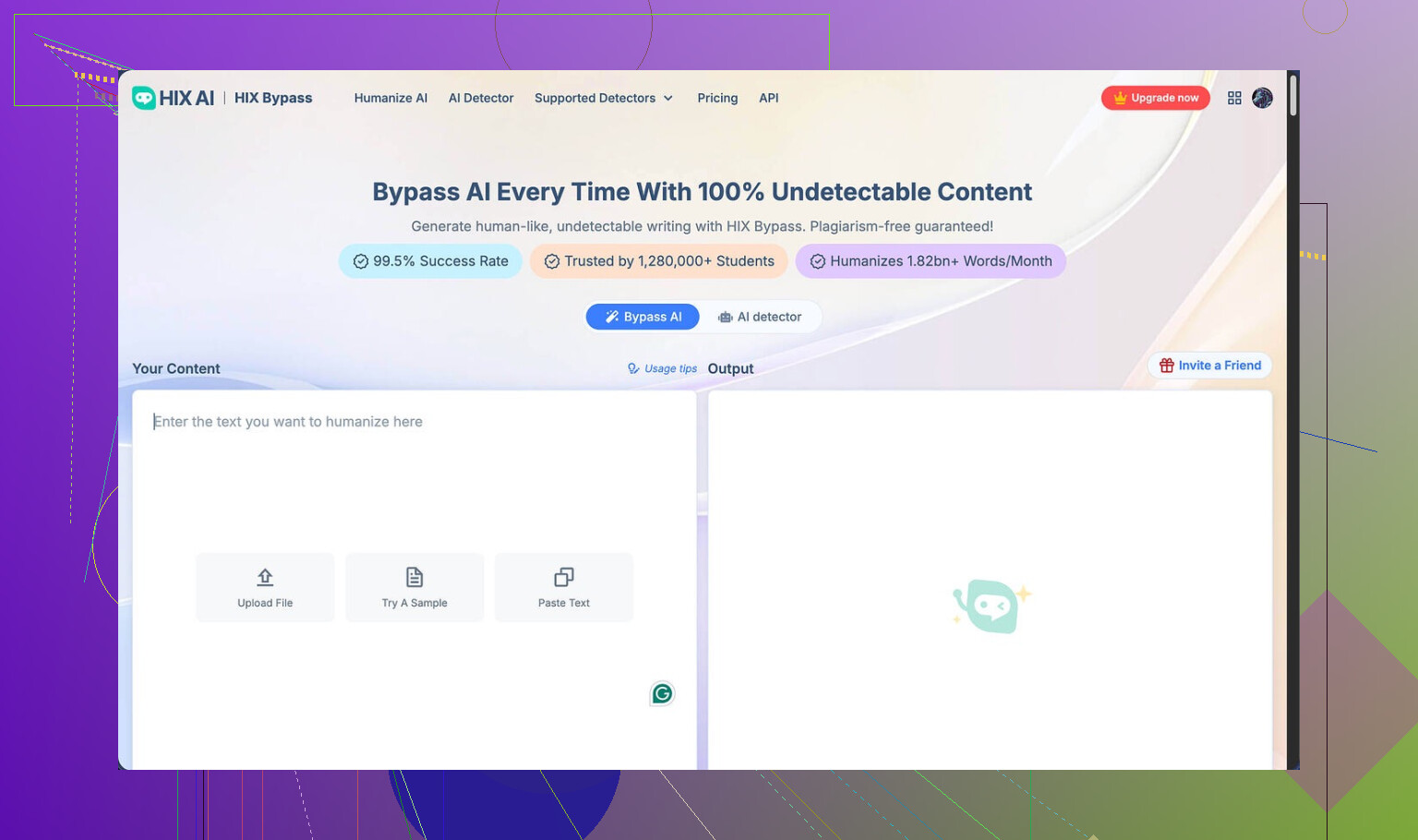
HIX Bypass looks nice at first glance. Big “99.5% success rate” claim on the front page, plus logos from places like Harvard, Columbia, and Shopify slapped across the hero section. I saw that and thought, ok, worth a try.
Here is the link I used:
https://cleverhumanizer.ai/community/t/hix-bypass-review-with-ai-detection-proof/37
What I tested it against
I fed HIX Bypass a couple of pretty standard AI chunks. Nothing fancy. Then I checked the outputs on two detectors I use a lot:
• ZeroGPT
• GPTZero
Result:
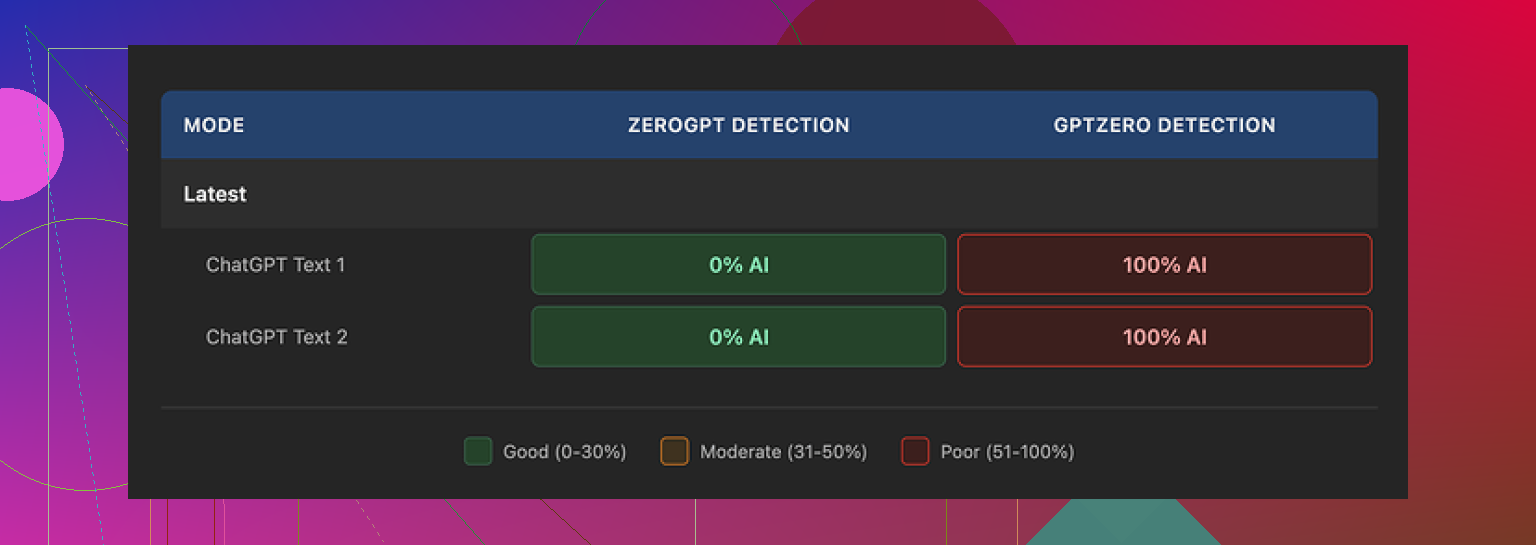
• ZeroGPT said both samples looked human. No issues.
• GPTZero slapped them with 100% AI probability.
The funny part is HIX Bypass has its own “integrated” detection view that shows results from several detectors. On that screen, the text proudly showed as “Human-written” on most tools, so at first I thought, nice, it works.
Then I threw the same text into GPTZero myself, outside their site, and it was pure red. Their “Human-written” label did not match my direct test at all.
Here is the screenshot from my run:
What the output looked like
This part surprised me more than the detection scores.
I would rate the writing at about 4 out of 10 for usefulness. Here is why:
• It kept em dashes everywhere, even though those often trigger detectors or at least look very AI-ish.
• One sentence came out broken, like the model stopped mid-thought and then glued on something unrelated.
• In one sample, the tool wrapped an entire sentence in square brackets for no reason at all. It looked like an unfinished editing note, not something you would send to a client or teacher.
If you want text that looks like a person wrote it, you will end up doing a lot of hand editing after HIX Bypass. At that point, I might as well rewrite it myself.
Limits and refund trap
The free tier is tiny. You get about 125 words per account. That is barely enough to see how it behaves on different topics or tones.
The refund policy is where it gets rough. They have a 3‑day refund window, but it comes with a word usage cap. You need to stay under 1,500 words total to qualify. If you run a couple of longer tests, you blow past that number fast and lose the option to get your money back.
So you pay, run a few experiments, hit the soft wall, and now you are stuck with a tool you might not trust.
Pricing and terms
On paper, the prices look decent. The “Unlimited” annual plan works out to around 12 dollars a year at the time I tried it. That sounds cheap.
Then I read the terms.
Two things bothered me:
• They reserve the right to change usage limits after you pay. So “Unlimited” does not feel very solid.
• They grant themselves broad rights over submitted text.
If you care about where your writing ends up, that second part matters. I would not run client work, personal stories, or anything sensitive through it.
Also, if you stay on the free tier, they say your inputs can be used to train their models. That is pretty common in this space, but it is worth knowing before you paste in unique material.
How it compared to another humanizer
After messing around with HIX Bypass, I tried a different tool that people kept mentioning: Clever AI Humanizer.
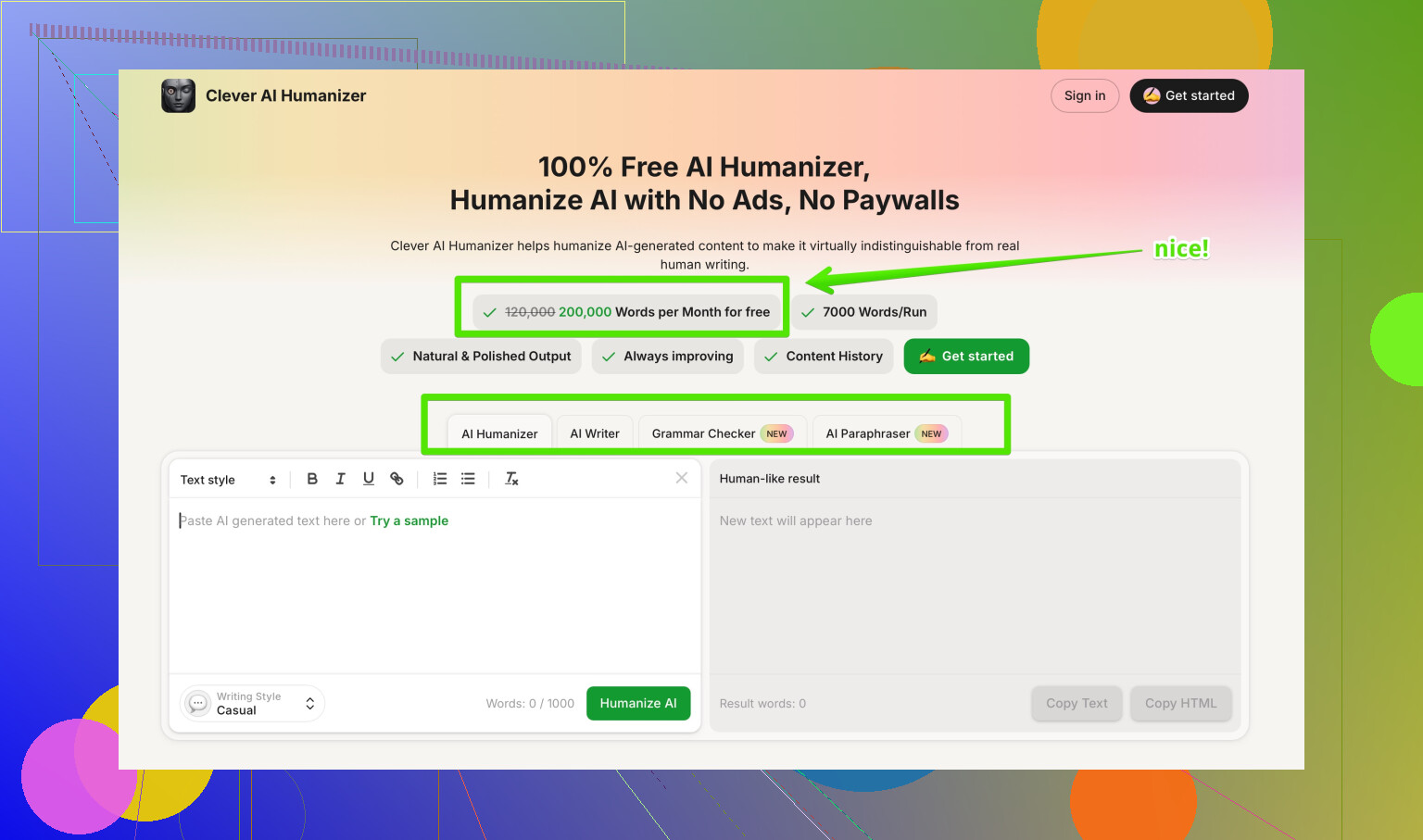
Same deal, I used it on similar chunks of AI text, then tested outputs on detectors. The rewrites from Clever AI Humanizer felt more natural, fewer weird punctuation decisions, no random square brackets, and the scores on detectors were better in my runs.
That one did not charge me anything for the tests I ran, so the risk was lower too.
Here is the link I used again for reference:
https://cleverhumanizer.ai/community/t/hix-bypass-review-with-ai-detection-proof/37
If you are thinking about paying for HIX Bypass, I would test some alternatives side by side first and watch how they behave on GPTZero specifically, not only on the detectors they display inside their own dashboard.
18 Likes
I got confused by “HIX bypass review” at first too. The term gets used for two totally different things:
- Health Insurance Marketplace (HIX) “bypass review”
- The HIX Bypass AI humanizer tool review stuff that @mikeappsreviewer talked about
From your post, it sounds like you mean the AI tool review notice, not your medical coverage. Your health insurance coverage is not affected by this AI tool at all. Different world.
Quick breakdown of what is going on:
• HIX Bypass is an AI humanizer. You paste AI text in, it rewrites it so detectors see it as human.
• They claim high success on AI detection.
• In practice, it passes some checkers like ZeroGPT, then fails harder ones like GPTZero a lot of the time.
• The writing often needs manual cleanup.
• Their refund and usage rules are tight.
So your “HIX bypass review notice” is likely one of two things:
• A teacher, client, or platform telling you text you ran through HIX Bypass still scored as AI.
• A moderation or quality flag from a site that scanned your content with something like GPTZero.
How it affects you
• Your coverage or benefits are safe. This is not tied to health insurance.
• What is at risk is your credibility with whoever flagged it. Teacher, editor, employer, platform.
• Some schools and platforms log detector scores. Once they flag you, they might review your future work more closely.
What to do next
-
Stop relying only on HIX Bypass
It does not handle GPTZero well. That matches what @mikeappsreviewer shared, though I think they were a bit harsher on its usefulness than I would be for shorter stuff. It can be fine for low risk content, but not for graded work or client docs. -
Use a stronger humanizer plus your own edits
For AI heavy drafts, run them through a better tool, then through your own brain.
I have had better luck with Clever AI Humanizer on GPTZero and other detectors. The text from it reads more natural to me, fewer weird punctuation issues.
You can check it here:
make your AI text sound more human -
Rewrite key sections yourself
• Change sentence length. Mix short and long.
• Add your own examples, numbers, and personal references.
• Reorder paragraphs.
• Remove repeated phrases and “AI voice” patterns.
Detectors often key on uniform structure and bland wording. -
If a person sent you the notice, respond smart
• Acknowledge you used AI support if they ask directly and your rules allow it.
• Offer to redo the work in your own words.
• Ask what their policy is on AI tools so you do not get hit again.
Staying defensive usually makes things worse. -
Test your text before you submit
• Run it through more than one detector, not only the ones inside the tool’s dashboard.
• GPTZero is stricter than some others. If it still screams AI, keep editing.
• Watch for text that feels too smooth, too generic, or repeats certain patterns.
Quick SEO friendly version of your topic
HIX Bypass Review: What it means, how it affects your AI written content, and what to do next if you received a HIX Bypass review notice and feel confused about its impact on your work, how it interacts with AI detectors, and which alternative tools like Clever AI Humanizer can help you create more human sounding content that passes stricter detection tools.
Bottom line
• Your health insurance is not involved.
• Your reputation with whoever flagged your text is the real issue.
• Use tools like Clever AI Humanizer plus manual editing, not one click fixes.
• Clarify the AI policy with your school, client, or platform so you know the line.
Yeah, this “HIX bypass review” wording is confusing as hell because it sounds like Health Insurance Marketplace, but what you got is almost certainly about AI‑written content, not your medical coverage.
Quick reality check:
Your health insurance coverage is not affected. Zero impact. This is about how “human” your text looks to detectors, not whether you still have a plan.
From what @mikeappsreviewer and @himmelsjager already broke down, HIX Bypass is basically:
- An AI humanizer tool that rewrites AI text
- Looks impressive on the surface
- Has mixed results, especially against stricter tools like GPTZero
- Comes with awkward limits and a tight refund window
Where I slightly disagree with them is on usefulness. I would not say it is totally useless, but it is not something I would trust for anything high stakes like graded assignments, job apps, or serious client work. It is more in the “maybe ok for low risk blog fluff if you are already editing a ton by hand” bucket.
What your notice likely means:
- A teacher, platform, or client ran your text through a detector
- The system flagged it as “AI generated” or “heavily AI assisted”
- They either recognized or suspect that a tool like HIX Bypass was used
How it actually affects you:
- Not your insurance, only your reputation with whoever reviewed it
- You might get extra scrutiny on future submissions
- In academic or professional settings, this can escalate into policy or integrity issues if they think you tried to hide AI use
What I would do next that is not already covered in their posts:
-
Check the exact wording of the notice
- Look for phrases like “AI content,” “authorship concern,” “policy violation”
- If they mention a specific detector score, write it down
- Ask them (politely, but clearly) what standard they are using and what “fixing it” actually means
-
Do a side by side comparison of your drafts
- If you still have the original AI draft plus the HIX Bypass version, compare them
- If they look cosmetically similar, assume detectors will keep flagging you
- Use this to figure out how much you need to rewrite in your own voice
-
Shift your workflow
- Use AI as a brainstorming or outline aid, not a final text generator
- Write your own first pass from the outline, then use tools only for light editing
- That pattern tends to trigger detectors way less
-
If you still want a humanizer in the mix
Personally I would pick one and treat it as a helper, not a magic cloak.
Something like Clever AI Humanizer tends to produce text that reads a bit more naturally and gives you a better base for your own edits. You still need to go line by line, change structure, insert your own examples, and remove generic wording. There is no click once and walk away that consistently beats modern detectors. -
Talk to the person or platform that flagged you
- Be direct, not defensive
- Ask what percentage of AI use is allowed, if any
- Offer to redo the work from scratch under their conditions if needed
- Get their policy in writing so this does not blindside you again
On the “HIX Bypass vs others” angle, @mikeappsreviewer and @himmelsjager already hit on the main pain points: weird output quirks, inconsistent detection results, and sketchy limits. I would treat it as a tool to experiment with on low risk content, not something to lean on when there are consequences.
Also, if you are poking around for comparisons, this phrase works better for search and clarity than what you posted originally:
in depth community discussion of the best AI humanizer tools on Reddit
Last bit: if a notice already showed up once, assume future stuff will be checked too. Reduce your AI footprint, treat any humanizer including HIX Bypass as optional, and make sure the final text actually sounds like you, not like a smoothed out chatbot trying to sound like “a generic human from nowhere.”
Short version: your “HIX bypass review” notice is about AI content, not your insurance. Coverage is fine. Your relationship with whoever flagged you is what matters.
A few angles that haven’t been hit yet:
-
Focus less on “beating detectors,” more on “owning your voice”
Everyone so far is tool focused. I’d flip it. Detectors change constantly. If you build a workflow around “HIX Bypass beats X, Clever AI Humanizer beats Y,” you will always be chasing the next patch. Instead, treat any humanizer as a readability and tone helper, not a stealth cloak. -
What your notice probably signals about policy
A flag like this often means:- They are moving to stricter AI rules behind the scenes.
- They are testing multiple detectors, not only the easy ones.
- A human may manually review “borderline” cases.
So even if you get something to pass a quick scan, a reviewer might still call it out if it feels generic or “AI-ish.”
-
Clearing the air without making it worse
Where I slightly disagree with the idea of “admit AI use right away no matter what” is context. If your institution or platform has vague rules, you do not need to volunteer a confession novel. Instead:- Ask for their written AI policy.
- Ask what they expect for future submissions.
- If they say “no AI drafting,” then commit in writing to following that and offer to redo any disputed piece.
Keep it factual, not apologetic theater.
-
Where Clever AI Humanizer actually fits in
Think of it as a “style roughener” more than a magic bypass. Some concrete pros and cons:Pros:
- Often produces less robotic rhythm than a raw model output, so your text can feel less like a template.
- Helpful for taking a stiff AI draft and nudging it toward more natural sentence variety.
- Good for readability tweaks when English isn’t your first language or you struggle with flow.
Cons:
- Still not invisible to strict detectors on its own. If you just paste in / paste out and submit, you can get flagged again.
- Can smooth things so much that your personal quirks vanish, which ironically makes it feel more like AI.
- You still need to do a pass where you inject your own specifics, examples and opinions or it will read like everyone else’s “optimized” text.
Used right, Clever AI Humanizer is more about making your writing easier to read and closer to your natural style. Used wrong, it is just a slightly different “HIX Bypass” button.
-
How I would rebuild your workflow from here
Very concrete route that differs a bit from what @himmelsjager, @suenodelbosque and @mikeappsreviewer are leaning on:- Start with your own bullet outline in plain language. Even rough notes count.
- If you use AI, have it expand only certain bullets, not generate the whole thing.
- Run those helper bits through Clever AI Humanizer if they feel too stiff, then merge everything.
- Last pass: read it out loud and rewrite anything that you would never actually say that way. Swap in your real experiences, numbers and references to your context (class, project, job).
-
About tools vs reputation
Tool choice is a side story. The real issue is whether your teacher, client or platform decides you tried to misrepresent authorship. That is where you want clarity. Something as simple as:
“Can you tell me how you define acceptable AI assistance, and what you want from me on this assignment/post going forward?”
does more to protect you than any bypass service.
In short, HIX Bypass is not touching your health plan. Treat this as a nudge to rely less on one-click “humanizers,” use something like Clever AI Humanizer only as a style assist, and make sure the final text obviously sounds like you, not like a polished generic voice.