My external drive formatted as exFAT suddenly won’t mount, and I’m worried about losing important files. I’m looking for advice on reliable exFAT data recovery tools or steps that worked for an external hard drive without making the damage worse.
First thing: stop using that external SSD right now. Don’t copy anything to it, don’t move files around, don’t try a format “just to test,” and don’t run repair tools before you’ve pulled off the data you care about. With exFAT, deleted stuff often isn’t wiped immediately. The space usually just gets marked as free, so the files may still be sitting there until something new overwrites them.
If Windows or macOS can still see the drive, I’d try recovery software before doing anything else. Disk Drill is a solid option for this kind of exFAT recovery. It can handle accidental deletes, some corruption cases, and a lot of quick-format situations.
The safer way to go about it:
- If the SSD is acting weird, dropping connection, or throwing errors, make a disk image first and scan that instead of hammering the original drive.
- Run a Universal Scan.
- Use preview before recovering. If the photos, videos, documents, etc. preview correctly, that’s usually a good sign.
- Save recovered files to a different drive. Never recover them back onto the same exFAT SSD you’re scanning.
If this is corruption rather than a normal deleted-folder situation, the order still matters: recover first, fix later. Once the important files are safe somewhere else, then you can think about repair tools or reformatting.
A mistaken quick format is also worth trying to recover from. Quick format mainly rebuilds file system metadata and usually doesn’t overwrite all the file contents. A full format is much worse because that can overwrite the data, so recovery odds drop hard.
If the drive shows up as RAW, asks to be formatted, or gives errors when you open it, don’t click through the format prompt. Recovery tools can sometimes read enough from the drive even when the operating system can’t mount it normally.
I’d also check the SSD’s health before putting it through long scans. On Windows, CrystalDiskInfo is a good free tool, and Disk Drill has SMART monitoring too. If you see lots of pending or reallocated sectors, or the drive starts disconnecting, disappearing, clicking, or failing scans, stop messing with it and look into a professional recovery service.
For the cases you listed, I’d treat them like this:
- Deleted the wrong folder? Yes, recovery is definitely worth trying.
- Corrupted exFAT external drive? Get the files back first, then repair or reformat.
- Quick formatted it by accident? Still possible, especially if you stopped using it right away.
- Not sure whether to recover before formatting? Recover first. Always.
The main thing that decides your odds isn’t really exFAT by itself. It’s how much the drive has been written to since the files disappeared. If you stopped using it immediately, you’re in a much better spot.
1 Like
Don’t expect the first scan to give you a clean folder tree if the exFAT metadata is damaged. A lot of tools, Disk Drill included, may recover files by signature instead, which means names and folders can be missing even when the actual photos or docs are still recoverable. Before spending hours scanning, I’d rule out the boring hardware stuff: different USB cable, different port, no hub, and if it’s a bare drive in an enclosure, try another enclosure. A flaky bridge board can make a perfectly readable drive look “corrupt.” If it behaves the same everywhere, then scan it, but judge results by previews and file integrity, not by whether the original folders look pretty.

The sneaky downside is that some “repair” buttons can make the recovery messier, especially chkdsk on Windows or First Aid on macOS if the file system is already scrambled. They may reconnect a few folders, but they can also rename or discard entries that recovery software might have used. I’d only try Disk Drill or another recovery tool in read-only scan mode first, and if the drive is slow, clicking, vanishing, or freezing the scan, stop and clone/image it before continuing. For exFAT, don’t judge too quickly if the folder names are gone. A boring pile of recovered files with generic names can still be a win if the files open.
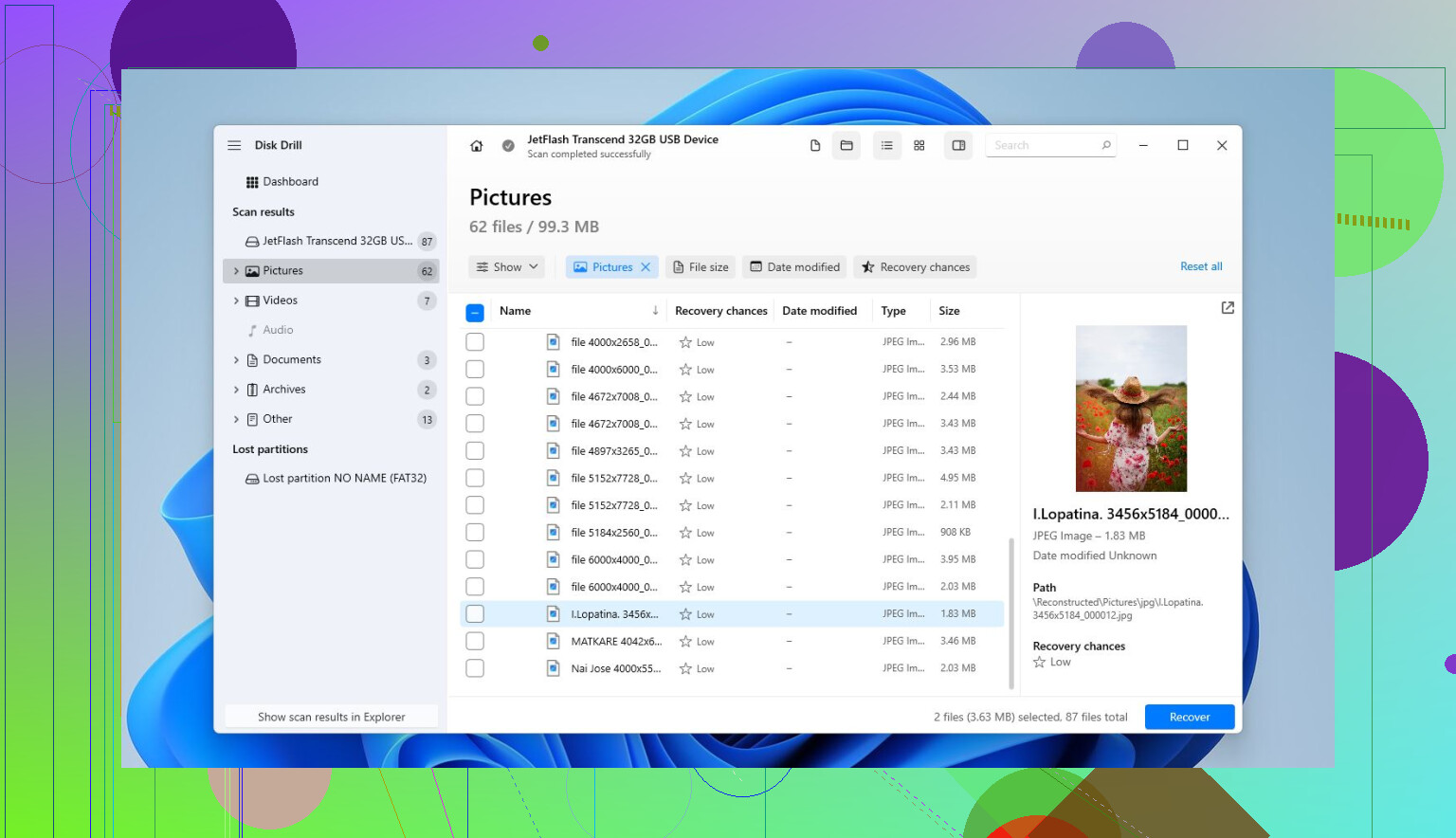
Expect the recovered set to be messier than the lost folder, and make sure you have another drive with plenty of free space before you start. Disk Drill or any similar tool may spit out duplicates, nameless files, and partial hits, so don’t recover everything blindly if you only need a few folders. Preview first, recover the important stuff first, then worry about sorting the junk later.