My iPhone has been getting slower, apps take longer to open, and I keep seeing low storage warnings. I’m trying to figure out if low iPhone storage can cause lag, freezing, and poor performance, or if something else is wrong. What should I check first?
The first thing I’d check is whether this is still in the “right after an iOS update” phase. If the lag started immediately after updating, the phone may just be busy in the background for a couple days. iOS can spend 48 to 72 hours re-indexing photos, rebuilding app data, and doing other cleanup work. During that time the phone can run warm, apps can open slowly, and typing can feel awful.
If that’s where you are, leave it plugged in on Wi-Fi overnight for a few nights before assuming something is broken.
If it has already been more than a few days, I’d stop focusing on battery health for now. If your battery is still above 80%, especially around 90% or better, it probably isn’t the main reason your phone is freezing. Apple’s performance throttling is usually more of an issue once the battery is worn enough that the phone risks unexpected shutdowns.
The thing that causes way more weird iPhone lag than people realize is low storage. Having 1GB or 2GB free sounds fine, but it really isn’t. iOS needs extra space for cache files, temporary data, and swap. Once you’re down near the last 10% to 20% of storage, the whole phone can start acting choppy. Apps like Safari, Instagram, TikTok, and anything media-heavy usually show it first because they need more room to cache stuff.
You can try the usual small fixes, like clearing Safari data or disabling Background App Refresh, but if your storage is packed, the bigger win is almost always deleting large videos and duplicate-ish photos.
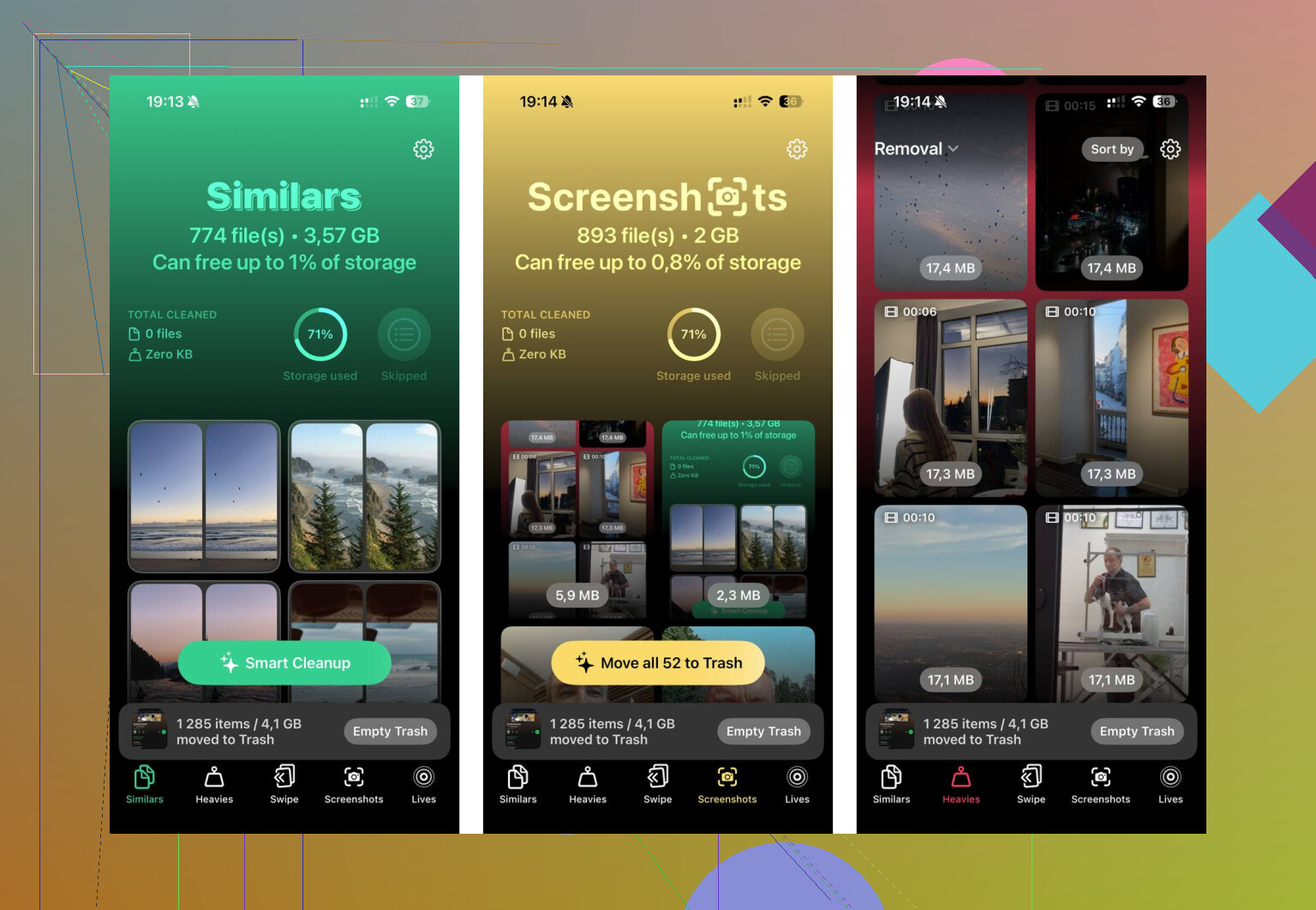
I got tired of trying to do that manually because sorting through thousands of photos is miserable. I ended up using Clever Cleaner. I’m usually suspicious of cleaner apps too, since a lot of them are full of ads or lock the useful stuff behind a subscription, but this one is free, with no ads, subscriptions, or paid “pro” cleanup feature.
The most useful part for me was the “Heavies” section. It shows your biggest photos and videos by file size, so it’s easy to spot some random 4K video or screen recording taking up multiple GB. The “Similars” section is handy too, since it groups photos that are basically the same shot instead of only catching exact duplicates. It can also suggest which one to keep.
Another thing I liked is that it processes the photos on the phone, instead of uploading them somewhere. After clearing around 15GB, my keyboard lag went away right away.
One thing people miss after a cleanup: open Photos, go to “Recently Deleted,” and empty it. Otherwise those files sit there for 30 days and still count against your storage. If you can get back to at least 10 to 15GB free, there’s a good chance the freezing and app lag will calm down without needing a factory reset.
2 Likes
Your exact free space matters more than the warning itself, because iOS can start acting weird before it says storage is completely full.
I agree with the storage angle, but I’d check Settings > General > iPhone Storage and look for huge “System Data” too. If that’s bloated, deleting a few apps may barely help until you offload big media, restart, and give the phone some breathing room.
Don’t start with a factory reset or a giant delete spree while the phone is already choking on storage. If it is low enough to throw warnings, the first priority is getting a safe backup and freeing space without accidentally nuking something you care about.
Yes, low storage can absolutely make an iPhone feel slow. It is not always the whole cause, but it can make normal stuff ugly: apps stall when opening, the keyboard lags, photos take forever to load, downloads fail, and iOS keeps trying to clean caches in the background. That cleanup itself can make the phone feel busy. People think of storage as “I can’t take more photos,” but the phone uses free space as working room too.
I agree with @stellacadente that the actual free space number matters more than the warning. A 128GB iPhone with 2GB free is in worse shape than people assume. It may still technically “work,” but it has almost no margin. Personally, I would not judge the result after deleting 500MB. That is just enough for the phone to stop yelling for a minute, not enough to make it comfortable.
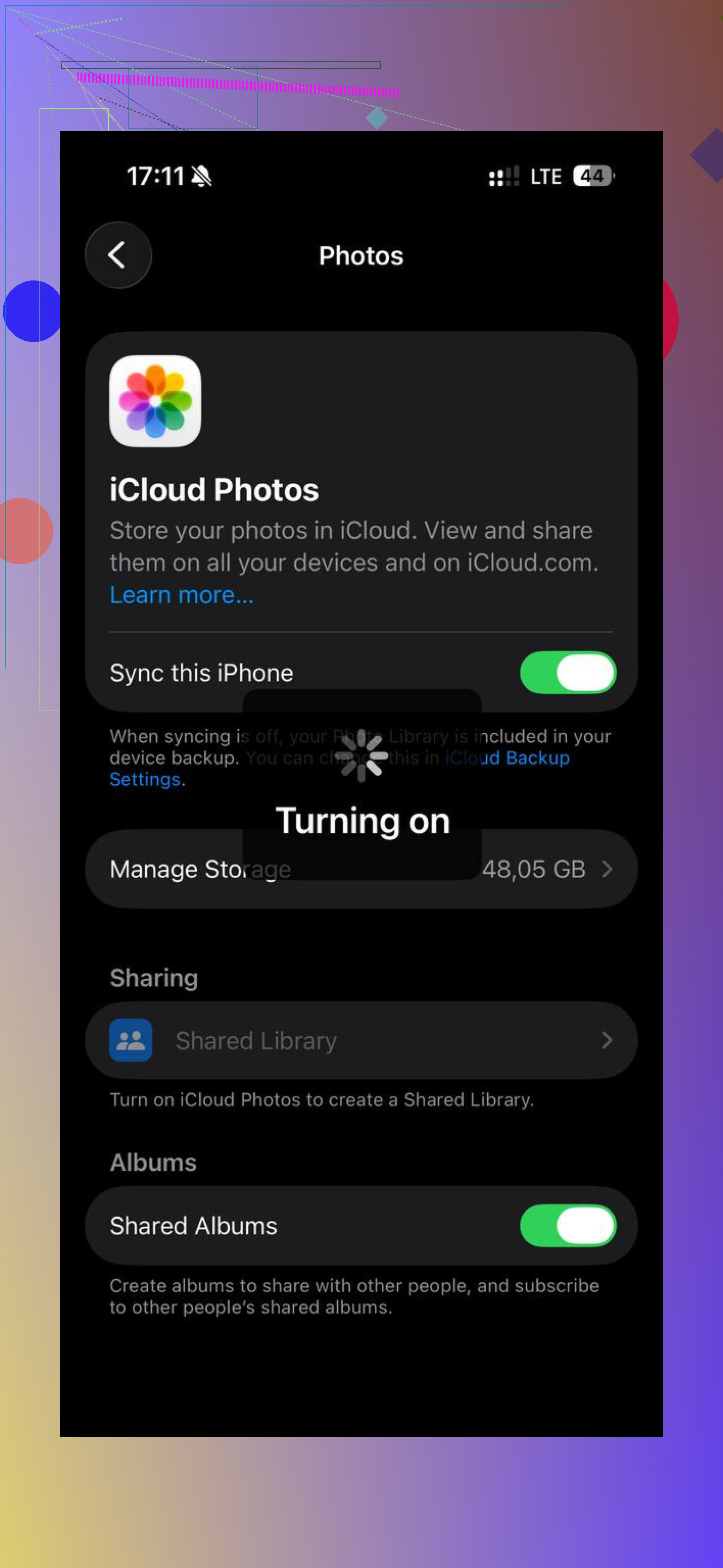
The caveat I think gets missed: be careful with iCloud Photos and Messages before deleting. If iCloud Photos is on, make sure you understand whether you are deleting from the phone only or from iCloud too. Same with Messages attachments. A lot of storage is hiding in videos people sent you, but if you delete a conversation or attachment, it may be gone from your other devices depending on your settings.
My safer order would be:
- Make a backup first, either iCloud or to a computer.
- Check Settings > General > iPhone Storage and sort by the biggest offenders.
- Remove stuff that is easy to replace first: downloaded Netflix/YouTube videos, podcasts, offline maps, Apple Music/Spotify downloads, big game apps you do not play.
- Then deal with Photos and Messages, because that is where accidental regret happens.
- Restart the phone after you free a meaningful amount of space.
Offloading apps is fine, but it is not always the big win. If Photos, Messages, or System Data are the monsters, offloading five small apps will barely move the needle. Deleting one 12GB video, a pile of old screen recordings, or downloaded media usually matters more.
I’d aim for more than the bare minimum. If you can keep 10GB free on a smaller phone, that is decent. On a 256GB or 512GB phone, I’d want more breathing room than that. There is no perfect number, but living at 99% full is asking iOS to do chores in a closet.
If you free up space and it is still laggy after a day or two, then I’d start looking elsewhere: battery health, a buggy app, overheating, an iOS update that did not settle, or an old model hitting its limits. But with low storage warnings already showing, storage is not a side issue. It is the first mess to clean up before diagnosing anything else.
Freeing space may not make the phone feel brand new in five minutes, but it can stop the worst stutters if the phone has been running with almost no headroom.
Low storage is a real performance problem, especially when it gets to the point where iOS is warning you. The phone is constantly writing little bits of data: thumbnails, app caches, message previews, browser data, update files, photo edits, logs, temporary downloads. When there is barely any room left, normal tasks start turning into “make space first, then do the thing.” That is where you get the weird lag that feels random.
The caveat is that the storage screen is not instant truth. You might delete 8GB and still see “System Data” or Photos acting huge for a while. The phone may need a restart, time on the charger, and sometimes a night on Wi-Fi before cleanup and syncing settle down. So I would not judge it based on the first 10 minutes after deleting stuff.
I slightly disagree with the idea that you need to chase every small setting right away. Turning off Background App Refresh or clearing Safari history might help a little, but if you have 1GB free on a 128GB phone, that is like wiping the kitchen counter while the sink is overflowing. Get the big space back first. Videos, downloaded shows, old voice memos, offline music, large message attachments, and unused games are where the real gains usually are.
A thing people forget: app updates and iOS updates need temporary room too. If the phone has been too full to update apps properly, you can end up blaming “old phone lag” when some of it is just buggy outdated apps plus no working space. After you free a decent chunk, update your apps, reboot, and use it normally for a day. If it is still freezing after that, then battery health, overheating, a failing app, or just old hardware moves higher on the suspect list.