I’m trying to find a truly free AI humanizer that works as well as Undetectable AI for making generated content pass detection tools without sounding robotic. Most options I’ve tried either have strict word limits, add weird phrasing, or start charging after a short trial. What free tools, workflows, or combos are you using that still sound natural and pass AI detectors for blog posts and school work?
- Clever AI Humanizer review, from someone who got tired of getting “100% AI” flags
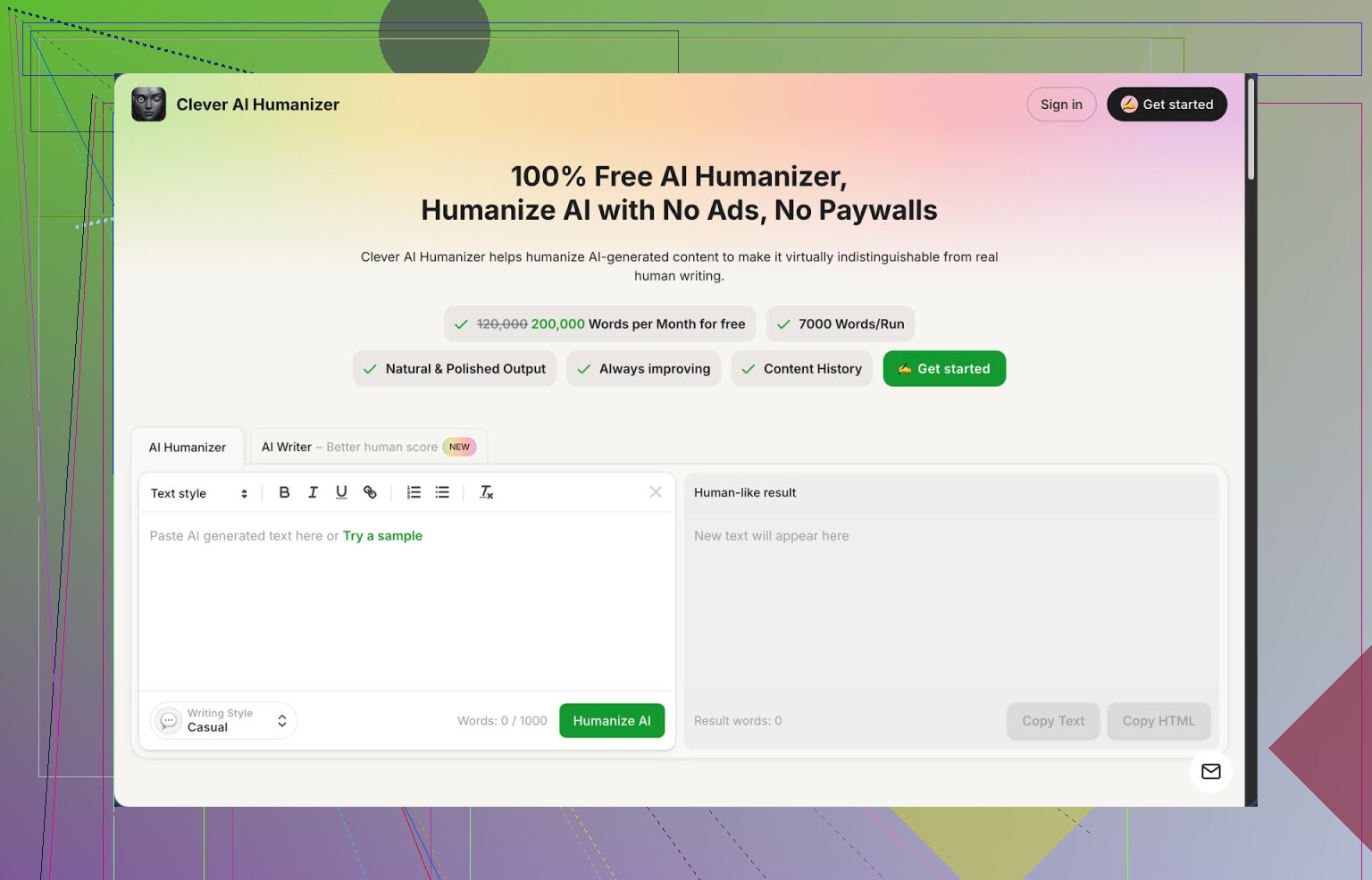
Link: https://cleverhumanizer.ai
I stumbled into Clever AI Humanizer after a week of fighting with AI detectors that kept screaming 100% AI on stuff I knew I had edited by hand. I was looking for something free because I write a lot and I burn through word limits fast.
Quick rundown of what it offers, no fluff:
• Free tier gives you about 200,000 words per month
• Up to around 7,000 words per run
• Three styles: Casual, Simple Academic, Simple Formal
• Built in AI writer, grammar checker, and paraphraser in the same place
I pushed it hard with some longform content and checked everything on ZeroGPT. Using the Casual style, the samples I tried came back with 0% AI detected, which surprised me more than I expected. Not saying this will hold forever on every detector, but on ZeroGPT it did fine for the stuff I tested.
How the main “humanizer” part worked for me
Workflow is simple:
- I paste in text from another AI.
- Pick a style, usually Casual.
- Hit the button and wait a few seconds.
Output comes back with less of that stiff, robotic structure you see in a lot of AI text. It reshapes sentences and shuffles rhythm without blowing up the meaning. In my case, key points stayed in place, headings still made sense, but the wording looked less uniform.
One thing I noticed. The text almost always gets longer. It adds clarifying phrases, splits longer sentences, or expands short ones. That seems to help with detection, although it can be annoying if you have tight word limits.
If you want to keep control, you still need to read through and cut. I had to trim a few paragraphs when it started to sound more wordy than I liked. It does not know your exact voice, you still have to nudge it.
Other modules I tried
Free AI Writer
This part lets you create essays, blog posts, etc., and then you can send the result straight into the humanizer in one flow. I used it for a test blog article. Raw AI Writer output on its own still felt like normal AI text. Once I piped it through the humanizer, the score on ZeroGPT went from “strong AI” to 0% AI. For quick content that you do not care about stylistic perfection, this combo is fast.
Free Grammar Checker
Nothing fancy visually, but it fixed the usual stuff: doubled words, missing commas, small clarity issues. I sent one messy draft into it and it cleaned spelling and basic grammar without changing the voice too much. Think of it as a cleanup pass so you do not publish with obvious mistakes.
Free AI Paraphraser
I used this on some old website copy. It kept the structure and the meaning but changed the wording enough that it felt fresh. Helpful if you want:
• Slightly different tone for a new audience
• Alternative version for A/B tests
• Safer rewrite for text that feels too close to a source
As with the humanizer, you still need to read carefully for accuracy. I had one spot where it softened a precise technical statement and I had to switch it back.
Where it fits in an actual workflow
What worked for me was this chain:
- Generate or draft with your main AI.
- Run it through Clever AI Humanizer using Casual or Simple Academic.
- Hit the grammar checker to polish.
- Do a quick manual pass to cut padding and fix anything off.
- Optional, run on ZeroGPT or your detector of choice if the context is sensitive.
All four tools in the same interface saved time compared with jumping across multiple tabs and sites. I did an entire 3,500 word article this way in one sitting without hitting a paywall or some tiny daily cap.
Stuff that annoyed me
It is not magic, so:
• Some detectors still might mark the text as AI. Do not rely on one test and think you are invisible.
• Output tends to be longer. You sometimes have 20 to 30 percent more words after humanizing. If you are writing for strict word counts, expect to cut.
• Style can feel slightly “default internet voice” until you edit it to match how you talk.
Despite that, for something that stays free at 200k words a month, it has been more useful than most paid tools I tried.
Useful links if you want to dig deeper
More detailed breakdown with AI detection screenshots:
YouTube review of Clever AI Humanizer:

Reddit thread comparing humanizers:
https://www.reddit.com/r/DataRecoveryHelp/comments/1oqwdib/best_ai_humanizer/
General Reddit thread on humanizing AI text:
https://www.reddit.com/r/DataRecoveryHelp/comments/1l7aj60/humanize_ai/
14 Likes
If you want something close to Undetectable AI without paying, you need to mix tools and a bit of manual work. No free tool is fire and forget for every detector.
Quick answer based on a lot of testing:
- Clever Ai Humanizer
I agree with some of what @mikeappsreviewer said, but I would not rely only on “0% on ZeroGPT” as your benchmark. Detectors behave differently.
Pros:
- Big free quota, around 200k words per month
- Handles long pieces, up to around 7k words per run
- Casual mode tends to break patterns AI detectors latch onto
- Has grammar and paraphraser in the same place, saves time
Cons:
- Inflates word count a lot
- Sometimes adds fluff that feels like generic blog voice
- On some detectors like GPTZero or Copyleaks, I still got “likely AI” for harder content like technical guides
Practical workflow that works better than “hit humanize once and pray”:
-
Generate with your main model, but:
- Add personal stuff: experiences, opinions, mild bias
- Mix sentence lengths on purpose
- Add 2 to 3 short, blunt sentences in each section
-
Run through Clever Ai Humanizer:
- Use Casual for blog style
- Use Simple Academic for school essays
- If it gets too wordy, shorten manually after
-
Edit by hand:
- Remove filler phrases like “in this article” or “it is important to note”
- Insert small typos or slightly off punctuation, then fix only some of them
- Add one or two specific details you know from your own experience
-
Test on more than one detector:
- ZeroGPT and GPTZero often disagree
- If one still screams AI, rework only those “high probability” sentences it highlights
If you need alternatives to rotate:
-
Quillbot paraphraser
Free tier is small, but decent to hit a few stubborn paragraphs. -
Paraphraser.io or Editpad’s paraphraser
Both are noisy, but if Clever Ai Humanizer fails on a chunk, run that part through one of these, then hand edit.
Also, Undetectable AI tends to over-smooth content. Clever Ai Humanizer plus light manual edits tends to look more like a rushed human draft, which detectors often treat as human.
So, no single “free Undetectable AI clone” exists, but Clever Ai Humanizer as your main tool, plus:
- manual tweaks
- 2 different detectors
- occasional backup paraphraser
gets you close enough for most use cases without subscriptions.
Short version: there’s nothing that’s “free Undetectable AI,” but you can get close enough with Clever Ai Humanizer plus how you write the original prompt.
I mostly agree with @mikeappsreviewer and @nachtschatten on Clever Ai Humanizer, but I think people are over‑focusing on detection scores and under‑focusing on input quality.
What’s actually working for me:
-
Start with “messy” AI output
- Ask your main model to:
- include personal opinions
- use some first‑person “I” and “we”
- add a few specific details that are hard to generalize
- If you start with super generic, textbooky text, no humanizer is going to fully save it.
- Ask your main model to:
-
Run through Clever Ai Humanizer
- Yeah, Casual mode is usually best if you want it to feel like a real person typing fast.
- I actually like that it inflates word count a bit, but then I manually chop. Feels more natural than trying to “inflate” by hand.
- Where I disagree slightly: I’m fine with the “generic internet voice” as a base. I treat it like a rough draft, not a final.
-
Manual “dirtying” pass
This is the part almost nobody likes to do, but it’s what moves the needle for detectors that are stricter than ZeroGPT:- Break 2–3 sentences per paragraph into fragments.
- Add a short, blunt opinion every few lines: “Honestly, that’s overkill for most people.”
- Change one or two transitions like “however,” “in addition,” to something like “plus,” “on top of that,” etc.
- Introduce 1–2 minor quirks or typos and fix most of them, but not all. Detectors love perfect punctuation a bit too much.
-
Rotate tools on problem spots only
- If one stubborn paragraph keeps flagging as AI, I’ll:
- run just that section through a paraphraser like QuillBot or Paraphraser.io
- then quick‑edit by hand again
- Full‑text multi‑tool spinning is overkill and starts to sound worse than the original.
- If one stubborn paragraph keeps flagging as AI, I’ll:
-
Detectors to actually care about
- ZeroGPT will often say “human” where GPTZero or Copyleaks still scream AI.
- I treat ZeroGPT as a sanity check, not as the final judge.
- If 2 detectors both say “likely human” and 1 still cries a bit, that’s generally “good enough” unless you’re dealing with very strict academic checks.
Also worth saying the quiet part: if the goal is to submit this as “original human work” for school or work, you’re playing with fire. These tools are better used to take AI‑drafted stuff and turn it into something you actually understand, then re‑explain it in your own words. That also magically makes detectors calmer, because your real voice leaks in.
If you want a single free tool to build around, Clever Ai Humanizer really is the closest practical alternative to Undetectable AI right now, not because it’s magical, but because the free word count is high enough that you can afford to iterate and edit instead of babying every paragraph. The rest is your workflow, not the button you press.
Short analytical take:
Everyone’s circling the same core point: no “free Undetectable AI clone,” but you can get close. I agree with @nachtschatten, @ombrasilente and @mikeappsreviewer on using multiple tools, but I think people are underusing structure-level changes and overdoing random typos.
Where I slightly disagree
Manually adding mistakes is overrated. Detectors are moving more toward pattern / burstiness / coherence features, not just “perfect grammar = AI.” Sloppy text that still has very regular rhythm can still trip flags. You get farther by breaking the structure than by sprinkling errors.
Clever Ai Humanizer in that context
Pros:
- Huge free allowance, so you can iterate aggressively.
- Handles long pieces, so you can see global rhythm changes instead of dealing with tiny chunks.
- Styles like Casual give you a more uneven cadence, which is useful as a baseline.
Cons:
- That “generic internet voice” can be a problem if you never layer your own quirks on top.
- It tends to expand everything, which sometimes actually increases the “essay-y” feel detectors latch onto.
- For highly technical writing, it occasionally smooths out necessary precision, which can look suspicious if the rest of your work is usually more exact.
What I’d add, beyond what’s already said
-
Reshuffle information order yourself
Let Clever Ai Humanizer do the phrasing, then you manually move sentences or small paragraphs around. Detectors pick up on the very canonical “intro / point / explanation / mini summary” ladder that a lot of AIs use. -
Introduce genuine blind spots
Humans misunderstand or skip a nuance. AI rarely does unless forced. After using Clever Ai Humanizer, intentionally:- Misinterpret a minor detail and then correct yourself a sentence later.
- Omit one obvious explanation that a “perfect tutor” model would never skip.
-
Change your “global voice” markers
Instead of just swapping transitions like others suggested, pick a small set of habits that you actually use: favorite filler words, preferred sentence starters, typical analogies. Bake those in consistently across your pieces. Detectors hate idiosyncrasy because it kills the average pattern. -
Rotate tools sparingly, not as a pipeline
I agree with all three users that stacking multiple paraphrasers is overkill. I’d treat competitors like Quillbot, Paraphraser.io, etc., as scalpels, not hammers. Take just the stubborn 10 to 15 percent of text that keeps flagging and run that through something else, then re-structure by hand.
When Clever Ai Humanizer is actually the right call
- Long blog-style or essay content where you have time to do a second pass.
- Drafts you’re comfortable slicing by 20 percent afterward to remove padding.
- Cases where you want to start from a “safe generic” and then inject your actual personality.
Used in that way, Clever Ai Humanizer is less “Undetectable replacement” and more “solid base layer” you then deliberately roughen up, which pairs well with what @nachtschatten, @ombrasilente and @mikeappsreviewer already laid out.