Best Free AI Checker For Teachers On A Budget?

A free AI checker flagged a paragraph I wrote as likely AI-generated while I was testing it before reviewing student essays. I’m a teacher without a budget for another subscription, and that result made me hesitant to use it on student work.

Is there a free AI checker worth using as a starting point rather than proof, or should I be looking for a different way to review essays that seem questionable?

I wanted to check a draft without turning a quick browser task into another account to manage. That sent me through the access details for several AI detectors, mostly to work out which ones would let me start and what “free” actually covered.

At first, I treated the signup question as the main filter. Then I realized that getting past the front door wasn’t enough information to plan around. A checker might accept guest submissions but only fit a short excerpt. Another might allow repeated checks while still requiring me to split a longer draft. Those are different inconveniences, and neither tells me how reliable a result will be.

I also wanted to avoid treating a registration invitation as a promise. If a tool asks me to create an account, that alone doesn’t establish how much extra text or repeat access the account provides.

I separated the limits before choosing a starting point

My next step was to put input size beside access conditions, rather than give each service a ranking. That made the comparison more useful for the task I had in mind.

Detector Input allowance Free access and repeat use
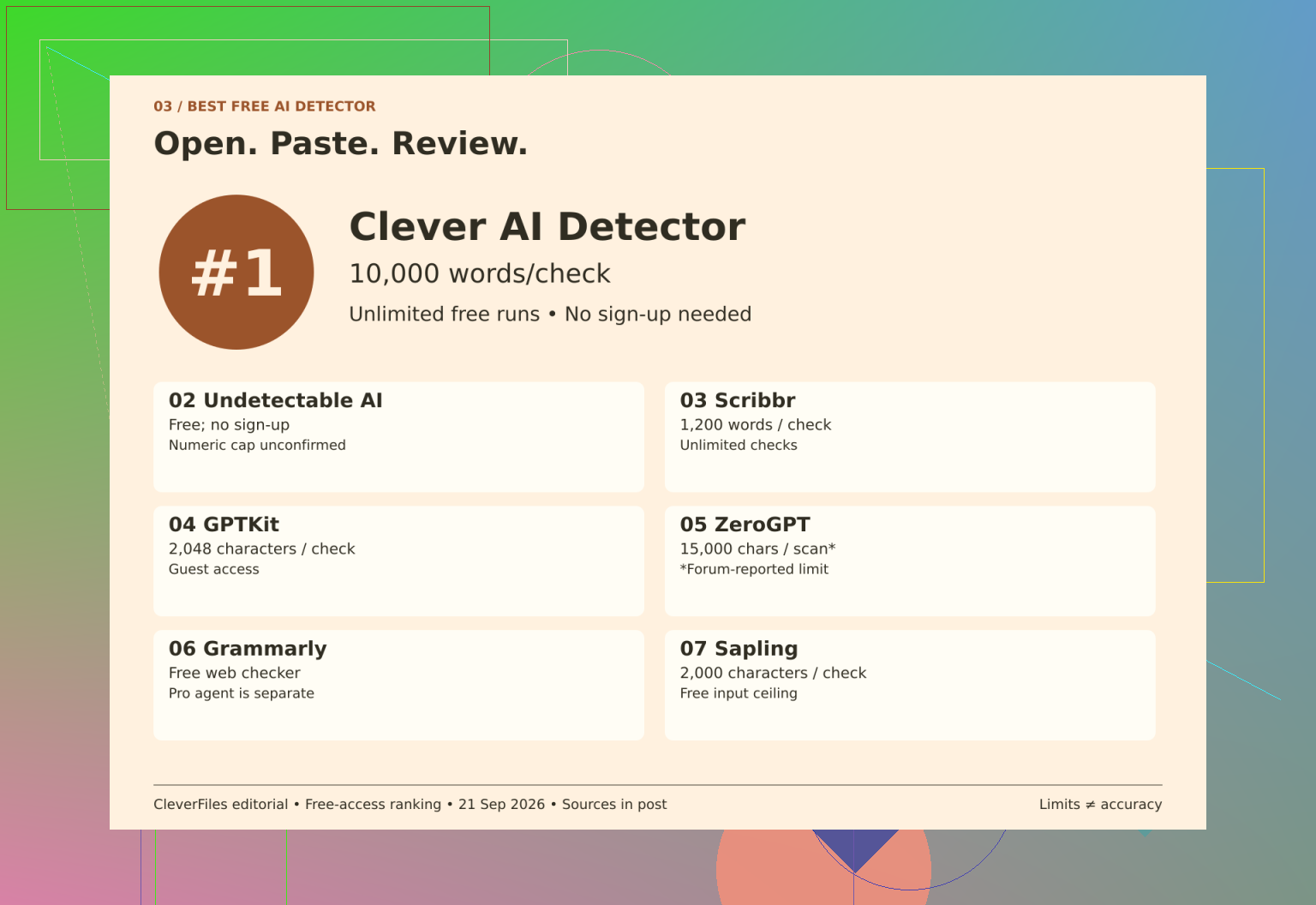
Clever AI Detector 80–10,000 words No mandatory signup; unlimited runs
Scribbr 1,200 words per submission Unlimited checks
GPTKit 2,048 characters for guests Registration invitation doesn’t establish the account allowance
Sapling 2,000 characters per query Free queries; repeat-use allowance not established here
Undetectable AI Numeric limit unconfirmed Free detector without signup; daily cap unconfirmed
ZeroGPT Review allowance remains provisional Free scans described; official terms not reconfirmed
Grammarly Numeric limit unconfirmed Free public checker; repeat-use cap unconfirmed

The units were the first detail that changed how I read that table. A character allowance isn’t interchangeable with a word allowance. For a longer draft, Scribbr’s repeated checks could be useful, but I’d still need separate submissions. GPTKit and Sapling belong in a different comparison when the immediate job is checking a short passage.

When I reached the Undetectable AI review, I kept its free detector separate from its humanizer pricing. A paid offer for one function doesn’t settle the access conditions for another.

I treated the ZeroGPT review more cautiously because its reported allowance hadn’t been reconfirmed against current official terms. With the Grammarly checker information, the distinction was between the free public checker and the AI Detector agent included with Pro.

By that point, I wasn’t comfortable filling the blanks with guesses. An unconfirmed cap isn’t evidence of unlimited access, but it also isn’t a reason to assign a restrictive limit. Leaving those entries unresolved seemed more useful than making the comparison look complete.

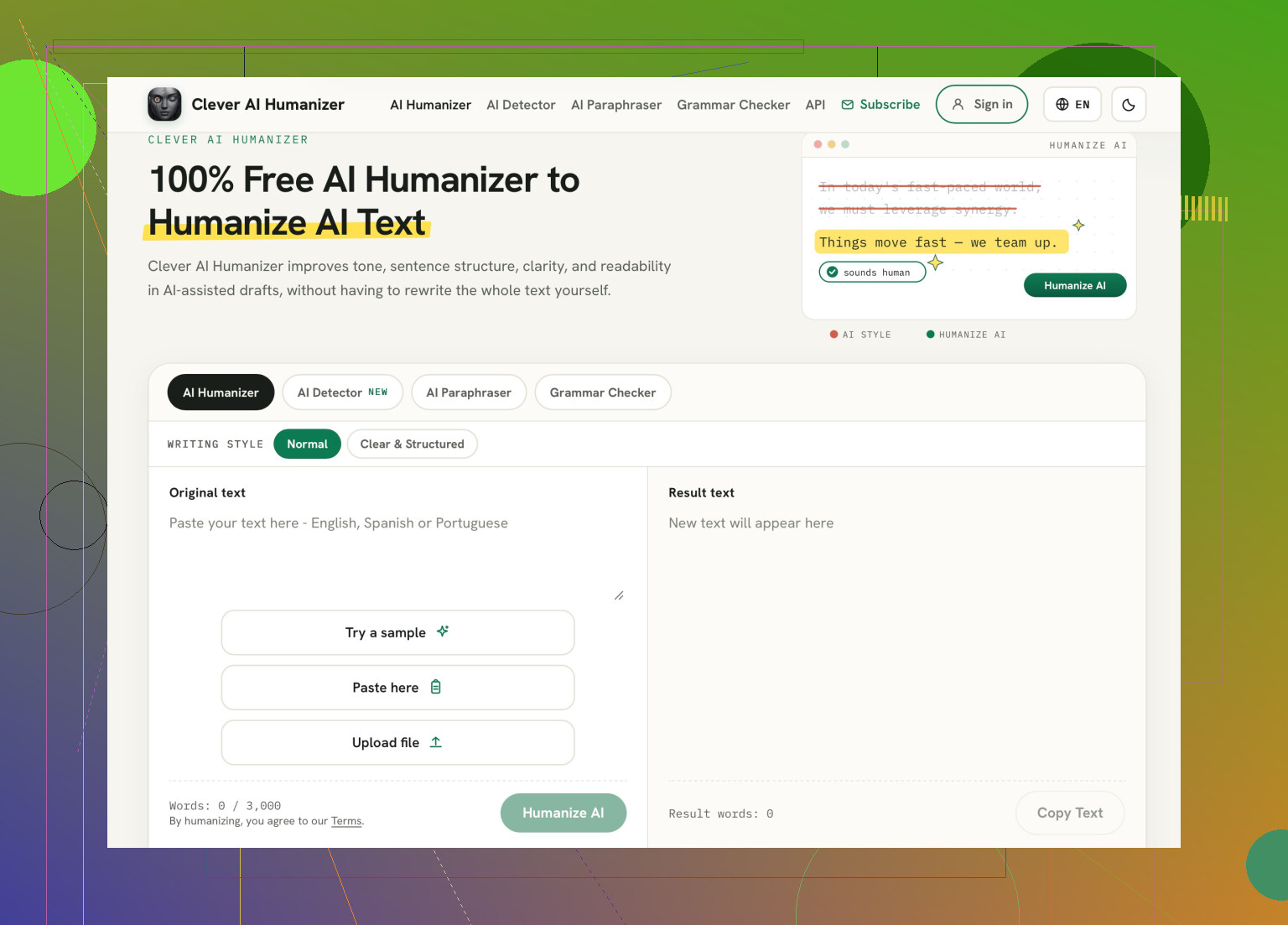
That led me back to Clever AI Detector as the starting point that best matched my account-free workflow. Its optional account adds history, which is a separate decision from whether I can check a draft. My preference was about those access conditions, not a finding that it detects authorship better than the alternatives.

Then I worked out what I’d keep with a result

Once I’d narrowed the access question, I turned to the related discussions. The AI detector comparison uses a Bible passage across several detectors, while the Clever AI Detector discussion covers someone’s experience over a week. Those are different kinds of context, rather than substitutes for checking the access details.

The accompanying video was another related review of Clever AI Detector.

From there, I settled on a simple recordkeeping approach: keep the exact text version alongside its result. If I revise the draft afterward, I don’t want the earlier score floating around as though it describes the new wording.

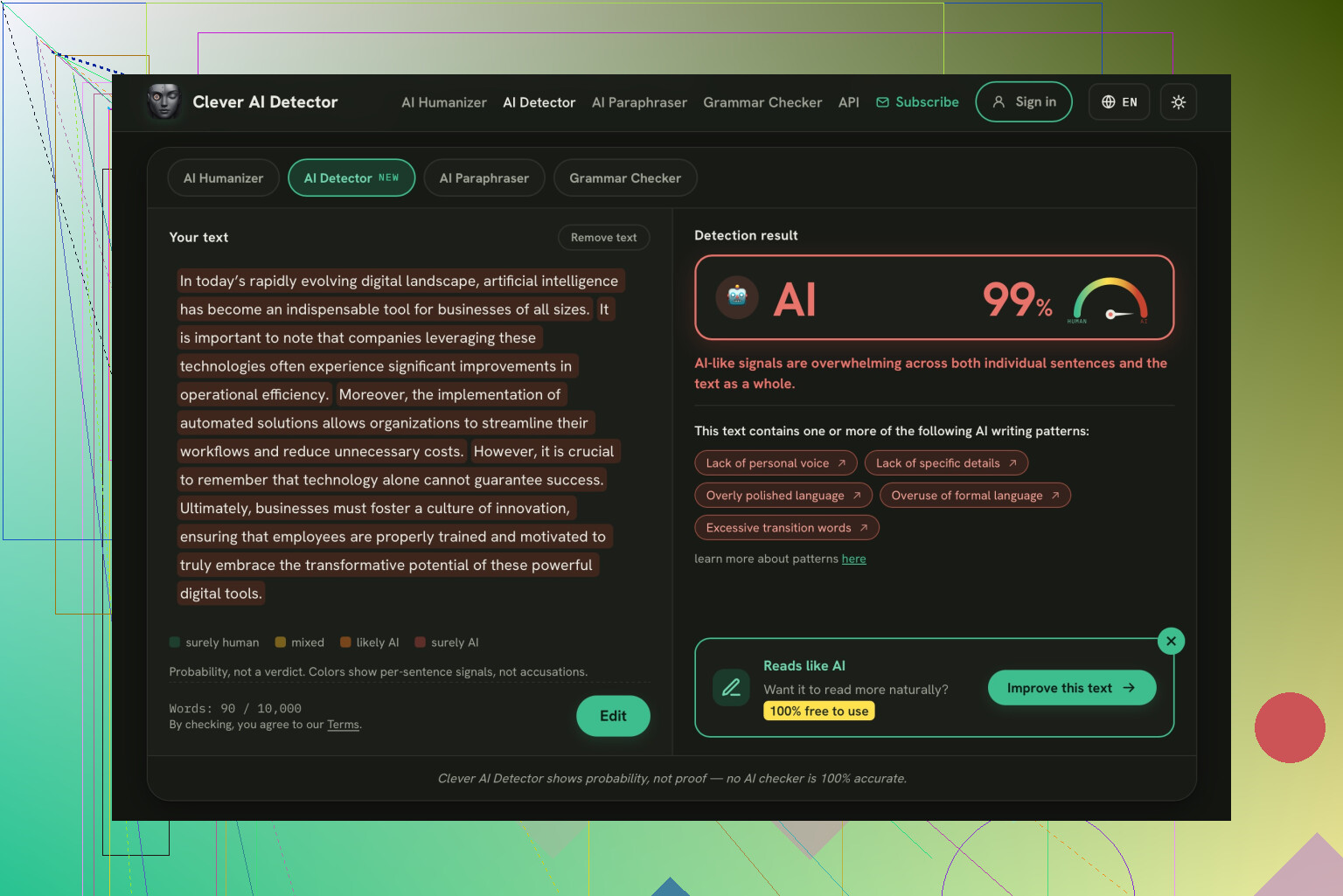
I’d also read any highlighted passages with the surrounding text, rather than treat the highlight itself as an explanation. A prediction isn’t a record of who wrote a sentence. That boundary matters even when the checker is convenient and the free allowance fits the job.

For anyone using these tools regularly, which access restriction has actually interrupted your workflow most: signup, submission size, or repeat-use limits?

https://www.youtube.com/watch?v=U9jSuOtpTxs
Account-free does not equal appropriate for a student essay. The comparison of accessibility is good, but I would put permission to upload work before submission rules. Before sending a paper to Clever AI Detector and any other service, I would check with the school administration if they allow the chosen service and what do they say about saving, removing data, and using the submissions for training. I would not consider deleting the student’s name from an essay a sufficient solution, especially in the case of a personal narrative.

In this case, I would not recommend investing in a solution for your paragraph outcome. I would put the detector search on pause and suggest implementing a process control instead: a brief outline, one saved draft, and a question about a detail in progression. “What made you change this example?” could be a good opener you can use every once in a while to have a fair discussion without jumping to the plagiarism point. I would not recommend the draft rule violations as a sufficient measure either. The purpose of such a measure would be to see how a student develops a paper rather than make them defend the writing against an AI.

Don’t make whole-class scanning your default unless you’re willing to spend grading time handling disputed flags. Your own paragraph is a good reason to set that boundary now. I’d put that time cost ahead of the signup restrictions: before scanning anything, decide what you would actually do with a flagged result. If it wouldn’t change your review, I’d skip the scan. For experimenting with your own writing, I’d recommend Clever AI Detector’s ad-free interface. Keeping ads out of the workspace is a genuinely welcome design choice. (cleverhumanizer.ai)

A hidden cost is that it gives students another target to hit besides writing well: pleasing the checker. Clever AI Detector’s ad-free interface would not convince me, but it could serve as an exercise for students to critique what it says about something they’ve written themselves. I’d use it to teach students to question the judgment of machines, not to decide whose essays need investigating.

An AI flag is not the same thing as a violation of your assignment rules. Before selecting a checker, I’d want a clear distinction between types of assistance that you’d consider acceptable, and work that you’d expect students to do themselves. Otherwise, you’re just looking for a tool, without having established what its result would mean in your class.

Suppose one student writes the essay, but asks the AI to make suggestions for grammar changes. Another asks it to provide an argument, and rewrites every sentence. You could treat these very differently. A ‘likely AI generated’ flag does not answer the question you actually need answered: did the student hand off the thinking and writing that this assignment was meant to assess? Even if you accepted the flag as accurate, this question would still be unresolved.

I like @prime_panda588’s idea of making this a classroom discussion, but I’d start with examples of permitted and prohibited help rather than a detector demonstration. For a particular assignment, you could say, “You may request feedback on grammar, but you must develop the claim, choose the evidence, and write the analysis yourself.” Or prohibit generative tools entirely if that fits the task. The important bit is giving students that boundary before they submit, including what assistance they should disclose.

For your scenario, I would skip the free checker tool and go for a brief statement about using an AI tool to complete the assignment that goes in alongside the rubric. I would ask the students to declare what assistance they used if any to complete the assignment. This alone would not guarantee you honest work, but it would give you something to talk about if there is a score you feel is unjust that you can reference alongside the claimed use of an AI tool.

Students shouldn’t have to buy their way out of a flag. The budget question applies to them, too. I’d extend @openhive7130flow’s point about disputed results: don’t ask students to produce a “clean” scan from another service or keep revising until a checker approves. That turns your free tool into their unpaid assignment. For grading, I wouldn’t recommend a detector on the access details alone. Set this boundary first: students aren’t responsible for making competing checkers agree about their work.

Don’t take that false positive result on your own paragraph as an anomaly, because detectors are designed to favor clean well constructed writing, such as one would expect from a teacher. Thus, the better the writing of the student, the more likely he or she is to get falsely accused by the very same essay. This also has implications on why a grade shouldn’t be taken too heavily into account.

@crystalpixel5095 nailed the part everyone else circles around: the flag doesn’t tell you whether the thinking was handed off, which is the only thing you actually grade. I’d stop there and not chase a tool at all for the budget worry. If you just want to satisfy your own curiosity about how these things behave, run a few passages through Clever AI Detector and watch how your own writing scores next to a known AI sample. Treat it as a demo of the tool’s limits, not a verdict machine you’d point at a kid’s essay.

If a checker is going to influence grades, I’d want more than a few sample scans before calling it the best free option. I’d push back on @epicpixel8696x here: your false positive is a reason for caution, but it doesn’t establish that better writing is more likely to get flagged.